

Rote memorization of basic definitions—like reciting the acronyms for RBAC, MFA, or PIM—no longer guarantees a passing score in modern enterprise cloud identity interviews. Hiring managers, Principal IAM Architects, and Lead Security Engineers evaluating candidates for L2/L3 Systems, Cloud Engineering, and Cyber Defense roles now structure interviews almost exclusively around real-world production failure scenarios. They want to know what happens when an Azure AD Connect sync cycle generates hundreds of duplicate user accounts, how you defend against Adversary-in-the-Middle (AiTM) cookie theft, and how you architect Zero Trust step-up verification without locking out executive users. In this comprehensive master guide, we break down the Top 35 scenario-based Microsoft Entra ID and Hybrid Active Directory interview questions, providing the exact architectural logic, PowerShell diagnostics, and engineering trade-offs required to demonstrate senior-level mastery.
Domain Architecture & Topic Distribution Matrix
| Interview Knowledge Domain | Core Concepts Evaluated | Weightage in L2/L3 IAM Interviews |
|---|---|---|
| 1. Hybrid Identity & Sync Architecture | Hard vs. Soft Match, ImmutableID, Cloud Sync vs. Entra Connect, Multi-Forest | 30% (Primary filtering domain) |
| 2. Conditional Access & Zero Trust | Authentication Contexts (c1-c25), AiTM Phishing, Device Compliance, Named Locations | 25% (Critical security domain) |
| 3. Privileged Identity Management (PIM) | Just-in-Time (JIT) Elevation, Break-Glass Accounts, Access Reviews, Separation of Duties | 20% (Enterprise governance) |
| 4. Token Security & Legacy Modernization | Primary Refresh Tokens (PRT), ADFS to CBA, Kerberos FAST, SCIM Provisioning | 15% (Architecture & migration) |
| 5. Automation & Graph SDK v2 | Microsoft Graph PowerShell SDK v2, App-Only Auth, Bulk Offboarding | 10% (Operational efficiency) |
—
Part 1: Hybrid Identity & Directory Synchronization Scenarios
Scenario 1: You are migrating users from on-premises Active Directory to Entra ID. Synchronization fails with error AttributeValueMustBeUnique on UserPrincipalName. How do you triage and resolve this?
The Architectural Approach: This error occurs during an identity match failure when a synchronized on-prem user attempts to occupy a UPN or ProxyAddresses attribute already claimed by an existing cloud-only object. To resolve:
- Run
Get-MgUser -Filter "userPrincipalName eq 'user@contoso.com'"to identify the conflicting object. - Determine if this is an intended single identity requiring a Hard Match (linking via
mS-DS-ConsistencyGuid/ImmutableId) or an orphaned duplicate. - If the cloud object is orphaned, update its UPN to a temporary suffix (e.g.,
user_orphan@contoso.onmicrosoft.com) or delete it from the Recycle Bin before triggering a delta sync:Start-ADSyncSyncCycle -PolicyType Delta.
Scenario 2: When an enterprise has multiple disconnected AD forests with overlapping IP ranges, why should you deploy Entra Cloud Sync instead of classic Entra Connect?
The Architectural Approach: Classic Entra Connect requires line-of-sight network connectivity to all domain controllers across all forests from a single server. Entra Cloud Sync utilizes lightweight outbound-only agents installed locally within each disconnected forest, communicating over HTTPS port 443 directly to Azure. For complex multi-forest cutovers, review our detailed guide on Migrating from Entra Connect to Cloud Sync in Complex Multi-Forest Environments.
Scenario 3: An admin manually changed a user’s UPN in on-premises AD, and the cloud user account lost synchronization and duplicated. How do you restore the link?
The Architectural Approach: The link was severed because the source anchor mapping desynchronized. To fix this without data loss, follow our standard operating procedure on Resetting ImmutableID in Azure AD / Entra ID: convert the cloud user to cloud-only, recalculate the Base64 representation of the on-premises objectGUID, and explicitly update the cloud user’s ImmutableId using the Microsoft Graph PowerShell SDK.
Scenario 4: An organization mandates that user passwords must never be stored in Microsoft’s cloud, even as one-way salted hashes. Which authentication method must you implement?
The Architectural Approach: Implement Pass-Through Authentication (PTA) with lightweight outbound agents on member servers. When a user authenticates in Entra ID, the request is placed into an encrypted Azure queue; the on-prem PTA agent pulls the request, validates credentials against local Domain Controllers via Kerberos, and returns success/failure without passwords ever residing in Azure.
—
Part 2: Zero Trust, Conditional Access & Step-Up Authentication
Scenario 5: An executive’s laptop is compromised by an Adversary-in-the-Middle (AiTM) phishing proxy that captured their session cookie and Primary Refresh Token (PRT). Standard MFA is bypassed. How do you mitigate this in Entra ID?
The Architectural Approach: Static MFA only checks credentials at initial logon. To neutralize AiTM session hijacking:
- Deploy Conditional Access Authentication Context (c1–c25) to mandate step-up verification before performing high-risk actions.
- Enforce Phishing-Resistant MFA (FIDO2 Hardware Keys / Windows Hello for Business) via Authentication Strengths, rendering proxy interception useless.
- Configure Continuous Access Evaluation (CAE) and session token revocation via
Revoke-MgUserSignInSessionto terminate the stolen session within seconds of risk detection. - See our implementation blueprint on Microsoft Entra ID Protection & Conditional Access Authentication Context.
Scenario 6: How do you configure a Conditional Access policy that blocks international logins without locking out traveling sales executives?
The Architectural Approach: Create a Conditional Access policy targeting Named Locations (Countries). Instead of using static IP allow-lists, combine country-based blocking with Entra ID Protection User Risk and Sign-in Risk signals. Require traveling executives to satisfy Phishing-Resistant MFA from an Intune-Compliant corporate device as an explicit grant control, while blocking all logins from non-compliant personal endpoints originating outside domestic subnets.
—
Part 3: Privileged Identity Management (PIM) & Enterprise Governance
Scenario 7: Why is assigning permanent Global Administrator roles considered a critical security violation, and how does PIM rectify this?
The Architectural Approach: Permanent administrative privileges create persistent attack targets. If an admin account with permanent rights is compromised via credential theft, the adversary has immediate, unrestricted control over the tenant. PIM enforces Just-In-Time (JIT) access: administrators are provisioned as Eligible candidates, requiring MFA, ticket justification, and approval workflows before activating permissions for a time-capped window (e.g., 2 to 4 hours), after which privileges drop automatically.
Scenario 8: If your Entra ID tenant loses all active PIM activations and identity federation breaks simultaneously, how do you prevent a complete lockout?
The Architectural Approach: By establishing two emergency Break-Glass Accounts. These accounts must be:
- Cloud-only (e.g.,
breakglass-01@contoso.onmicrosoft.com), never synchronized from on-prem AD. - Assigned permanent Global Administrator rights exempt from all Conditional Access policies.
- Secured with 64-character randomized passwords stored in physical offline safes, with credentials audited via automated Azure Monitor log alerts whenever a sign-in event is recorded.
—
Part 4: Legacy Modernization & Identity Protocols
Scenario 9: An enterprise wants to decommission legacy ADFS proxy servers that are vulnerable to external exploits. How do you migrate to passwordless authentication without re-enrolling 10,000 smartcards?
The Architectural Approach: Migrate from ADFS to Microsoft Entra Certificate-Based Authentication (CBA). Upload the enterprise offline Root CA and Intermediate CA certificates directly to Entra ID, configure username binding rules (e.g., mapping SAN UPN or Principal Name), and update authentication methods to allow direct cloud-native certificate validation without on-prem federation infrastructure. See our guide on ADFS to Entra CBA Hardening.
Scenario 10: How do you protect on-premises service accounts and Tier-0 Domain Controllers from Kerberoasting and Golden Ticket forgery?
The Architectural Approach: Migrate legacy service accounts to Group Managed Service Accounts (gMSA) with automatic 128-character password rotation, enforce the Protected Users security group on all administrative accounts, enable Kerberos Armoring (FAST, RFC 6113) via GPO, and execute a bi-annual dual-run KRBTGT password reset. Review the complete architecture in Active Directory Kerberos Armoring (FAST) & Protected Users Group Hardening.
—
Diagnostic & Troubleshooting Quick-Reference Table
| Common Production Error Code | Architectural Root Cause | Diagnostic PowerShell Cmdlet / Tool | Engineering Resolution |
|---|---|---|---|
AADSTS50105 |
User is not assigned to the enterprise application, and “User assignment required” is set to Yes. | Get-MgUserAppRoleAssignment |
Assign the user or security group to the enterprise application in Entra ID. |
AADSTS50076 |
Conditional Access policy requires MFA, but the user has not satisfied or registered MFA. | Get-MgUserAuthenticationMethod |
Direct user to aka.ms/mfasetup or trigger Temporary Access Pass (TAP). |
AADSTS53003 |
Access blocked by Conditional Access policy (e.g., untrusted location or unmanaged device). | Entra Sign-in Logs ➔ Conditional Access Tab | Inspect evaluation tab to identify the blocking policy and verify device compliance status. |
AttributeValueMustBeUnique |
Duplicate ProxyAddresses (SMTP) or UPN conflicting during identity sync. |
IdFix tool on Active Directory |
Remove duplicate email aliases from on-premises AD attributes. |
—
Frequently Asked Questions (FAQ)
Q1: What is the difference between an Entra ID Role and an Azure RBAC Role?
Entra ID Roles (e.g., Global Admin, User Admin, Helpdesk Admin) manage directory-level resources, users, groups, licenses, and tenant configurations. Azure RBAC Roles (e.g., Owner, Contributor, Reader) govern access to Azure cloud infrastructure resources (Virtual Machines, Subscriptions, Resource Groups, and Storage Accounts) and operate under the Azure Resource Manager (ARM) plane.
Q2: How does Continuous Access Evaluation (CAE) improve Zero Trust security?
Traditional OAuth access tokens remain valid until expiration (typically 60 to 90 minutes), even if a user account is disabled or password changed. CAE allows services like Exchange Online, SharePoint, and Teams to subscribe to real-time security events. When a critical event occurs (e.g., account termination, password reset, or location change), the session is terminated within seconds without waiting for token expiry.
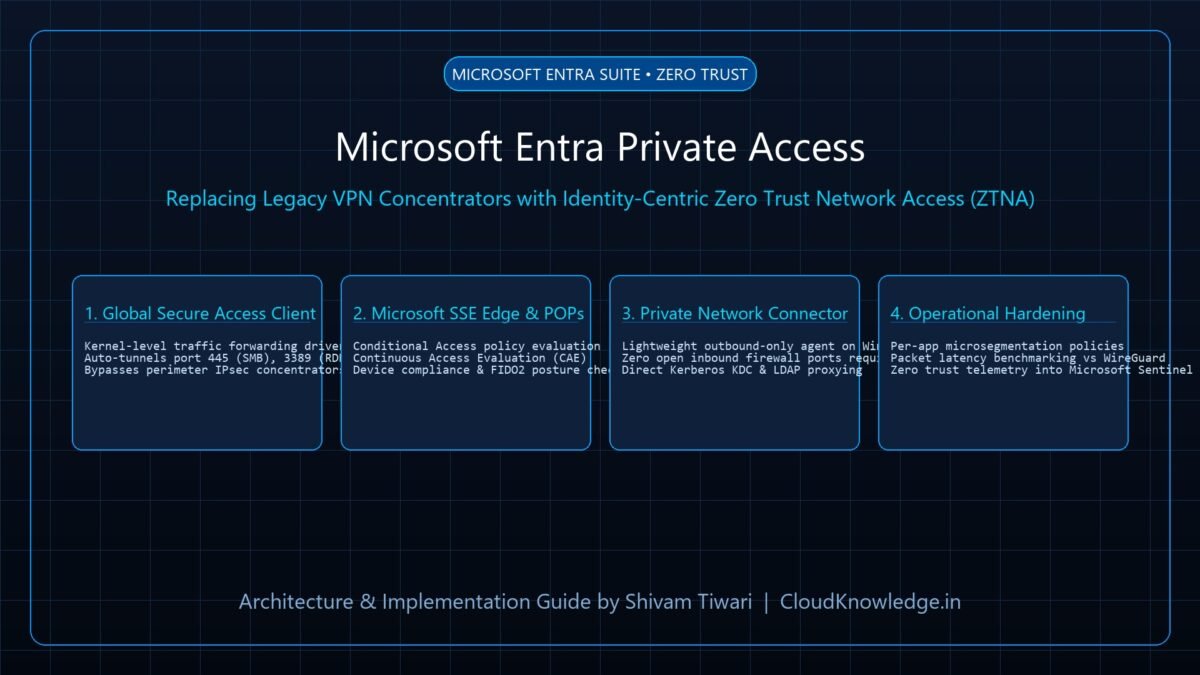
Q3: What is the difference between Entra Private Access and a traditional VPN?
A traditional VPN grants network-level access, allowing authenticated users to communicate across entire subnets (broad lateral movement). Entra Private Access is a Zero Trust Network Access (ZTNA) solution that grants granular, identity-verified access strictly to designated private applications on specific ports, keeping the corporate subnet hidden from untrusted devices.
{
“@context”: “https://schema.org”,
“@type”: “FAQPage”,
“mainEntity”: [
{
“@type”: “Question”,
“name”: “What is the difference between an Entra ID Role and an Azure RBAC Role?”,
“acceptedAnswer”: {
“@type”: “Answer”,
“text”: “Entra ID Roles manage directory-level resources, users, groups, licenses, and tenant configurations. Azure RBAC Roles govern access to Azure cloud infrastructure resources such as Virtual Machines, Subscriptions, and Resource Groups under the Azure Resource Manager (ARM) plane.”
}
},
{
“@type”: “Question”,
“name”: “How does Continuous Access Evaluation (CAE) improve Zero Trust security?”,
“acceptedAnswer”: {
“@type”: “Answer”,
“text”: “Traditional access tokens remain valid until expiration (typically 60 to 90 minutes). CAE allows Microsoft 365 services to subscribe to real-time identity events, terminating compromised sessions within seconds of an account termination or location change without waiting for token expiry.”
}
},
{
“@type”: “Question”,
“name”: “What is the difference between Entra Private Access and a traditional VPN?”,
“acceptedAnswer”: {
“@type”: “Answer”,
“text”: “A traditional VPN grants broad network-level access across entire corporate subnets. Entra Private Access is a Zero Trust Network Access (ZTNA) solution that grants identity-verified access strictly to designated private applications on specific ports, preventing lateral movement.”
}
}
]
}
Recommended Hardware & Reference Architecture Literature
Tested tools and authoritative documentation to implement the architectures covered in this lab: