

PowerShell Variables and Scopes
Control structures are an essential aspect of programming that help you define the logic for decision-making, looping, and managing flow. They enable you to assess conditions and variables to determine actions based on specific scenarios. In this post, we’ll explore key PowerShell control structures and provide code examples to get you started.
Conditional Statements
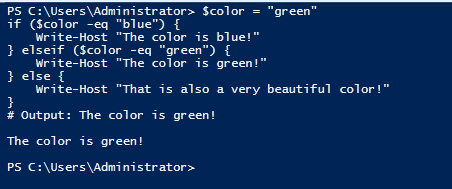
If / ElseIf / Else
This structure evaluates conditions and executes specific actions based on those conditions.
Syntax:
if (<condition>) {
<action>
} elseif (<condition>) {
<action>
} else {
<action>
}
Switch
Use switch to evaluate a variable against multiple values.
Syntax:
switch (<value to test>) {
<condition 1> { <action 1> }
<condition 2> { <action 2> }
default { <default action> }
}

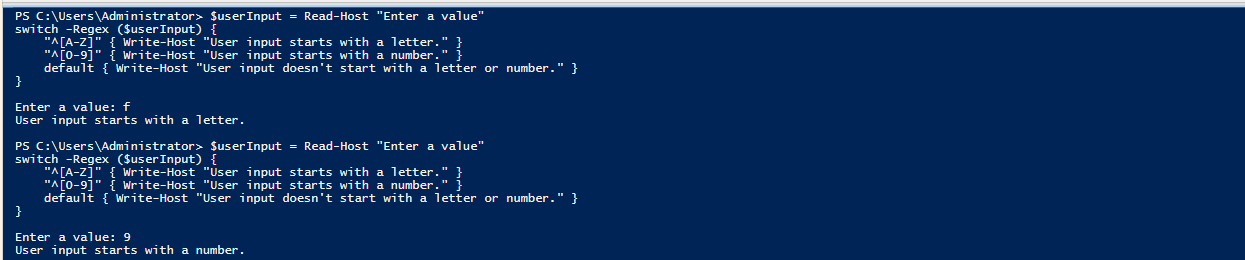
Using Regular Expressions with Switch
The -Regex parameter allows regex matching.
$userInput = Read-Host “Enter a value”
switch -Regex ($userInput) {
“^[A-Z]” { Write-Host “User input starts with a letter.” }
“^[0-9]” { Write-Host “User input starts with a number.” }
default { Write-Host “User input doesn’t start with a letter or number.” }
}
Loops and Iterations
ForEach-Object
Processes each item in a collection. Best used when working with piped objects
$path = $env:TEMP + “baselines”
Get-ChildItem -Path $path | ForEach-Object { Write-Host $_ }
Foreach
Loads all items into a collection before processing.
$path = $env:TEMP + “baselines”
$items = Get-ChildItem -Path $path
foreach ($file in $items) {
Write-Host $file
}
While Loop
Executes as long as the condition is true.
Syntax:
while (<condition>) {
<action>
}
Example:

For Loop
Defines an initializer, condition, and iteration
Syntax:
for (<init>; <condition>; <iteration>) {
<action>
}

Do-While / Do-Until
Executes actions at least once and then checks the condition.
do {
<action>
} while (<condition>)
Special Statements
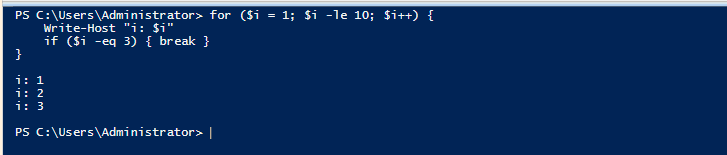
Break
Exits a loop immediately.
Example:
Continue
Skips the current iteration and moves to the next one.

Naming Conventions
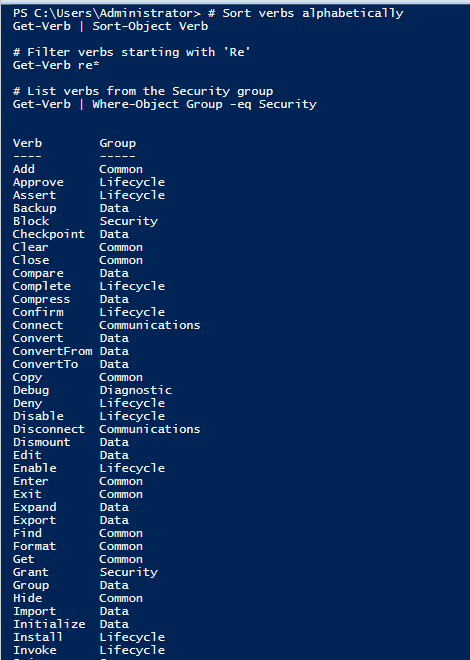
PowerShell cmdlets and functions follow a Verb-Noun naming convention, such as Get-Help or Stop-Process.
Finding Approved Verbs
Use the Get-Verb cmdlet to see the list of approved verbs.
This guide provides a comprehensive look at PowerShell control structures and how to leverage them for effective scripting. Practice these examples to enhance your understanding and proficiency!
Recommended Hardware & Reference Architecture Literature
Tested tools and authoritative documentation to implement the architectures covered in this lab:
[…] PowerShell host is an application that runs the PowerShell engine (e.g., Windows PowerShell console, PowerShell ISE, […]
Your point of view caught my eye and was very interesting. Thanks. I have a question for you.