

Quick Answer
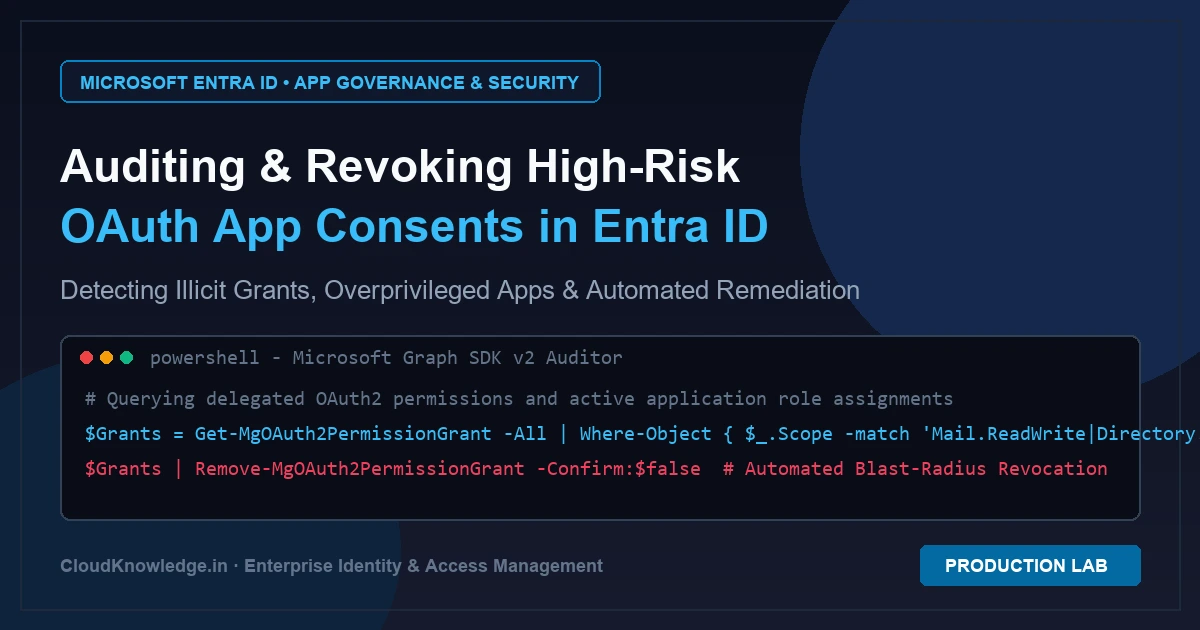
To audit high-risk OAuth app consents in Microsoft Entra ID, connect via Microsoft Graph PowerShell SDK v2 with Application.Read.All and DelegatedPermissionGrant.Read.All scopes. Query delegated grants using Get-MgOAuth2PermissionGrant and application roles with Get-MgServicePrincipalAppRoleAssignment. Flag critical permissions like Mail.ReadWrite, Directory.ReadWrite.All, or RoleManagement.ReadWrite.Directory, and immediately revoke illicit grants using Remove-MgOAuth2PermissionGrant.
Applies to: Microsoft Entra ID Free, P1, P2; Microsoft Entra ID Governance; Microsoft Graph PowerShell SDK v2.0+
Last reviewed: November 19, 2026
Auditing high-risk OAuth app consents in Microsoft Entra ID is an essential operational discipline within enterprise identity governance to eliminate stealthy persistence mechanisms. While security teams frequently harden authentication using hardware-bound FIDO2 passkeys and deploy defenses against adversary-in-the-middle attacks via phishing-resistant FIDO2 authentication and cryptographic origin binding, illicit consent grants remain a dangerous blind spot. Once an enterprise application receives OAuth consent, it accesses tenant APIs directly without triggering MFA prompts, password rotation policies, or standard user session timeouts.
What is an Illicit Consent Grant Attack?
An illicit consent grant occurs when an attacker registers an OAuth 2.0 application (often hosted in an external, attacker-controlled Microsoft 365 or Azure tenant) and lures an enterprise user into authenticating and accepting requested API permissions. Unlike credential phishing, the attacker never steals the user’s password. Instead, the victim approves an authorization grant that issues tokens directly to the attacker’s service principal.
Because delegated permissions inherit the user’s rights through the token’s scp claim, a malicious application with permissions such as Mail.ReadWrite or Files.ReadWrite.All can silently monitor communications, exfiltrate sensitive SharePoint documents, and inject malicious inbox rules without raising typical login alerts.
High-Risk OAuth Permissions Risk Matrix
When auditing Microsoft Graph permissions, identity engineers must distinguish between delegated scopes (which act on behalf of the signed-in user) and application scopes (which execute autonomously in the background across all tenant data). The following matrix highlights the highest-risk permissions that demand immediate operational review:
| Permission Scope | Type | Risk Severity | Attacker Threat Vector |
|---|---|---|---|
| Mail.ReadWrite | Delegated / App | CRITICAL | Automated inbox rule creation, wire fraud tampering, exfiltration of executive email threads. |
| Directory.ReadWrite.All | Application | CRITICAL | Full directory modification, backdoor user creation, modifying Conditional Access exclusions. |
| RoleManagement.ReadWrite.Directory | Application | EMERGENCY | Silent assignment of Global Administrator roles to attacker-controlled service principals. |
| AppRoleAssignment.ReadWrite.All | Application | CRITICAL | Unrestricted assignment of high-privilege app roles without triggering admin consent prompts. |
| User.ReadWrite.All | Delegated / App | HIGH | Modifying user profile data, manipulating authentication methods, resetting credentials. |
| Files.ReadWrite.All | Delegated / App | HIGH | Ransomware encryption across OneDrive/SharePoint libraries, mass data exfiltration. |
Production PowerShell Script: Auditing High-Risk OAuth Consents
To inspect all enterprise applications and detect illicit consent grants across your tenant, use the official Microsoft Graph PowerShell SDK v2. The script below inspects delegated permission grants (oAuth2PermissionGrants) and direct application role assignments (appRoleAssignments), flags unverified publishers, and exports an audit report to CSV:
<#
.SYNOPSIS
    Automated OAuth Application Permission & Illicit Consent Auditor
.DESCRIPTION
    Scans Microsoft Entra ID for dangerous delegated and application permissions
    granted to third-party enterprise applications using Microsoft Graph SDK v2.
#>

[CmdletBinding()]
param(
    [Parameter(Mandatory = $false)]
    [string[]]$CriticalPermissions = @(
        "Mail.ReadWrite", "Mail.Read", "Directory.ReadWrite.All",
        "RoleManagement.ReadWrite.Directory", "AppRoleAssignment.ReadWrite.All",
        "Files.ReadWrite.All", "FullControl"
    ),

    [Parameter(Mandatory = $false)]
    [string]$ReportPath = "C:\Reports\OAuth_Risk_Audit.csv"
)

# Connect with least-privilege read scopes for directory auditing
Write-Host "[INFO] Connecting to Microsoft Graph Security Context..." -ForegroundColor Cyan
Connect-MgGraph -Scopes "Application.Read.All", "DelegatedPermissionGrant.Read.All" -NoWelcome

$riskFindings = [System.Collections.Generic.List[PSCustomObject]]::new()

# Step 1: Audit Delegated OAuth2 Permission Grants (User & Admin Consents)
Write-Host "[STEP 1] Auditing Delegated OAuth2 Permission Grants..." -ForegroundColor Yellow
$oauthGrants = Get-MgOAuth2PermissionGrant -All

foreach ($grant in $oauthGrants) {
    $sp = Get-MgServicePrincipal -ServicePrincipalId $grant.ClientId -ErrorAction SilentlyContinue
    if (-not $sp) { continue }

    $scopes = $grant.Scope -split " "
    $flaggedScopes = $scopes | Where-Object { $CriticalPermissions -contains $_ }

    if ($flaggedScopes) {
        $riskFindings.Add([PSCustomObject]@{
            ApplicationName    = $sp.DisplayName
            AppId              = $sp.AppId
            ServicePrincipalId = $sp.Id
            GrantId            = $grant.Id
            GrantType          = "Delegated"
            ConsentType        = $grant.ConsentType # AllPrincipals or Principal (specific user)
            HighRiskScopes     = ($flaggedScopes -join ", ")
            PublisherDomain    = $sp.PublisherDomain
            VerifiedPublisher  = if ($sp.VerifiedPublisher.DisplayName) { $sp.VerifiedPublisher.DisplayName } else { "UNVERIFIED" }
        })
    }
}

# Step 2: Audit Direct Application Roles (App-Only Permissions)
Write-Host "[STEP 2] Auditing High-Privilege Application Role Assignments..." -ForegroundColor Yellow
$servicePrincipals = Get-MgServicePrincipal -All -Property Id, DisplayName, AppId, PublisherDomain, VerifiedPublisher

foreach ($sp in $servicePrincipals) {
    $appRoles = Get-MgServicePrincipalAppRoleAssignment -ServicePrincipalId $sp.Id -All -ErrorAction SilentlyContinue

    foreach ($role in $appRoles) {
        $resourceSp = Get-MgServicePrincipal -ServicePrincipalId $role.ResourceId -ErrorAction SilentlyContinue
        $matchedRole = $resourceSp.AppRoles | Where-Object { $_.Id -eq $role.AppRoleId }

        if ($matchedRole -and ($CriticalPermissions -contains $matchedRole.Value)) {
            $riskFindings.Add([PSCustomObject]@{
                ApplicationName    = $sp.DisplayName
                AppId              = $sp.AppId
                ServicePrincipalId = $sp.Id
                GrantId            = $role.Id
                GrantType          = "Application"
                ConsentType        = "TenantWideAdmin"
                HighRiskScopes     = $matchedRole.Value
                PublisherDomain    = $sp.PublisherDomain
                VerifiedPublisher  = if ($sp.VerifiedPublisher.DisplayName) { $sp.VerifiedPublisher.DisplayName } else { "UNVERIFIED" }
            })
        }
    }
}

# Step 3: Export Findings
Write-Host "[RESULT] Identified $($riskFindings.Count) high-risk application grants!" -ForegroundColor Green
if ($riskFindings.Count -gt 0) {
    $riskFindings | Export-Csv -Path $ReportPath -NoTypeInformation -Force
    Write-Host "[OUTPUT] Report exported to $ReportPath" -ForegroundColor Cyan
    $riskFindings | Format-Table ApplicationName, GrantType, HighRiskScopes, VerifiedPublisher -AutoSize
}
Automated Remediation: Revoking Malicious Grants & Service Principals
When an unverified application is detected with unauthorized high-risk permissions, perform an immediate blast-radius containment using Microsoft Graph PowerShell. Follow this three-step remediation playbook:
# 1. Connect with Directory & App Management Write Scopes
Connect-MgGraph -Scopes "DelegatedPermissionGrant.ReadWrite.All", "Application.ReadWrite.All", "User.ReadWrite.All"

# 2. Revoke the specific delegated OAuth2 Permission Grant
$GrantId = "ENTER_GRANT_ID_FROM_AUDIT"
Remove-MgOAuth2PermissionGrant -OAuth2PermissionGrantId $GrantId -Confirm:$false

# 3. Disable the Service Principal to instantly block all new token issuance
$ServicePrincipalId = "ENTER_SERVICE_PRINCIPAL_OBJECT_ID"
Update-MgServicePrincipal -ServicePrincipalId $ServicePrincipalId -AccountEnabled:$false

# 4. Invalidate all active refresh tokens for compromised users who consented
$CompromisedUserId = "ENTER_USER_UPN_OR_ID"
Revoke-MgUserSignInSession -UserId $CompromisedUserId
Implementing this workflow ensures that third-party integrations adhere to Zero Standing Privileges (ZSP) architecture and Entra PIM for Groups principles, preventing unvetted non-human actors from maintaining permanent access. In environments utilizing cross-cloud architectures, consider migrating permanent service principal secrets to secretless workload identity federation across multi-cloud environments to completely eliminate long-lived credential risks.
Hunting Illicit Consent Grants with KQL in Microsoft Sentinel
Proactive identity detection and response requires streaming Microsoft Entra ID audit logs into Microsoft Sentinel or an Azure Log Analytics workspace. Run the following KQL query to detect newly granted application permissions and identify consent operations performed by non-admin users:
AuditLogs
| where TimeGenerated >= ago(7d)
| where OperationName in ("Consent to application", "Add app role assignment to service principal")
| extend ConsentingUser = tostring(InitiatedBy.user.userPrincipalName)
| extend AppDisplayName = tostring(TargetResources[0].displayName)
| extend AppId = tostring(TargetResources[0].id)
| extend ModifiedProps = TargetResources[0].modifiedProperties
| mv-expand ModifiedProps
| where ModifiedProps.displayName =~ "ConsentType" or ModifiedProps.displayName =~ "Scope"
| project TimeGenerated, OperationName, ConsentingUser, AppDisplayName, AppId, PropertyName = ModifiedProps.displayName, NewValue = ModifiedProps.newValue
| sort by TimeGenerated desc
Frequently Asked Questions (FAQ)
What is the difference between delegated permissions and application permissions?
Delegated permissions require a signed-in user and act on behalf of that user, restricted by the user’s actual permissions. Application permissions (app roles) run in the background as standalone daemons or services without any signed-in user and grant tenant-wide access to data.
How can I prevent regular users from consenting to third-party applications?
In the Microsoft Entra admin center, navigate to Identity > Applications > Enterprise applications > Consent and permissions > User consent settings, and select Do not allow user consent. Then configure the Admin Consent Workflow so users must request administrator review before an app can be integrated.
What licenses are required to audit OAuth app permissions in Microsoft Entra ID?
Basic auditing via Microsoft Graph PowerShell SDK v2 works with Microsoft Entra ID Free or P1 licenses. For automated real-time anomaly detection, risk-based step-up consent, and OAuth app behavioral analytics, Microsoft Entra ID P2 or Microsoft Entra ID Governance (App Governance add-on) is required.
What happens when an admin revokes an OAuth2 permission grant?
Revoking a grant with Remove-MgOAuth2PermissionGrant invalidates the application’s authorization grant. The app will fail to refresh its tokens. However, currently cached access tokens remain valid until their expiration (typically up to 60 minutes), which is why pairing revocation with Revoke-MgUserSignInSession is recommended.
How does an attacker bypass MFA using illicit consent grants?
Attackers bypass MFA because the victim performs a legitimate MFA challenge when initially consenting to the malicious application. Once consent is recorded in the directory, the application uses its own client credentials or refresh token to call Graph APIs directly without prompting the user for MFA again.
Explore hands-on identity architecture labs, incident response walkthroughs, and security scripts on the official Cloud Knowledge YouTube Channel.
Official Architecture & Vendor References
- Microsoft Learn: Grant tenant-wide admin consent to an application
- Microsoft Learn: Manage user consent and admin consent requests in Entra ID
- Microsoft Learn: Permissions and consent in the Microsoft identity platform
- Microsoft Graph PowerShell SDK: Get-MgServicePrincipal Documentation
- Microsoft Learn: Detect and remediate illicit consent grants in Microsoft Entra
Recommended Hardware & Reference Architecture Literature
Tested tools and authoritative documentation to implement the architectures covered in this lab: