


The Ultimate Guide to Kubernetes: From Container Basics to Advanced Orchestration
Introduction: Why Do We Need Kubernetes?
In the modern world of software development, deploying applications has evolved significantly. To understand Kubernetes (often abbreviated as K8s), we must first look at the history of deployment. Traditionally, developers deployed code on physical servers. This required purchasing hardware, installing an operating system, and manually configuring environments. This method had severe limitations: it was costly, hard to scale, and suffered from the "it works on my machine" problem due to environment inconsistencies.
The industry then moved toward virtualization and eventually containerization. Containers, popularized by tools like Docker, allow applications to be packaged with their dependencies in a lightweight manner, eliminating Operating System overhead. However, as applications moved toward microservices architecture, managing hundreds or thousands of containers became impossible for humans to do manually.
This is where Container Orchestration comes in. Kubernetes is an open-source container orchestration framework originally developed by Google. It automates the deployment, scaling, and management of containerized applications.
The History of Kubernetes
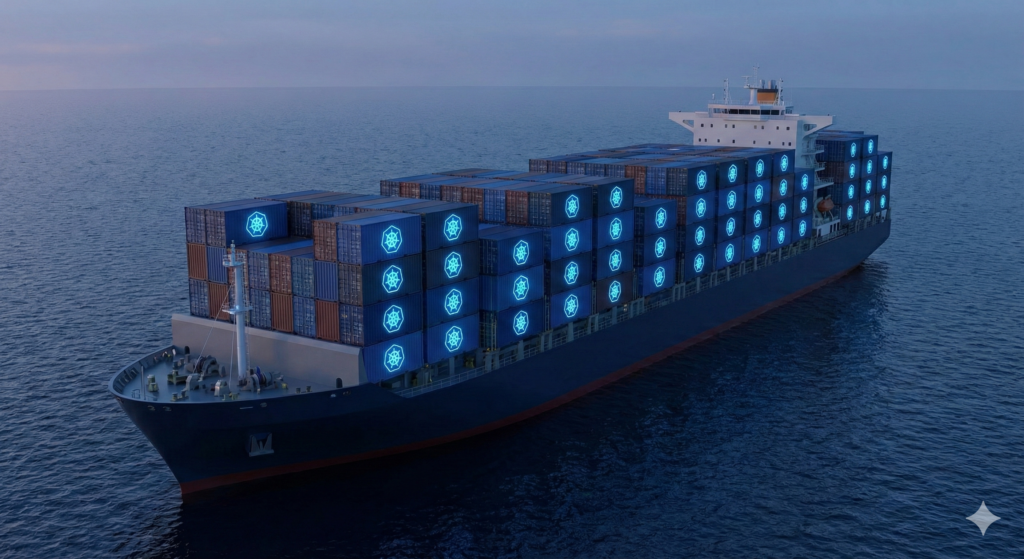
Before Kubernetes, Google managed its massive scale of containerized workloads using an internal system called Borg. Kubernetes was built from the ground up by engineers who worked on Borg, incorporating lessons learned from that experience. In 2014, Google open-sourced the project and donated it to the Cloud Native Computing Foundation (CNCF). The name "Kubernetes" comes from the Greek word for "helmsman" or pilot, fitting for a tool that steers a ship of containers.
What Problems Does Kubernetes Solve?
Kubernetes acts as a manager for your containers. It ensures your application is running exactly as you intended. It provides three critical features:
- High Availability: Ensures the application has no downtime and is always accessible to users.
- Scalability: Ensures high performance by loading fast and maintaining high response rates.
- Disaster Recovery: Provides mechanisms to restore data and application state if infrastructure fails (e.g., servers crashing).
Kubernetes Architecture: Master and Worker Nodes
A Kubernetes cluster is composed of two main types of servers: Master Nodes (Control Plane) and Worker Nodes.
The Worker Node
Worker nodes are the servers that actually run your application workloads. A worker node must have three specific processes installed:
- Container Runtime: Software like Docker or containerd used to run the containers.
- Kubelet: The primary agent that interacts with the container runtime to start pods and assign resources (CPU, RAM).
- Kube Proxy: Responsible for networking and forwarding requests from Services to Pods, ensuring efficient communication.
The Master Node (Control Plane)
The Master node controls the cluster state and manages the worker nodes. It runs four crucial processes:
- API Server: The gateway to the cluster. All communication (from users via CLI, UI, or internal components) goes through the API Server. It validates requests and acts as a gatekeeper.
- Scheduler: Decides which worker node a new Pod should be placed on based on resource availability (CPU/RAM).
- Controller Manager: Detects state changes (e.g., a Pod crashing) and attempts to recover the cluster to the desired state.
- etcd: The "brain" of the cluster. It is a key-value store that holds the entire state of the cluster. All cluster data regarding configuration and status is stored here.
Additionally, a Cloud Controller Manager (CCM) may exist to bridge the gap between Kubernetes and cloud-specific APIs (like AWS or Google Cloud) to manage resources like Load Balancers.
Core Kubernetes Components
To work with Kubernetes, you must understand its basic building blocks.
1. Pods
The Pod is the smallest unit in Kubernetes. It is an abstraction over a container. While you can run multiple containers in a pod, usually a pod runs one main application container and perhaps a helper container. Pods are ephemeral; if they die, they are replaced, and they get a new internal IP address.
2. Deployments
In practice, you rarely create Pods directly. Instead, you create a Deployment. A Deployment is a blueprint for Pods. It allows you to specify how many replicas of a Pod you want to run. If a Pod dies, the Deployment (via the Controller Manager) ensures a new one is started to match the desired state. It provides an abstraction layer on top of Pods for easier scaling and updates.
3. Services
Because Pods are ephemeral and their IP addresses change upon restart, communicating directly with Pod IPs is unreliable. A Service provides a static, permanent IP address (and DNS name) that sits in front of the Pods. Services act as load balancers, forwarding traffic to the available Pods.
Configuration and Security: ConfigMaps and Secrets
Hardcoding configuration data (like database URLs or passwords) into your application image is a bad practice because it requires rebuilding the image whenever configuration changes. Kubernetes solves this with two components:
- ConfigMap: Used for non-sensitive configuration data, such as database URLs or service endpoints. It allows you to decouple configuration artifacts from image content.
- Secret: Used for sensitive data like passwords, certificates, or credentials. While similar to ConfigMaps, Secrets store data in base64 encoded format.
Deep Dive into Networking: Services and Ingress
Kubernetes networking can be complex. Let's break down the types of Services and the Ingress component.
Service Types
- ClusterIP: The default type. It exposes the service on an internal IP in the cluster. It is only reachable from within the cluster.
- NodePort: Exposes the service on the same static port on each selected Node. It opens a port (range 30000-32767) directly on the worker nodes, allowing external traffic.
- LoadBalancer: Exposes the service externally using a cloud provider's load balancer. This is the standard way to expose a service to the internet in a cloud environment (AWS, GCP, Azure).
- Headless Service: Created by setting ClusterIP to "None". It allows direct communication with specific Pods rather than load balancing via a Service IP. This is crucial for stateful applications like databases where Pods need to sync directly with one another.
Ingress
While a LoadBalancer service puts your app on the internet, the URL is often an IP address. Ingress allows you to expose your application with a proper domain name and secure HTTPS. The request flow is: Browser → Ingress → Internal Service → Pod.
Ingress requires an implementation called an Ingress Controller (e.g., Nginx Ingress Controller) to evaluate rules and manage redirections. You can configure Ingress to route traffic based on hostnames (e.g., myapp.com) or paths (e.g., myapp.com/analytics vs myapp.com/shopping).
Data Persistence: Volumes and Storage
If a database container restarts, the data inside it is lost. To solve this, Kubernetes uses Volumes. A Volume attaches physical storage to a Pod. It acts like an external hard drive plugged into the cluster.
The storage architecture involves three parts:
- Persistent Volume (PV): A cluster resource created by administrators that represents the physical storage (local drive, NFS, Cloud Storage).
- Persistent Volume Claim (PVC): A request for storage by a user (developer). The PVC claims a specific size and access mode, and Kubernetes binds it to a matching PV.
- StorageClass: Allows for dynamic provisioning. Instead of manually creating PVs, a StorageClass can automatically create storage (e.g., an AWS EBS volume) when a PVC requests it.
Crucial Note: For databases, you should almost always use remote storage rather than local node storage. This ensures that if a Pod moves to a different node, the data remains accessible.
Stateful Applications: StatefulSets
Deploying stateless applications (like a Node.js web app) is easy with Deployments because replicas are interchangeable. However, databases (MySQL, MongoDB) are Stateful. They cannot be created or deleted randomly because of data consistency and synchronization requirements.
For these, we use a StatefulSet. Unlike Deployments, StatefulSets maintain a "sticky identity" for each Pod. Pods are created sequentially (e.g., mysql-0, mysql-1) and maintain stable network identities and persistent storage across restarts.
Organizing Resources: Namespaces
Namespaces are virtual clusters within a physical cluster. They are used to organize resources. By default, resources are created in the default namespace.
Use Cases for Namespaces:
- Grouping resources by logical function (e.g., Database namespace, Monitoring namespace).
- Isolating environments (Staging vs. Development) sharing the same cluster.
- Avoiding naming conflicts between different teams.
- Limiting resource consumption (CPU/RAM) per team using Resource Quotas.
Package Management: Helm
Configuring complex applications (like the ELK stack) requires many YAML files (StatefulSets, Services, ConfigMaps, Secrets). Helm is the package manager for Kubernetes (similar to apt or brew). It allows you to:
- Bundle YAML files into Helm Charts.
- Share charts via public or private repositories.
- Use Templating: Replace static values in YAML files with dynamic placeholders, allowing you to deploy the same application across different environments (Dev, Test, Prod) just by changing a
values.yamlfile.
Practical Tools: Minikube and Kubectl
To learn Kubernetes locally, you can use Minikube. It creates a one-node cluster (running both Master and Worker processes) inside a Virtual Box or container on your laptop.
To interact with the cluster, you use the command-line tool kubectl. Kubectl talks to the API Server to create, inspect, and delete resources.
Common Commands:
kubectl get nodes: Check the status of nodes.kubectl create deployment [name] --image=[image]: Create a deployment.kubectl get pods: List pods.kubectl logs [pod-name]: View application logs.kubectl exec -it [pod-name] -- sh: Get a terminal inside the container.kubectl apply -f [file.yaml]: Create or update resources from a configuration file.



Leave a Reply