

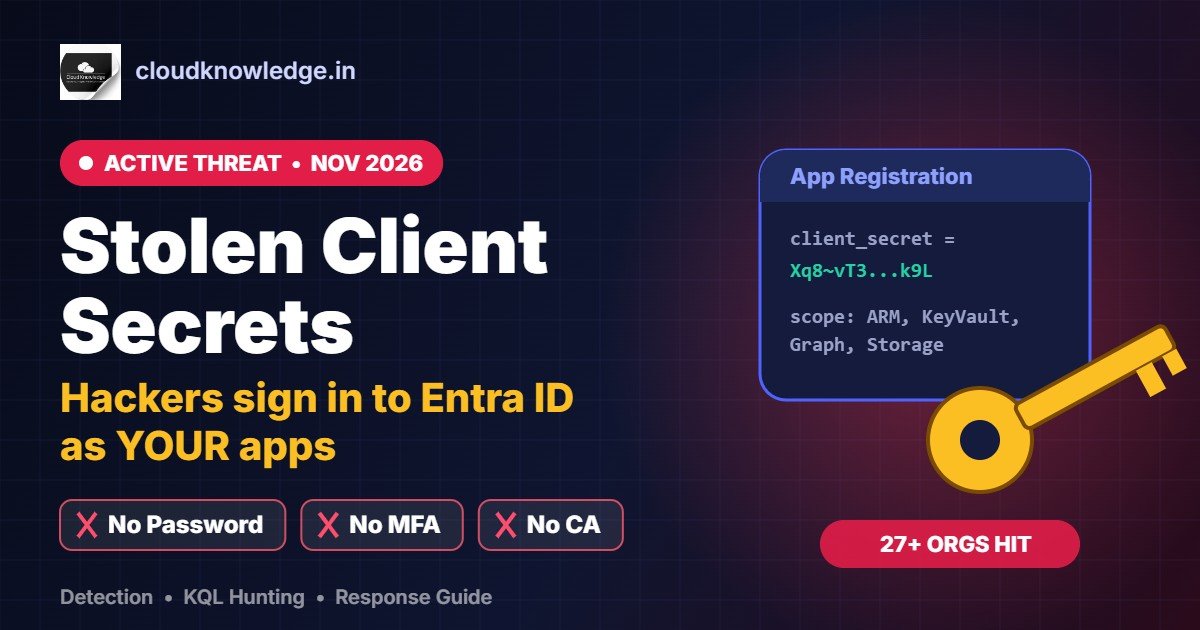
No user password. No MFA prompt. Your user Conditional Access policies don’t apply. That is what makes the campaign security firm Todyl disclosed this week so dangerous: an attacker is signing in to Microsoft Entra ID as applications, using stolen client secrets and other workload credentials, and moving from there into Azure, Key Vault, SharePoint and mailboxes.
This guide explains what is happening in plain language, how to check your own tenant today (portal steps + KQL), what to do if you find something, and how to stop it from happening again.
TL;DR for admins
- Check Service principal sign-ins and non-interactive sign-ins for
199.19.77.84(confirmed source address). - Look for
AADSTS7000215/AADSTS7000222failures from unknown IPs — someone may be holding an old or wrong secret for your app. - If found: remove all credentials on the app, disable the service principal if needed, revoke sessions, rotate every Key Vault secret and any credential in files it touched.
- Long term: move off client secrets to managed identities / workload identity federation, and block new secrets with app management policies.
What happened?
According to Todyl’s investigation (reported by Cyber Security News on 4 November 2026), the campaign has targeted managed service providers (MSPs) and their customers since 1 November 2026:
- About 45 app registrations across roughly 18 organisations were targeted, and more than 33 authenticated successfully.
- Downstream access brought the total to at least 27 organisations, across government, energy, transportation, legal, education and more. Todyl only sees customers that send it logs, so the real number is likely higher.
- Investigators recorded searches across about 25 tenants, 81 files downloaded and roughly 2,279 mailbox items accessed.
- No Microsoft vulnerability was involved. The attacker used valid credentials to act as trusted apps. An Azure DevOps federated workload identity and replayed user session tokens were also used.
- How the original credentials were stolen is still unknown. Todyl found no evidence that a vendor platform was breached.
This comes only weeks after a separate October incident in which a compromised multi-tenant backup app credential was reported to reach 170+ Microsoft 365 tenants. The pattern is clear: app credentials are the new passwords, and attackers know most organisations don’t watch them.
Why MFA and Conditional Access don’t stop it
When a user signs in, Entra ID can ask for MFA and evaluate your Conditional Access policies. When an application signs in with the client credentials flow, there is no human, no MFA prompt, and user-targeted Conditional Access policies simply don’t apply.
If you are new to the difference between an app registration and its service principal, read our guide: App Registration vs Enterprise Application in Microsoft Entra ID.
Think of a client secret as a password for an app that never expires early, never gets an MFA prompt and is often pasted into scripts, wikis and tickets. Whoever holds it is the app, with every permission the app has been granted.
The attack chain, step by step
- Get a credential. A client secret, certificate or federated identity for an app (method unknown in this campaign).
- Sign in as the app and request an Azure Resource Manager token.
- Within seconds, request tokens for Key Vault, Microsoft Graph and Storage.
- Search SharePoint/OneDrive with wildcard Graph searches and download files at roughly one per second. Targets included password lists, private keys, VPN profiles, backup credentials and remote-access settings.
- Use what was found to go further. With an MSP’s multi-tenant app, one app reached 15 customer tenants in repeated ~10-second loops.
Todyl observed that about 95% of sign-ins came from scripted clients, with bursts of up to 24 attempts in 10 seconds, but long pauses and changing signatures suggest a human operator is in control.
Step 1: Check your tenant (portal)
- Go to Microsoft Entra admin center → Identity → Monitoring & health → Sign-in logs.
- Open the Service principal sign-ins tab. Add a filter: IP address = 199.19.77.84. Set the date range as far back as your retention allows.
- Repeat on the User sign-ins (non-interactive) tab — replayed user tokens show up here.
- Also check
199.19.77.18and65.87.223.26, which have been shared in community posts with lower confidence. - Filter for failures with AADSTS7000215 (invalid client secret) and AADSTS7000222 (expired client secret) from IPs you don’t recognise.
A failure followed by a success from the same IP is urgent. It means someone tried an old secret, then found a working one.
Note: Entra ID Free keeps sign-in logs for only 7 days. If you don’t stream logs to Log Analytics / Sentinel, export what you have now.
Step 2: Hunt with KQL (Log Analytics / Sentinel)
IP addresses change, so don’t rely on them alone. These queries look for the behaviour.
Known IPs in service principal sign-ins
AADServicePrincipalSignInLogs
| where TimeGenerated > ago(30d)
| where IPAddress in ("199.19.77.84", "199.19.77.18", "65.87.223.26")
| project TimeGenerated, ServicePrincipalName, AppId, IPAddress,
          ResourceDisplayName, ResultType, Location
| order by TimeGenerated desc
Invalid / expired secret attempts, then success
let fails = AADServicePrincipalSignInLogs
| where TimeGenerated > ago(30d)
| where ResultType in ("7000215", "7000222")
| summarize FirstFail = min(TimeGenerated), FailCount = count()
          by AppId, ServicePrincipalName, IPAddress;
AADServicePrincipalSignInLogs
| where TimeGenerated > ago(30d) and ResultType == "0"
| summarize FirstSuccess = min(TimeGenerated) by AppId, IPAddress
| join kind=inner fails on AppId, IPAddress
| where FirstSuccess > FirstFail
| project ServicePrincipalName, AppId, IPAddress, FailCount, FirstFail, FirstSuccess
One IP hitting 3+ service principals
AADServicePrincipalSignInLogs
| where TimeGenerated > ago(7d)
| summarize SPs = dcount(ServicePrincipalId),
            Apps = make_set(ServicePrincipalName, 20)
          by IPAddress, bin(TimeGenerated, 1h)
| where SPs >= 3
| order by SPs desc
One app grabbing ARM + Key Vault + Graph + Storage tokens in minutes
let targets = dynamic([
  "797f4846-ba00-4fd7-ba43-dac1f8f63013", // Azure Resource Manager
  "cfa8b339-82a2-471a-a3c9-0fc0be7a4093", // Azure Key Vault
  "00000003-0000-0000-c000-000000000000", // Microsoft Graph
  "e406a681-f3d4-42a8-90b6-c2b029497af1"  // Azure Storage
]);
AADServicePrincipalSignInLogs
| where TimeGenerated > ago(7d) and ResultType == "0"
| where ResourceIdentity in (targets)
| summarize Resources = dcount(ResourceIdentity),
            IPs = make_set(IPAddress, 10)
          by ServicePrincipalName, AppId, bin(TimeGenerated, 5m)
| where Resources >= 3
Turn the last two into scheduled analytics rules so you get alerted automatically.
Step 3: Know your secrets (PowerShell)
If you can’t say how many client secrets your tenant has and who owns them, start here. Remember that credentials can be added to the service principal too, not only the app registration — attackers like that because it’s less visible in the portal.
Connect-MgGraph -Scopes "Application.Read.All"

# App registrations with secrets / certificates
Get-MgApplication -All -Property DisplayName,AppId,PasswordCredentials,KeyCredentials |
  Where-Object { $_.PasswordCredentials -or $_.KeyCredentials } |
  Select-Object DisplayName, AppId,
    @{n='Secrets';e={$_.PasswordCredentials.Count}},
    @{n='Certs';e={$_.KeyCredentials.Count}},
    @{n='LatestSecretExpiry';e={($_.PasswordCredentials.EndDateTime | Sort-Object)[-1]}}

# Service principals that carry their own secrets
Get-MgServicePrincipal -All -Property DisplayName,AppId,PasswordCredentials |
  Where-Object { $_.PasswordCredentials } |
  Select-Object DisplayName, AppId, @{n='SPSecrets';e={$_.PasswordCredentials.Count}}
Step 4: If you find it — respond
- Remove every secret, certificate and federated credential on the affected app, including ones you didn’t add. Check the service principal as well as the app registration.
- Disable the service principal if you need to stop it immediately (Enterprise applications → Properties → Enabled for users to sign-in? = No).
- Remember that tokens already issued keep working until they expire, so also revoke sessions of any users whose tokens may have been replayed.
- Rotate everything in any Key Vault the app could read, plus every credential found in the files it accessed.
- Preserve logs (sign-in, audit, Unified Audit Log) before retention runs out.
- MSPs: review Partner Center and GDAP relationships, check every customer tenant the app reaches and notify affected customers.
Step 5: Prevent it next time
Conditional Access for workload identities
Create a named location for 199.19.77.84/32 and block it in a Conditional Access policy that targets workload identities. Block the exact address, not the whole hosting range. Also add it to a user policy to cover replayed user sessions.
Limits to know: it needs Microsoft Entra Workload ID Premium, and it only covers single-tenant service principals registered in your tenant — third-party multi-tenant apps and managed identities are out of scope. Assign service principals directly to the policy.
Get rid of client secrets
- Use managed identities for anything running in Azure.
- Use workload identity federation for GitHub Actions, Azure DevOps, Kubernetes and other clouds.
- Use certificates only when neither works — and store them in Key Vault.
- Then use app management policies to block new password credentials.
Shrink the blast radius
- Restrict Key Vault and Storage to selected networks or private endpoints. See our Azure Key Vault guide.
- Review app permissions — remove
Sites.Read.All,Files.Read.AllandMail.Readapplication permissions that aren’t needed. - Delete unused apps and old credentials, and alert when a new credential is added to any app or service principal.
- Keep secrets out of scripts, wikis, tickets and client documents — that’s exactly what this attacker searches for.
Quick checklist
| Check | Where | Done? |
|---|---|---|
| Search 199.19.77.84 in SP + non-interactive sign-ins | Entra sign-in logs | ☐ |
| Look for AADSTS7000215 / 7000222 from unknown IPs | Entra sign-in logs / KQL | ☐ |
| Inventory all secrets & owners | Graph PowerShell | ☐ |
| Alert on 1 IP → 3+ service principals | Sentinel rule | ☐ |
| Alert on new app credentials | Audit logs / Sentinel | ☐ |
| Key Vault & Storage on private network | Azure portal | ☐ |
| Plan migration off client secrets | App registrations | ☐ |
FAQ
Can MFA stop attackers using a stolen client secret?
No. App-only sign-ins using the client credentials flow have no user and no MFA prompt. You need workload identity controls, credential hygiene and monitoring instead.
What do AADSTS7000215 and AADSTS7000222 mean?
AADSTS7000215 means an invalid client secret was provided; AADSTS7000222 means the client secret has expired. Seeing them from unfamiliar IPs suggests someone is trying credentials for your app.
Does disabling the app stop the attacker immediately?
It stops new tokens being issued, but tokens already issued remain valid until they expire, so also rotate downstream secrets and revoke affected user sessions.
Is this a Microsoft vulnerability?
No. According to Todyl, the attacker used valid credentials. The weakness is long-lived app secrets with broad permissions that nobody is watching.
Do I need Workload ID Premium?
For Conditional Access policies on workload identities and risk-based detections, yes. Log review, KQL hunting, credential cleanup and moving to managed identities work without it.
Sources
- Cyber Security News – Hackers Use Stolen Microsoft Entra ID and Azure DevOps Credentials to Access 27 Organizations (4 Nov 2026), citing Todyl’s investigation
- Microsoft Learn – Conditional Access for workload identities
- Microsoft Learn – Incident response playbook: compromised and malicious applications
Want hands-on practice? Try our Conditional Access labs and watch the walkthrough on our YouTube channel.
Recommended Hardware & Reference Architecture Literature
Tested tools and authoritative documentation to implement the architectures covered in this lab: