

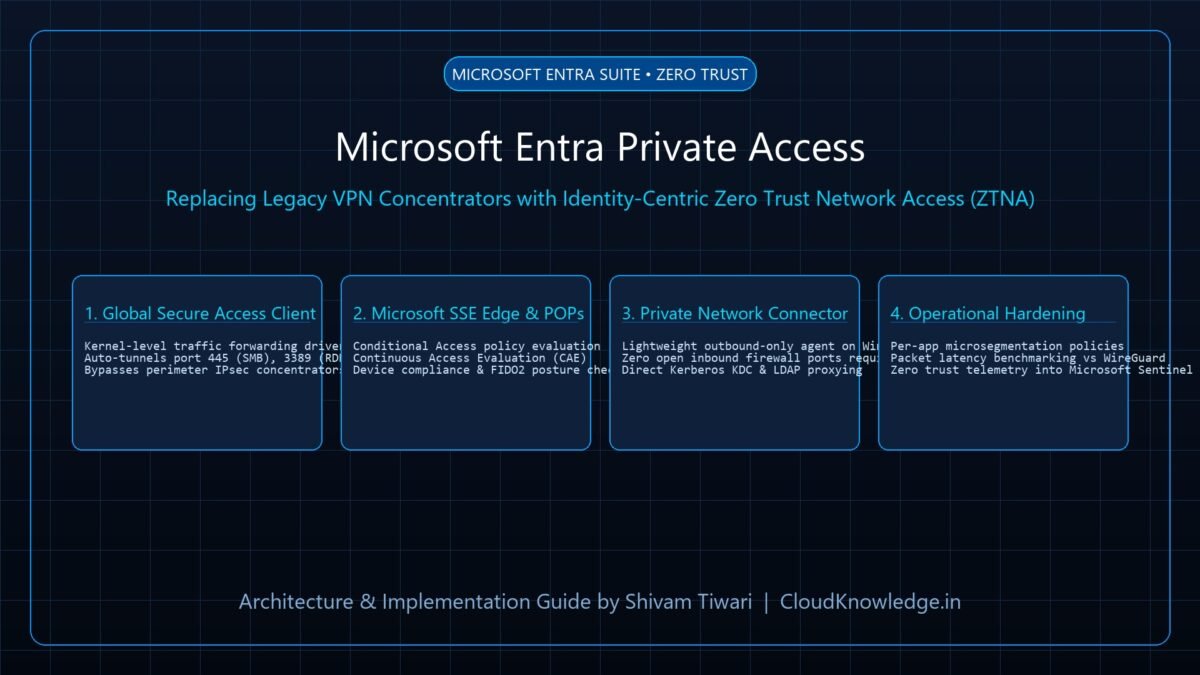
The legacy enterprise secure web gateway (SWG) model—backhauling branch office and remote worker Internet traffic through costly MPLS circuits to corporate data centers—has collapsed under the weight of distributed SaaS workloads. Organizations are rapidly adopting Security Service Edge (SSE) platforms to inspect egress web traffic, enforce data loss prevention (DLP), and block malware directly at the cloud edge. While Cloudflare Zero Trust has dominated the SASE market with its massive Anycast global edge network and lightweight WARP client, Microsoft Entra Internet Access (part of Microsoft Global Secure Access) introduces deep identity-centric telemetry, Universal Tenant Restrictions, and zero-day token protection built natively into Microsoft 365. In this architectural comparison, we benchmark both platforms across traffic routing mechanisms, client performance, and security policy enforcement.
1. The Problem: The Inadequacy of Traditional Secure Web Gateways
Microsoft Entra Internet Access and Cloudflare Zero Trust are cloud-native Security Service Edge (SSE) solutions that inspect, filter, and secure outbound web, SaaS, and private application traffic directly at the network edge without routing through centralized corporate firewalls.
Traditional on-premises proxy architectures introduce three critical operational failures:
- Latency and Hairpinning Penalties: Routing remote employee traffic to a physical corporate data center before egressing to Microsoft 365 or Salesforce introduces 100ms+ of unnecessary latency, degrading video calls and cloud app responsiveness.
- Token Theft and Tenant Jumping: Standard web proxies inspect domain names and SSL headers, but cannot inspect in-session identity claims. An attacker using stolen credentials can log into an external, rogue personal tenant to exfiltrate corporate intellectual property unless Tenant Restrictions are cryptographically enforced.
- Complex PAC File Maintenance: Managing brittle Proxy Auto-Configuration (PAC) scripts across thousands of unmanaged and managed endpoints frequently results in broken application connections whenever internal subnets change.
| Security Dimension | Traditional Corporate Web Proxy | Cloudflare Zero Trust (WARP) | Microsoft Entra Internet Access (GSA) |
|---|---|---|---|
| Edge Distribution | Centralized physical data centers | Anycast network spanning 330+ cities worldwide | Microsoft Global Network (60+ Azure regions, 180+ Edge PoPs) |
| M365 Traffic Optimization | Heavy inspection causes Teams/Exchange latency | Generic bypass rules required to preserve QoS | Native Direct Peering; zero-inspection bypass for trusted M365 endpoints |
| Tenant Restriction Enforcement | Brittle HTTP header injection (Restrict-Access-To-Tenants) |
Custom HTTP header injection via Cloudflare Gateway policies | Universal Tenant Restrictions v2 rooted in Entra STS token issuance |
| Endpoint Client | Heavy legacy agent (BlueCoat, Zscaler) | Lightweight Cloudflare WARP client (WireGuard-based) | Global Secure Access (GSA) Client for Windows / macOS / Android |
| Identity Integration | Generic SAML / LDAP integration | IdP-agnostic (Supports Okta, Entra, Ping, Google Workspace) | Deep Native Entra Integration (Continuous Access Evaluation + Conditional Access) |
2. Architectural Deep-Dive: How Both Engines Forward & Filter Traffic
Microsoft Entra Internet Access Architecture
Microsoft Global Secure Access (GSA) establishes two dedicated traffic forwarding profiles:
- Microsoft 365 Traffic Profile: Captures traffic destined for Exchange Online, SharePoint Online, and Teams. Rather than proxying this traffic through intensive decryption engines, GSA routes it directly into the nearest Microsoft front door, applying Conditional Access compliance and Token Theft Protection (binding tokens to the client’s network interface).
- Internet Access Profile: Intercepts all general web traffic (HTTP/HTTPS) and routes it to Microsoft’s Secure Web Gateway (SWG) for category filtering, threat intelligence evaluation, and FQDN policy enforcement.
Cloudflare Zero Trust Architecture
Cloudflare routes traffic using a private Anycast overlay network:
- WARP Protocol: The WARP client establishes an encrypted, low-latency WireGuard tunnel to the nearest Cloudflare Anycast data center (typically <15ms away).
- Cloudflare Gateway: At the edge, traffic is processed through DNS filtering, HTTP forward proxy inspection (with TLS interception), and Layer 4 network firewall rules before egressing to the public internet via dedicated, clean IP addresses.
3. High-Stakes Feature Comparison: Tenant Restrictions & Token Theft
| Feature / Capability | Cloudflare Zero Trust | Microsoft Entra Internet Access | Winner & Engineering Rationale |
|---|---|---|---|
| Data Exfiltration Prevention (Tenant Hopping) | Injects custom HTTP headers (X-MS-Client-Tenant-Id) via Gateway rules. |
Enforces Universal Tenant Restrictions v2 at both the network proxy layer and authentication layer. | Microsoft Entra: Blocks access to rogue tenants even if an adversary uses private browsing, VPN, or unmanaged devices. |
| Source IP Restoration & Conditional Access | Requires custom Cloudflare egress IP pools mapped into Entra Named Locations. | Native Source IP Restoration: Entra ID sees the original branch/client location rather than an anonymous proxy IP. | Microsoft Entra: Prevents Conditional Access location policies from misinterpreting proxy IPs as anonymous proxies. |
| Multi-Cloud & Third-Party IdP Flexibility | Seamlessly integrates with Okta, Google Workspace, PingFederate, and OneLogin. | Strictly bound to Microsoft Entra ID; cannot be used with standalone Okta tenants. | Cloudflare: Essential for enterprises running multi-identity provider environments. |
| Raw Network Latency & DNS Resolution | Cloudflare 1.1.1.1 Anycast edge provides industry-leading sub-10ms DNS and routing. | Azure Edge PoPs provide excellent routing, particularly strong for Microsoft hosted SaaS. | Cloudflare: Noticeably faster for non-Microsoft global web browsing. |
4. Production Implementation: Deploying Global Secure Access via PowerShell
# Enable Microsoft 365 and Internet Access Traffic Forwarding Profiles via Graph API
Connect-MgGraph -Scopes "NetworkAccess.ReadWrite.All"

# Step 1: Enable Microsoft 365 Traffic Forwarding Profile
$m365ProfileParams = @{
    state = "enabled"
}
Update-MgNetworkAccessForwardingProfile -ForwardingProfileId "microsoft365" -BodyParameter $m365ProfileParams
Write-Host "M365 Forwarding Profile Enabled." -ForegroundColor Green

# Step 2: Enable Internet Access Profile
$internetProfileParams = @{
    state = "enabled"
}
Update-MgNetworkAccessForwardingProfile -ForwardingProfileId "internet" -BodyParameter $internetProfileParams
Write-Host "Internet Access Forwarding Profile Enabled." -ForegroundColor Cyan

# Step 3: Verify Status of Forwarding Profiles
Get-MgNetworkAccessForwardingProfile | Select-Object Id, Name, State
5. Production Implementation: Cloudflare Gateway HTTP Policy via Terraform
# Terraform Configuration for Cloudflare Gateway Web Filtering Policy
resource "cloudflare_teams_rule" "block_malware_and_high_risk" {
  account_id  = "01a234b56789cdef0123456789abcdef"
  name        = "Block Security Threats and Phishing"
  description = "Enforces real-time malware blocking at the Cloudflare edge"
  precedence  = 1
  enabled     = true
  action      = "block"
  filters     = ["http"]
  traffic     = "any(dns.security_category[*] in {1 2 3 5 6 7 8}) or http.request.uri.path matches ".*\\.exe$""

  rule_settings {
    block_page_enabled = true
    block_reason       = "Access blocked by Corporate Information Security Policy."
  }
}
6. Troubleshooting & Operational Failure Scenarios
| Operational Symptom | Root Cause Analysis | Engineering Remediation Playbook |
|---|---|---|
GSA Client Fails to Tunnel Traffic |
Local endpoint firewall or third-party antivirus driver blocking the GSA virtual network adapter. | Verify GlobalSecureAccessDriver service is running. Whitelist tunnel interface in CrowdStrike / Defender endpoint firewall rules. |
Cloudflare WARP TLS Decryption Errors |
Internal legacy desktop software utilizing hardcoded certificate pins rejected Cloudflare’s root CA. | Add explicit Do Not Inspect (Bypass) rules in Cloudflare Gateway for specific desktop apps (e.g., Apple Update, Docker, custom banking APIs). |
Conditional Access Location Lockout |
Entra ID evaluated egress traffic as originating from a foreign Azure PoP instead of corporate branch. | Enable IPv4 Source IP Restoration in Global Secure Access tenant settings. Verify branch router forwarding profiles. |
PAC File Bypass on Mobile Devices |
Mobile operating system network extension disabled by user or power saver mode. | Deploy GSA or Cloudflare WARP via Microsoft Intune as a Managed Always-On VPN profile with tamper protection enabled. |
7. Frequently Asked Questions (FAQ)
Q1: Should an enterprise running Microsoft 365 choose Entra Internet Access over Cloudflare?
If your enterprise runs heavily on Microsoft 365, Teams, and Entra ID, Microsoft Entra Internet Access provides unmatched native benefits: zero-latency M365 routing, native token-theft protection, and seamless Conditional Access integration. However, if you have multi-cloud workloads (AWS/GCP), heterogeneous IdPs (Okta), or require advanced edge developer workers, Cloudflare Zero Trust remains the more versatile choice.
Q2: Can both agents (GSA Client and Cloudflare WARP) run on the same Windows laptop?
No. Running two concurrent low-level virtual network adapter drivers (WireGuard WARP and GSA virtual adapter) causes severe routing conflicts and network loop panics. Organizations must standardize on a single primary SSE endpoint agent.
Q3: What licensing is required for Microsoft Entra Internet Access?
Microsoft Entra Internet Access requires a standalone Microsoft Entra Internet Access license or the unified Microsoft Entra Suite license. The Microsoft 365 traffic forwarding profile is included at no additional cost for Entra ID P1 users.
Recommended Hardware & Reference Architecture Literature
Tested tools and authoritative documentation to implement the architectures covered in this lab: