

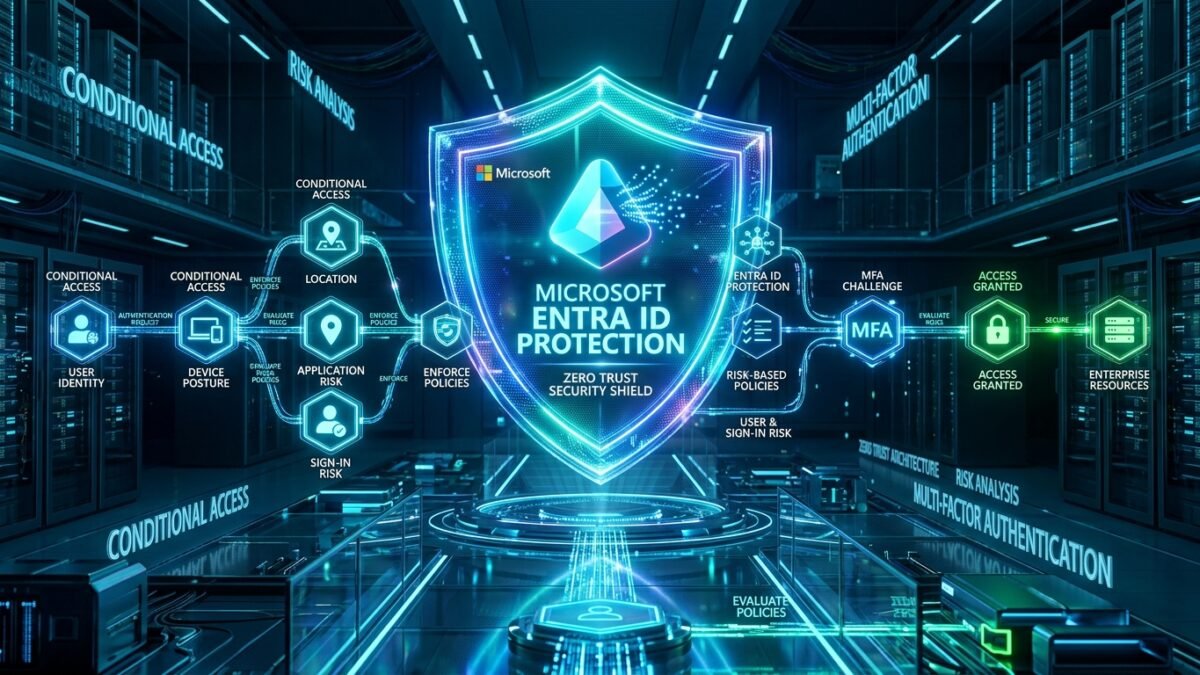
Manual employee onboarding and offboarding in enterprise hybrid identity environments remains a primary cause of privilege creep and orphaned account vulnerabilities. When HR triggers a separation, legacy scheduled PowerShell scripts and batch delta syncs often leave active Kerberos sessions, OAuth refresh tokens, and SaaS app assignments valid for days. Microsoft Entra ID Governance eliminates manual administration by integrating Joiner-Mover-Leaver (JML) processes into real-time, event-driven policies. Through native Lifecycle Workflows, automated Access Reviews, and Privileged Access Groups (PAGs) managed via Privileged Identity Management (PIM), platform security teams achieve continuous compliance and zero-standing-privilege (ZSP) enforcement. In this production engineering guide, we dissect how to build, test, and automate end-to-end identity lifecycle pipelines using native Graph APIs and Logic Apps integration.
1. The Problem: Privilege Creep and Stale Orphaned Accounts in Hybrid Enterprises
Entra ID Lifecycle Workflows automate identity transitions across Joiner, Mover, and Leaver (JML) events by executing custom logic based on employee hire dates, department transfers, and termination signals received from inbound HR connectors.
Without centralized identity governance, enterprise organizations encounter three systemic operational failures:
- Orphaned SaaS and Cloud Access: When an employee departs, disabling the on-premises Active Directory account during a nightly sync does not automatically revoke active OAuth 2.0 refresh tokens or remove the user from third-party enterprise applications that bypass SCIM deprovisioning.
- Cumulative Privilege Accumulation (Mover Phase): When an engineer transitions from DevOps to Project Management, their new role assignments are added while old administrative group memberships remain untouched. Over time, veteran employees accumulate excessive, unvetted permissions across critical production tenants.
- Audit and Compliance Failure: Frameworks like SOC 2 Type II, ISO 27001, and HIPAA mandate recurring re-certification of administrative entitlements. Manual spreadsheet audits take weeks, produce high human error rates, and fail to provide cryptographically verified audit trails.
| Operational Dimension | Legacy Manual / Scripted Approach | Microsoft Entra ID Governance Architecture |
|---|---|---|
| Trigger Mechanism | Nightly batch CSV exports or scheduled Task Scheduler scripts | Real-time event evaluation based on HR metadata attributes (employeeHireDate, employeeLeaveDateTime) |
| Session Revocation | Delayed until next on-premises to cloud delta sync (up to 30 mins) | Near-instantaneous token invalidation via Continuous Access Evaluation (CAE) + Graph API revocation |
| Privilege Escalation | Permanent nested security group assignments | Time-bound, just-in-time (JIT) activation via Privileged Access Groups (PAGs) with mandatory approval |
| Certification Cadence | Quarterly manual spreadsheets signed off by team leads | Self-service automated Access Reviews with machine-learning recommendations (inactive user flags) |
| Rollback & Auditability | Fragmented script logs stored across distributed servers | Immutable tenant-level AuditLogs, KQL Sentinel integration, and downloadable SOC 2 proof packs |
2. Architectural Blueprint: The Joiner-Mover-Leaver (JML) Pipeline
Microsoft Entra ID Governance operates as an orchestration layer positioned between inbound HR systems (Workday, SAP SuccessFactors, or custom CSV connectors) and downstream resource targets (Entra ID, Active Directory, Salesforce, AWS IAM Identity Center).
Core Workflow Lifecycle States
- Pre-Hire (Joiner): Evaluated 7 days prior to
employeeHireDate. Generates temporary access passes (TAP), provisions mailbox, and assigns base M365 collaboration licenses without granting production resource access. - Day-One (Joiner): Evaluated on
employeeHireDate. Activates account, adds user to department dynamic security groups, and enforces initial passwordless onboarding policy. - Transfer / Re-org (Mover): Detects changes to
departmentorjobTitle. Triggers automated Access Reviews for existing group memberships while provisioning new departmental role assignments. - Pre-Termination / Notice Period (Leaver): Removes user from sensitive Privileged Access Groups while preserving basic mailbox access.
- Immediate Termination (Leaver): Evaluated against
employeeLeaveDateTime. Instantly disables account, revokes all active refresh tokens, removes user from all security groups, and triggers a 30-day retention quarantine.
3. Production Implementation: Deploying Lifecycle Workflows via Microsoft Graph PowerShell
While Lifecycle Workflows can be constructed in the Entra Admin Center, enterprise infrastructure as code mandates scripted deployment to enforce consistency across DEV, UAT, and PROD tenants.
Step 1: Provision Custom Task Extension for ServiceNow Ticket Generation
Before deploying offboarding logic, register an Azure Logic App custom task extension to notify your IT Service Management (ITSM) platform during leaver events:
# Connect to Microsoft Graph with Identity Governance Permissions
Connect-MgGraph -Scopes "IdentityGovernance.ReadWrite.All", "Workflow.ReadWrite.All"

# Define Custom Task Extension pointing to Logic App Webhook
$extensionParams = @{
    displayName = "Trigger-ServiceNow-Hardware-Reclaim"
    description = "Dispatches IT asset return ticket when employee termination workflow executes"
    clientConfiguration = @{
        timeoutInDuration = "PT5M"
        maximumRetries = 3
    }
    authenticationConfiguration = @{
        "@odata.type" = "#microsoft.graph.azureAdPopTokenAuthentication"
    }
    endpointConfiguration = @{
        "@odata.type" = "#microsoft.graph.logicAppTriggerEndpointConfiguration"
        logicAppWorkflowName = "la-servicenow-leaver-intake"
        resourceGroupName = "rg-identity-governance-prod"
        subscriptionId = "7c9b8e21-0000-4b2a-8c9e-29e612f0a881"
    }
}

$taskExtension = New-MgIdentityGovernanceLifecycleWorkflowCustomTaskExtension -BodyParameter $extensionParams
Write-Host "Custom Task Extension Provisioned: $($taskExtension.Id)" -ForegroundColor Green
Step 2: Deploy Immediate Offboarding Leaver Workflow
The following workflow triggers immediately upon employee termination, revoking sessions, clearing group memberships, and disabling the user:
# Define the Real-Time Leaver Workflow Payload
$workflowParams = @{
    category = "leaver"
    displayName = "PROD-RealTime-Employee-Offboarding-Policy"
    description = "Immediate account lock, session revocation, and security group clearance"
    isEnabled = $true
    isSchedulingEnabled = $true
    executionConditions = @{
        "@odata.type" = "#microsoft.graph.identityGovernance.triggerAndScopeBasedConditions"
        scope = @{
            "@odata.type" = "#microsoft.graph.identityGovernance.ruleBasedSubjectSet"
            rule = '(department eq "Engineering" or department eq "Operations" or department eq "Finance")'
        }
        trigger = @{
            "@odata.type" = "#microsoft.graph.identityGovernance.timeBasedAttributeTrigger"
            timeBasedAttribute = "employeeLeaveDateTime"
            offsetInDays = 0
        }
    }
    tasks = @(
        @{
            displayName = "Revoke Active User Sessions"
            taskDefinitionId = "04b50d94-a690-482a-ad57-96a29ec62b2e" # Built-in Revoke User Sessions Task
            isEnabled = $true
            continueOnError = $false
        },
        @{
            displayName = "Disable User Account"
            taskDefinitionId = "1fd9e1e8-7651-4091-a1b7-a3f25c7ef7ee" # Built-in Disable User Account Task
            isEnabled = $true
            continueOnError = $false
        },
        @{
            displayName = "Remove User From All Security Groups"
            taskDefinitionId = "0c476722-e421-4f10-b8d9-299f2e3be5b0" # Built-in Remove from Groups Task
            isEnabled = $true
            continueOnError = $true
        }
    )
}

$leaverWorkflow = New-MgIdentityGovernanceLifecycleWorkflow -BodyParameter $workflowParams
Write-Host "Leaver Lifecycle Workflow Successfully Deployed: $($leaverWorkflow.Id)" -ForegroundColor Cyan
4. Hardening Sensitive Groups: Privileged Access Groups (PAGs) with PIM
Traditional Active Directory architecture relied on static membership inside groups like Domain Admins, Tier-0 Admins, or AWS-Production-Admins. Under modern Zero Trust, administrative group memberships must be managed via Privileged Access Groups inside Microsoft Entra PIM.
Configuring JIT Elevation on Privileged Groups
- Create Group with Identity Governance Lock: Create an Entra security group with
Azure AD roles can be assigned to the group = Yes. This locks the group against accidental modification by regular User Administrators. - Onboard to PIM: Enable Privileged Access in PIM for the target group.
- Define Activation Criteria: Mandate Phishing-Resistant MFA (FIDO2 / Windows Hello), maximum duration of 4 hours, business justification ticket number, and manager approval.
- Assign Eligible Members: Ensure engineers are only eligible for membership, completely eliminating standing access in production environments.
5. Automated Access Reviews: Configuration & Remediation Workflow
To satisfy compliance re-certification mandates, establish recurring Access Reviews targeting all sensitive groups and application assignments:
| Configuration Parameter | Production Standard Recommendation | Security Rationale |
|---|---|---|
| Scope | Guest Users and Inactive Internal Accounts (>60 days) | Isolates high-risk contractor accounts and stale accounts without burdening reviewers with redundant approvals. |
| Reviewer Assignment | Group Owners / Direct Managers | Managers possess accurate contextual knowledge of day-to-day project requirements. |
| Recurrence | Quarterly (90 Days) with 14-day completion window | Satisfies SOC 2 Type II audit frequency while giving reviewers sufficient response time. |
| Auto-Apply Decisions | Enabled (Automatic Removal upon Deny) | Prevents administrative delays; denied access is immediately stripped without requiring manual IT intervention. |
| Fallback on Non-Response | Deny Access (Strict) / Take Recommendations | Eliminates risk of stale permissions persisting when managers ignore review notifications. |
6. Production Troubleshooting & Operational Failure Scenarios
| Error Symptom / Code | Root Cause Analysis | Engineering Remediation Playbook |
|---|---|---|
WorkflowTriggerMismatch |
employeeLeaveDateTime attribute was formatted as plain date string instead of ISO 8601 UTC timestamp. |
Validate HR inbound mapping. Ensure date string conforms to yyyy-MM-ddTHH:mm:ssZ. Test attribute parsing via Graph Explorer before enabling workflow scheduling. |
AccessDeniedOnTaskExecution |
Microsoft Entra Lifecycle Workflow service principal lacks required Graph permissions to disable hybrid synched users. | Ensure the tenant has configured Microsoft Entra Cloud Sync password writeback and hybrid account writeback, or restrict workflow scope to cloud-native identities. |
PIMGroupActivationTimeout |
Approval workflow stalled because designated primary approver is out of office with no secondary approver configured. | Always assign at least two distinct approver users or an administrative approver group to prevent critical operational blockages during emergency incident response. |
AccessReviewGhostMembers |
Reviewer receives notifications for users who have already been hard-deleted from the tenant. | Run a manual delta directory synchronization or force directory cache invalidation via Invoke-MgGraphRequest to refresh review instance membership snapshots. |
7. KQL Hunting: Auditing JML Execution Failures in Microsoft Sentinel
Monitor Lifecycle Workflow execution states and detect unauthorized group modifications using Kusto Query Language (KQL) in Azure Log Analytics:
// Detect Failed Lifecycle Workflow Tasks and Identify Blocked Accounts
AuditLogs
| where TimeGenerated > ago(14d)
| where LoggedByService =~ "LifecycleWorkflows"
| where Result =~ "failure"
| extend TargetUser = tostring(TargetResources[0].userPrincipalName)
| extend TaskName = tostring(AdditionalDetails[0].value)
| extend FailureReason = tostring(ResultReason)
| project TimeGenerated, OperationName, TargetUser, TaskName, FailureReason, CorrelationId
| sort by TimeGenerated desc
8. Frequently Asked Questions (FAQ)
Q1: Can Lifecycle Workflows disable on-premises Active Directory accounts directly?
Lifecycle Workflows natively operate on cloud accounts in Microsoft Entra ID. For hybrid synchronized users, changes are written back to on-premises Active Directory via Microsoft Entra Connect Cloud Sync (Hybrid User Writeback) or by triggering an on-premises Azure Arc Runbook via Logic Apps.
Q2: What is the primary difference between Dynamic Groups and Access Reviews?
Dynamic Groups automate membership based on static user attributes (e.g., department equals “Finance”). Access Reviews evaluate human contextual validity—verifying whether an employee within Finance genuinely requires access to an executive payroll SharePoint site or ERP system.
Q3: What licensing is required to deploy Lifecycle Workflows and Privileged Access Groups?
Microsoft Entra ID Governance licenses (or Microsoft Entra Suite) are required for all users evaluated by Lifecycle Workflows and Access Reviews. Microsoft Entra ID P2 covers basic PIM role and group elevation.
Recommended Hardware & Reference Architecture Literature
Tested tools and authoritative documentation to implement the architectures covered in this lab: