Migrate On-Prem → AWS / Between Regions / Multi-Cloud — Practical Guide, Patterns & Troubleshooting
A hands-on, WordPress-ready migration playbook covering strategy (lift-and-shift, replatform, refactor), multi-region design, cost & security, common pitfalls, and ready-to-run troubleshooting scripts (PowerShell, Microsoft Graph + AWS CLI examples).
Why migrate: business & technical drivers
Organisations move workloads to AWS for many reasons: reduce datacentre footprint, improve scalability, enable global reach, accelerate time to market, reduce operational overhead, and modernize legacy apps. Technical drivers often include the need for autoscaling, managed databases, better observability, and lower time-to-recovery for failures. Business drivers typically include cost transparency, improved agility, and the ability to provision resources on demand.
- “AWS migration strategy on-prem to AWS”
- “AWS lift-and-shift vs refactor”
- “AWS region selection for migration”
- “How to migrate databases to AWS with minimal downtime”
Migration strategies — choose the right path
Cloud migration strategies are formalised by frameworks such as the 7 Rs (Rehost, Relocate, Replatform, Refactor, Repurchase, Retire, Retain). Each strategy maps to different levels of effort, cost, and benefit. The AWS Prescriptive Guidance and Migration Hub describe these approaches and help teams select the right option for each workload.
Quick comparison
Fastest path; move VMs/servers to EC2 with minimal code change. Good for hardware-bound or time-constrained workloads.
Small changes to take advantage of cloud services (e.g., RDS instead of self-managed DB).
Rewrite to cloud-native patterns (microservices, serverless). Higher ROI long-term but more upfront effort.
Replace with SaaS (move to a SaaS product rather than lift your app)
Decommission unused apps. Low cost, immediate saving.
Keep on-prem for compliance, latency, or integration reasons.
How to pick
- Assess value & complexity: High-business-value + low-complexity → candidate for refactor; low-value + high-complexity → consider retire or retain.
- Time-to-benefit: If you need fast migration (e.g., datacentre contract ending) consider rehost + plan for later replatforming.
- Operational readiness: Are teams ready for container orchestration, serverless, and immutable infra?
- Data gravity & latency: Data-heavy workloads may prefer region proximity, dedicated connectivity (AWS Direct Connect), or hybrid architectures.
Assessment & planning — build a technical roadmap
A solid migration starts with a rigorous assessment. Use automated discovery (agent or agentless), collect application and network dependencies, and score each workload for complexity, compliance, and business value. AWS Migration Hub and multiple prescriptive guides provide tools and templates to create strategy recommendations and a migration roadmap.
Essential discovery outputs
- Inventory of servers, apps, and services (CPU, memory, I/O, storage, OS)
- Network topology & firewall rules
- Application dependencies and data flows (east-west)
- Peak and average load profiles
- Licensing & compliance constraints
- Business owner & SLA for each app
Technical roadmap (example phases)
- Prepare: Governance, baselines, landing zone, identity & network design.
- Discover & Analyse: Inventory, dependency mapping, cost model.
- Plan: Strategy per workload (7 Rs), cadence, pilot selection.
- Migrate & Validate: Re-host/re-platform/refactor for pilot apps, validate performance.
- Optimize & Operate: Cost optimization, right-sizing, tagging, observability.
Tools & AWS services worth knowing
There are native and third-party tools for migration. Pick the right one for the job, and automate repeatable tasks.
Key AWS services
- AWS Application Migration Service (MGN) — agent-based rehosting (replication → launch on EC2). Use AWS MGN for large-scale rehosting projects and follow best practices for replication and testing.
- AWS Database Migration Service (DMS) — homogeneous and heterogeneous DB migrations with change data capture (CDC).
- AWS Migration Hub — centralised tracking, strategy recommendations, and Orchestrator workflows to standardise process.
- AWS Serverless services (Lambda, API Gateway) and containers (ECS, EKS) for modernization paths.
- AWS Well-Architected Framework — use Well-Architected lenses (Reliability, Security, Cost) to review workloads before and after migration.
Third-party & OSS tools
- Dependency mapping: Dynatrace, AppDynamics, or open-source agents that rebuild call graphs
- Replication & image conversion: CloudEndure (now AWS), Velostrata alternatives, vendor migration partners
- Database schema & ETL helpers: Flyway, Liquibase, custom CDC pipelines
Rehosting (Lift & Shift): step-by-step & pitfalls
Rehosting is the fastest way to move workloads to AWS: replicate disks or virtual machines and run them in EC2. It reduces migration time but may not deliver full cloud benefits until later optimization.
Rehosting step checklist
- Baseline: collect CPU, memory, disk IO, network peaks, scheduled tasks.
- Replication setup: deploy replication agent (AWS MGN) to source servers; ensure replication is healthy. Test bandwidth/throughput and use replication staging area.
- Network design: plan VPC, subnets, NACLs, SGs, and Direct Connect/Transit Gateway if needed for hybrid connectivity.
- Instance sizing: map on-prem resources to EC2 families; right-size using observed metrics, not just vCPU numbers.
- Storage: consider GP3 for general use; provisioned IOPS for databases. Plan snapshots & backup policy.
- Test launches: perform test launches, validate app start order, DNS, firewall ports, and latency.
- Cutover: plan a maintenance window, final sync (if database), update DNS/load balancer, and validate logs & metrics post-cutover.
Common pitfalls & how to avoid them
- Assuming identical performance: Disk latency patterns differ — benchmark IOPS and latency in AWS before cutover.
- Under-estimating networking: Firewall rules, on-prem proxies, or NTP issues often break apps after rehost.
- Licensing & trojan services: Some third-party licenses restrict migration — check vendor terms.
- Monitoring gaps: Rehosted instances must be integrated with cloud monitoring (CloudWatch, X-Ray) early.
- Ignoring cost alarms: Unchecked instance types or default settings can balloon costs after migration; tag and enforce budgets.
Refactor & modernize: microservices, containers, serverless
When your goal is agility and long-term cost/operational benefits, refactoring to cloud-native architectures is the path. This includes containerising apps (EKS/ECS), adopting managed services, or moving to serverless for event-driven workloads. AWS prescriptive guidance and design patterns help map the right architecture based on transactional requirements and data consistency needs.
Common modernization patterns
- Strangler pattern: Incrementally replace monolith features with microservices.
- Event-driven: Use SNS/SQS/Kinesis for decoupling and resilience.
- API Gateway + Lambda: For stateless HTTP APIs with bursty traffic.
- Containers: EKS (Kubernetes) or ECS for stateful or long-running services, with ECR for images.
When to modernize vs postpone
- Modernize high-change, customer-facing services first.
- Postpone modernization for low-value, infrequently updated systems; rehost and revisit later.
Database migration patterns
Databases need careful planning. AWS DMS supports homogeneous (e.g., on-prem Oracle → RDS Oracle) and heterogeneous migrations (e.g., Oracle → Aurora). Use continuous replication (CDC) for near-zero-downtime migrations. For complex migrations, consider schema conversion tools and test thoroughly for transactional behaviour.
Patterns & recommendations
- Lift & shift DBs: Move to EC2 with attached block storage; easiest but misses managed DB benefits.
- Replatform to RDS/Aurora: Get managed backups, replicas, and automatic failover.
- Refactor to cloud-native DBs: Use Aurora Serverless or DynamoDB for massive scale and simplified ops.
- Schema & data validation:automate checksums, row counts, and reconciliation reports after cutover.
Networking, security & identity
Networks and identity are the backbone of successful migrations. Plan VPC layout, CIDR allocations, security groups, ARN policies, and identity flows. Replace brittle IP-based rules with security groups and service-level policies where possible.
Networking
- Plan VPC and subnets for separation (public, private, db).
- Use Transit Gateway or Direct Connect for high-throughput, low-latency connectivity to on-prem.
- Design for sufficient CIDR space and future growth (avoid overlapping on-prem ranges).
Identity & Access
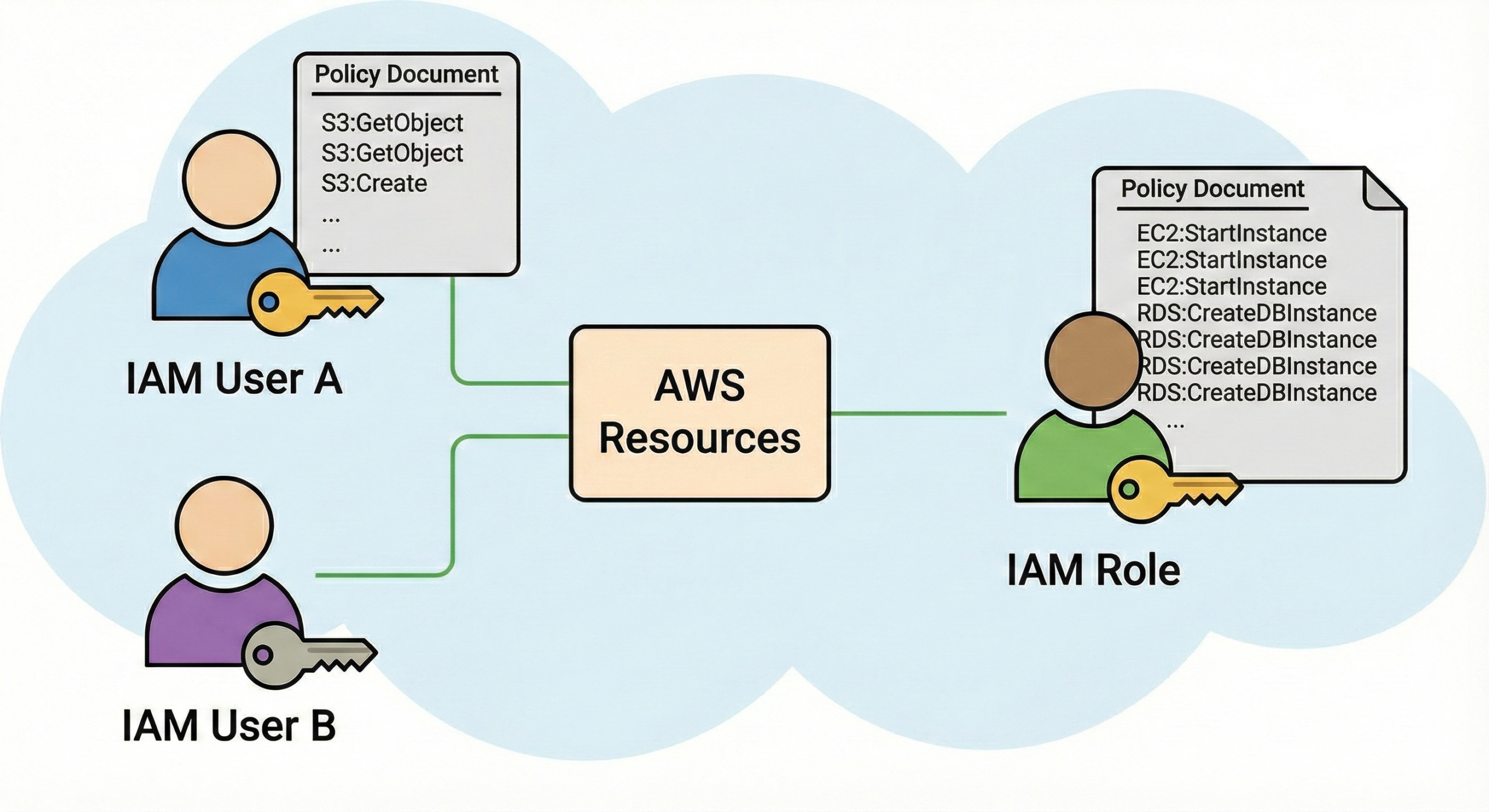
- Use AWS IAM roles with least privilege and temporary credentials; avoid long-lived access keys.
- Use Azure AD or AD Connector/SSO if you require federated identity for users and management.
- Enforce MFA and monitor privilege escalation using CloudTrail and GuardDuty.
Security posture & compliance
Scan images for vulnerabilities, rotate keys, and adopt automated patching where possible. Integrate with AWS Config, Security Hub, and managed detection services. The Well-Architected Reliability and Security pillars provide lens-based checks you should include during post-migration reviews.
Designing multi-Region & active-active architectures
For resilience and global low latency, multi-Region active-active architectures replicate workloads and serve users from the nearest region. This model increases complexity (data replication, conflict resolution, cross-region networking) and cost, so compare requirements carefully. AWS provides prescriptive multi-Region guidance and design patterns to help you decide when to use active-active vs active-passive or DR strategies.
Key design considerations
- Data strategy: Do writes need global consistency? Consider single-writer patterns, CRDTs, or conflict-free replication where appropriate.
- DNS routing: Use Route 53 latency-based routing with health checks or third-party global load balancing to route users.
- Stateful services: Some managed services limit active-active writes—read the service's multi-region capabilities carefully.
- Observability: Correlate traces across regions and centralise metrics/logs for end-to-end debugging.
When to choose active-active
- Strict availability requirements (financial services, large SaaS platforms)
- Global user base where latency matters
- When architecture supports distributed writes or you can partition by region
Testing, cutover & rollback planning
Testing is where migrations succeed or fail. Have a documented rollback plan and automation that can revert DNS or reconfigure load balancers quickly.
Types of tests
- Functional tests: Smoke tests for endpoints, job runs, and scheduled tasks.
- Performance tests: Load and soak tests to ensure steady-state behaviour matches SLAs.
- Failure injection: Chaos tests to validate recovery & failover paths.
- Security tests: Pen tests and vulnerability scans after deployment.
Cutover checklist
- Final data sync / freeze plan
- DNS TTL reductions well before cutover
- Stakeholder communication & rollback triggers
- Runbook with step-by-step commands and runbook owner
- Post-cutover validation checklist (metrics, transactions per minute, error rate)
Organisation, governance & cost optimisation
Successful migration is as much process as code. Assign clear ownership, define KPIs, and track cost and technical debt. Establish an operating model with platform teams to centralise common capabilities (CI/CD, observability, infra-as-code templates).
Guardrails & governance
- Tagging strategy (owner, environment, cost center)
- Account structure (AWS Organizations — separate prod, non-prod, security)
- Policy enforcement (SCPs, Config rules, Service Control Policies)
Cost optimisation levers
- Rightsize instances after migration using monitoring data
- Use Savings Plans or Reserved Instances for steady-state workloads
- Move to serverless or managed databases where it reduces TCO
- Delete unused snapshots, volumes, and idle IPs
Troubleshooting & automation — PowerShell, Microsoft Graph, and AWS CLI
Below are practical scripts and snippets to gather inventory, troubleshoot identity issues, and check replication or cutover state. Use them as starting points and adapt to your environment.
1) PowerShell: Quick on-prem server inventory (Windows)
This script collects CPU, memory, disk usage, installed roles and services for servers in an AD OU. Run as a domain admin from a machine with RSAT tools.
Import-Module ActiveDirectory $ou = "OU=Servers,DC=contoso,DC=com" $computers = Get-ADComputer -Filter * -SearchBase $ou | Select -ExpandProperty Name $report = foreach($c in $computers){ $sys = Get-WmiObject -Class Win32_OperatingSystem -ComputerName $c -ErrorAction SilentlyContinue $cpu = Get-WmiObject -ComputerName $c -Class Win32_Processor -ErrorAction SilentlyContinue $logical = Get-WmiObject -ComputerName $c -Class Win32_LogicalDisk -Filter "DriveType=3" -ErrorAction SilentlyContinue [PSCustomObject]@{ ComputerName = $c OS = $sys.Caption OSVersion = $sys.Version LastBoot = $sys.LastBootUpTime CPU = ($cpu | Measure-Object -Property NumberOfCores -Sum).Sum TotalPhysicalMemoryGB = [math]::Round(($sys.TotalVisibleMemorySize/1MB),2) DiskDetails = ($logical | ForEach-Object { "$($_.DeviceID): $([math]::Round($_.Size/1GB,2))GB ($([math]::Round($_.FreeSpace/1GB,2))GB free)" }) -join "; " } } $report | Export-Csv -Path ".\onprem-server-inventory.csv" -NoTypeInformation -Encoding UTF8 Write-Host "Inventory exported to onprem-server-inventory.csv"2) Microsoft Graph: Export users and groups (useful for identity mapping)
Use Microsoft Graph (PowerShell or REST) to extract user objects and group memberships for mapping to IAM or for planning SSO. Requires app registration with appropriate Graph scopes (User.Read.All, Group.Read.All) and an admin consent.
# Install Microsoft.Graph module if not present # Install-Module Microsoft.Graph -Scope CurrentUser Connect-MgGraph -Scopes "User.Read.All","Group.Read.All" # Export users Get-MgUser -All | Select-Object Id,UserPrincipalName,DisplayName,Department | Export-Csv users.csv -NoTypeInformation # Export groups with members (simple format) $groups = Get-MgGroup -All foreach($g in $groups){ $members = Get-MgGroupMember -GroupId $g.Id -All | Select-Object @{n='UPN';e={$_.UserPrincipalName}},DisplayName foreach($m in $members){ [PSCustomObject]@{ Group=$g.DisplayName; GroupId=$g.Id; MemberUPN=$m.UPN; MemberDisplay=$m.DisplayName } | Export-Csv group-members.csv -NoTypeInformation -Append } } Write-Host "Export complete"3) AWS CLI: Check replication & test-launch status for AWS MGN (example)
Use AWS CLI to list replication servers and check their replication health. You need appropriate IAM permissions (AWS MGN read actions).
# List replication servers (example) aws mgn describe-replication-instances --region us-east-1 # Describe source servers and check replication state aws mgn describe-source-servers --region us-east-1 --query 'items[*].{ID:sourceServerID,State:replicationStatus,LastReplication:lastAgentReplicationDate}' --output table # To initiate a test-launch (follow your runbook safeguards) aws mgn start-test --source-server-id --launch-parameters '{"targetInstanceType":"t3.large","subnetId":"subnet-xxxxx"}' --region us-east-1 4) Database sanity checks — compare row counts and checksums
Before switching writes, verify row counts and simple checksums. For example, in PostgreSQL:
-- on source SELECT COUNT(*) FROM orders; SELECT md5(array_agg(id || '|' || updated_at)::text) AS checksum FROM orders; -- on target (after replication) SELECT COUNT(*) FROM orders; SELECT md5(array_agg(id || '|' || updated_at)::text) AS checksum FROM orders;5) Quick network tests
# From on-prem to new EC2 (bash) ping -c 5 ec2-instance-public-dns traceroute ec2-instance-public-dns
Check port (from bastion)

nc -zv 10.0.1.5 1433
Note: These snippets are templates. Credential handling, error handling, and logging must be added for production use. Use encrypted secret stores and least-privilege service principals.
Migration checklist (condensed)
- Inventory & dependency mapping completed
- Landing zone & network design in place
- Security controls & IAM roles configured
- Pilot apps selected and successfully migrated
- Backup & restore tested in cloud
- DR & failover playbooks written and validated
- Cost baseline & tagging strategy applied
- Operations runbook & runbook owners assigned
- Post-migration optimisation plan scheduled
Frequently Asked Questions
Q: How do I choose between rehost and refactor?
A: Use business value, technical complexity, time-to-market, and operational capacity as your decision factors. If you need speed and minimal change, rehost. If you need agility and lower long-term ops cost, refactor.
Q: Is multi-region always better?
A: No. Multi-region gives resilience and global latency reduction but increases cost and complexity. Use it when RTO/RPO SLAs and global latency needs justify the extra effort.
Q: What are the top migration mistakes?
Skipping discovery, moving everything at once (big-bang), ignoring identity & networking, not testing backups, and lacking cost governance are among the top mistakes.
© Cloud Knowledge