


Amazon Route 53 – Domain Name System (DNS), DNS Routing & Domain Registration
In this comprehensive article we’ll cover the full breadth of Amazon Route 53 (AWS’s DNS, domain-registration and traffic-routing service). We discuss its core use-cases, the routing policies it supports, domain registration, monitoring, DNS failover, private DNS, automation via CLI/SDK/Graph-style APIs, and deep troubleshooting tips. Further, we integrate how this subject links to broader cloud-infrastructure topics on CloudKnowledge.in for further reading.
1. Introduction to Amazon Route 53
Amazon Route 53 is a highly available and scalable Domain Name System (DNS) web service by Amazon Web Services (AWS). It is designed to route end users to internet applications by translating domain names into IP addresses. :contentReference[oaicite:3]{index=3}
• Highly available, globally distributed DNS infrastructure.
• All-in-one: DNS routing + domain registration + health checking.
• Integration with other AWS services (e.g., ELB, S3, CloudFront). :contentReference[oaicite:4]{index=4}
FAQ
Q: Why is the service named “Route 53”?
The “53” comes from the standard TCP/UDP port 53 used by DNS. “Route” signifies routing end users via DNS to endpoints. :contentReference[oaicite:5]{index=5}
Q: What are the three main functions of Route 53?
According to AWS documentation, Route 53 performs: (1) domain registration, (2) DNS routing, and (3) health checking. :contentReference[oaicite:6]{index=6}
2. Fully Managed DNS Service
As part of its core offering, Route 53 acts as an authoritative DNS service — you create “hosted zones” which are containers for DNS records for your domain. Then Route 53’s globally distributed servers answer DNS queries for you. :contentReference[oaicite:7]{index=7}
• No need to manage your own DNS server fleet – AWS handles scaling, distribution, reliability.
• Supports both public (internet-facing) DNS and private (VPC internal) DNS hosted zones.
FAQ
Q: What’s a “hosted zone” in Route 53?
A hosted zone is a container for DNS records for a specific domain or subdomain that you manage via Route 53. :contentReference[oaicite:9]{index=9}
Q: Can I move an existing DNS zone into Route 53?
Yes — you can create a hosted zone in Route 53, export your existing zone file, import or manually create records, then update the registrar name‐server delegation. :contentReference[oaicite:10]{index=10}
3. Domain Registration
Route 53 also functions as a domain registrar, enabling you to register new domain names or transfer existing ones, and manage DNS for those domains via the same console/API. :contentReference[oaicite:11]{index=11}
• Supports many top‐level domains (TLDs) and transfers in from other registrars. :contentReference[oaicite:12]{index=12}
• You maintain full DNS control once the domain is delegated to Route 53.
FAQ
Q: Is domain privacy (WHOIS privacy) included?
That depends on the TLD and AWS’s offer at time of registration — you should check AWS documentation for your TLD region.
Q: Do you pay upfront fees for domain registration via Route 53?
No upfront minimums — you pay the standard annual registration fees for the domain, and DNS zone charges separately. The pricing follows a pay‐as‐you‐go model. :contentReference[oaicite:13]{index=13}
4. DNS Resolution: Public & Private
Route 53 supports both public DNS resolution for internet-facing services and private DNS resolution within Amazon VPCs. Private hosted zones keep internal DNS records isolated from the public internet. :contentReference[oaicite:14]{index=14}
• Private hosted zones linked to VPC(s) answer queries only internally.
• You can combine internal & external name resolution patterns in hybrid setups.
FAQ
Q: How do I set up a private hosted zone?
In the AWS console or via API/CLI, create a hosted zone type “Private”, specify related VPC(s), then add records. DNS queries from those VPCs will resolve accordingly. :contentReference[oaicite:15]{index=15}
Q: Can on-premises networks resolve private hosted zone names?
Yes, via the Route 53 Resolver and conditional forwarding to on-premises DNS via endpoints, creating a hybrid architecture. :contentReference[oaicite:17]{index=17}
5. Health Checks and DNS Failover
Route 53 provides health checking of endpoints and automatic DNS failover routing if an endpoint becomes unhealthy. This enables you to direct traffic away from failing resources. :contentReference[oaicite:18]{index=18}
• If endpoint fails, Route 53 can switch to backup/secondary resources.
• Useful for high availability and disaster recovery architectures.
FAQ
Q: What happens when a health check fails?
Depending on your routing configuration (e.g., failover routing policy), Route 53 will stop returning the failed endpoint and instead return the healthy one. :contentReference[oaicite:19]{index=19}
Q: Does health checking add cost?
Yes — health checks configured via Route 53 incur additional charges per check. You should monitor and budget accordingly. :contentReference[oaicite:20]{index=20}
6. Latency-Based Routing
Latency-based routing directs user requests to the AWS Region (or endpoint) that provides the lowest latency for that user. This helps improve performance for global users. :contentReference[oaicite:21]{index=21}
• User’s DNS resolver picks the region resulting in lowest latency.
• Works with other policies (e.g., weighted) for fine-tuned control.
FAQ
Q: Should I always use latency-based routing?
Not always – use latency routing when you have multiple endpoints across regions and your user experience is latency-sensitive. Simpler routing may suffice for single‐region apps.
Q: Does latency routing guarantee lowest latency every time?
No guarantee – DNS resolution and network paths vary dynamically. But latency routing uses AWS’s measurements to select the best region at the time of query.
7. Geolocation Routing
Geolocation routing sends traffic to endpoints based on the geographic location of the user’s DNS query origin. This can be used to deliver localized experiences or comply with data-residency regulations. :contentReference[oaicite:22]{index=22}
• You can specify a default endpoint for unspecified locations.
• Useful for content compliance (data laws) or language/region-specific endpoints.
FAQ
Q: Can geolocation routing handle user IP spoofing?
No – geolocation uses the resolver IP address, not the user IP directly; so it’s approximate and not fool-proof. Use in combination with other methods if strict enforcement is needed.
Q: What if a user’s location is unknown?
You must configure a default routing option for unspecified regions; otherwise, resolution may fail for some queries. :contentReference[oaicite:23]{index=23}
8. Geoproximity Routing
Geoproximity routing allows you to route traffic based on geographic proximity of endpoints to users, with an optional “bias” to shift traffic flow toward or away from certain regions. :contentReference[oaicite:24]{index=24}
• You can define endpoint locations and adjust bias to fine-tune traffic distribution.
• Works best when you have multiple endpoints across geo locations and you want controlled traffic shifting.
FAQ
Q: Is geoproximity routing available globally?
Availability depends on AWS region and your account’s configuration. Always verify current service support in your region.
Q: How is bias defined?
Bias is an adjustment parameter (positive or negative) you apply to endpoint locations’ existing radius, effectively expanding or shrinking the endpoint’s coverage area for routing decisions.
9. Weighted Routing
Weighted routing allows you to distribute traffic across multiple resources using specified weights (percentages). It is useful for load-splitting, A/B testing or gradual deployment. :contentReference[oaicite:25]{index=25}
• Combine with health checks to ensure traffic only goes to healthy endpoints.
• Ideal for rollout strategies, testing, migration.
FAQ
Q: Can weights be changed dynamically?
Yes — via API/CLI you can adjust weights at any time, enabling dynamic traffic shifting.
Q: Does weighted routing guarantee exact percentage traffic?
No exact guarantee — DNS resolution and caching by resolvers can lead to variation. Use analytics to verify actual distribution.
10. Multi-Value Answer Routing
Multi-value answer routing returns multiple healthy IP addresses in a single DNS response (up to eight) to improve load distribution and availability. :contentReference[oaicite:26]{index=26}
• Each record is subject to health check status before inclusion.
• Good for distributing load without full traffic-management complexity.
FAQ
Q: How many records can be returned with multi-value answer?
Up to eight healthy records can be returned. :contentReference[oaicite:27]{index=27}
Q: Is it exactly like round-robin DNS?
It resembles multi-record DNS but differs because it filters based on health checks and is integrated with Route 53’s routing policies.
11. Failover Routing Policy
Failover routing policy is used for active-passive architectures: you designate a primary endpoint and a standby; when primary fails health checks, traffic is routed to standby. :contentReference[oaicite:28]{index=28}
• Supports both public and private hosted zones.
• Critical for disaster recovery / high-availability setups.
FAQ
Q: Can I use failover routing across AWS Regions?
Yes – you can configure primary in one region and secondary in another; just ensure health checks and records are properly set up.
Q: What about DNS caching delays?
Even when failover triggers, DNS resolver caching (as per TTL) may delay full failover effect; use lower TTLs for faster transition if needed.
12. Integration with AWS Global Infrastructure
Route 53 tightly integrates with many AWS services such as Amazon CloudFront, Elastic Load Balancing (ELB), Amazon S3 static websites, and the broader AWS global edge network. :contentReference[oaicite:32]{index=32}
• Works with global edge locations for low latency.
• You can integrate with AWS monitoring and infra as code (IaC) tools.
FAQ
Q: What is an Alias record?
An Alias record is a Route 53-specific record type that you can use to map a domain name to AWS resources (CloudFront, S3, ELB) without incurring DNS query charges like a CNAME would. :contentReference[oaicite:33]{index=33}
Q: Can I use Route 53 for non-AWS endpoints?
Yes — you can point DNS records to external IP addresses or endpoints outside AWS. Integration is broader than just AWS. :contentReference[oaicite:34]{index=34}
13. Hosted Zones (Public and Private)
As earlier mentioned, hosted zones are containers for DNS records of a domain or subdomain. Route 53 supports both public and private hosted zones. :contentReference[oaicite:35]{index=35}
• Private hosted zone: tied to one or more VPCs, not exposed publicly.
• You can delegate subdomains via NS records into other hosted zones for flexibility.
FAQ
Q: Can I have both a public and private hosted zone for the same domain?
Yes — you can have separate zones (public vs private) for the same domain (e.g., example.com) but you must manage record overlap carefully to avoid conflicts.
Q: How many hosted zones can I create?
AWS places soft limits; you can request quota increases via AWS Support as needed. Always check current service quotas for your account.
14. Private DNS for Amazon VPC
Private hosted zones enable you to create internal-only DNS resolution within your VPCs, useful for microservices, internal applications, service discovery, and hybrid cloud integration. :contentReference[oaicite:36]{index=36}
• Works with Route 53 Resolver endpoints for cross-VPC / on-premises integration.
• Enhances security and isolation of DNS for internal services.
FAQ
Q: Can private hosted zones cross multiple VPCs?
Yes — you can associate a private hosted zone with multiple VPCs (even across accounts) if configured. Ensure correct IAM and sharing configuration.
Q: Does public DNS caching apply for private hosted zones?
No — private hosted zones are resolved within the VPC networks and are not visible to public resolvers, so public DNS caching rules do not apply.
15. DNS Record Types Supported
Route 53 supports all standard DNS record types: A (IPv4), AAAA (IPv6), CNAME, MX, TXT, NS, PTR, SRV, and also supports special Alias records unique to Route 53. :contentReference[oaicite:37]{index=37}
• Alias records: map to AWS resources, no extra cost for queries to those.
• TTL (Time to Live) configurable per record, influences caching.
FAQ
Q: Can I use a CNAME record at the domain root (zone apex)?
No — standard DNS rules disallow CNAME at the zone apex. However, Route 53’s Alias record lets you map the apex to AWS resources like CloudFront. :contentReference[oaicite:38]{index=38}
Q: What TTL should I use for DNS records?
It depends on change-rate vs caching tradeoff. Lower TTL enables faster changes but more queries (higher cost); higher TTL reduces queries but slower propagation of changes. Monitor usage and cost accordingly.
16. Automatic Scaling
Route 53 automatically scales to handle billions of queries daily across a global DNS network without user intervention. :contentReference[oaicite:39]{index=39}
• Global edge network ensures low latency for users worldwide.
• You are shielded from underlying infrastructure scaling concerns.
FAQ
Q: Do I need to manage capacity for DNS queries?
No — Route 53 is fully managed and handles scaling automatically.
Q: Is there any query-volume limit?
While there are limits/quota thresholds, typical usage is handled transparently. If you anticipate very high traffic, review AWS published quotas or engage AWS support.
17. DNSSEC Support
DNSSEC (Domain Name System Security Extensions) helps prevent DNS spoofing and enhances data integrity. Route 53 supports DNSSEC for domain registration and for hosted zones. :contentReference[oaicite:40]{index=40}
• Important for security-sensitive domains and compliance.
• Requires configuration of signing, key management and validation.
FAQ
Q: Is DNSSEC automatic in Route 53?
No — you must explicitly enable DNSSEC for your hosted zone or domain registration as supported. Review AWS docs for current support per TLD/region.
Q: Does DNSSEC add cost?
Costs may include key management and potential extra query resolution overhead; check AWS pricing. But generally the benefits for security outweigh minor cost increments for most production uses.
18. Traffic Flow Management (Visual Editor)
Route 53 offers a “Traffic Flow” feature — a visual policy editor that helps you build complex routing rules globally via a drag-and-drop interface. :contentReference[oaicite:41]{index=41}
• Policies can be reused across domains/hosted zones.
• Good for global traffic-management and multi-region failover scenarios.
FAQ
Q: Does Traffic Flow cost extra?
Yes — using the visual editor and associated traffic policy records may incur additional charges. Review AWS pricing. :contentReference[oaicite:42]{index=42}
Q: Can I export or automate Traffic Flow policies?
You can use API/CLI to create routing policies programmatically, enabling automation. You can also combine with IaC tools (see section 27).
19. Query Logging
Route 53 supports query logging — you can log DNS queries and responses to services such as Amazon CloudWatch Logs or S3 for auditing, visibility and troubleshooting. :contentReference[oaicite:44]{index=44}
• Log volumes and storage costs should be monitored.
• Combine with monitoring/alerts for advanced observability.
FAQ
Q: Can I log all DNS queries in a hosted zone?
Yes — you enable query logging for the hosted zone or resolver rules. Then choose a destination (CloudWatch Logs, S3). Ensure proper permissions via IAM.
Q: Does query logging increase latency?
No significant impact on DNS resolution latency; the logging happens asynchronously. But logging large volumes may increase cost. Monitor storage.
20. Integration with IAM (Access & Control)
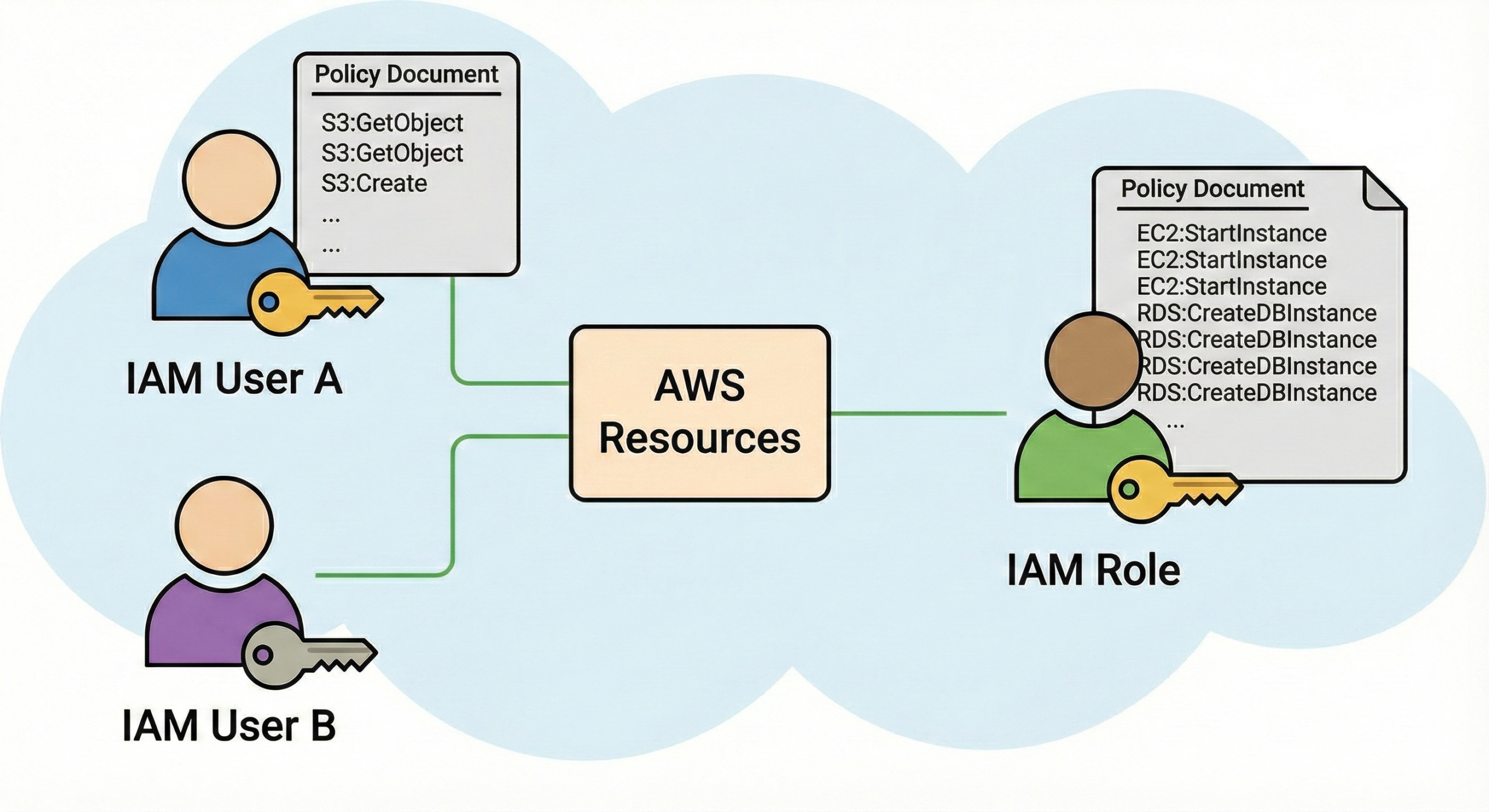
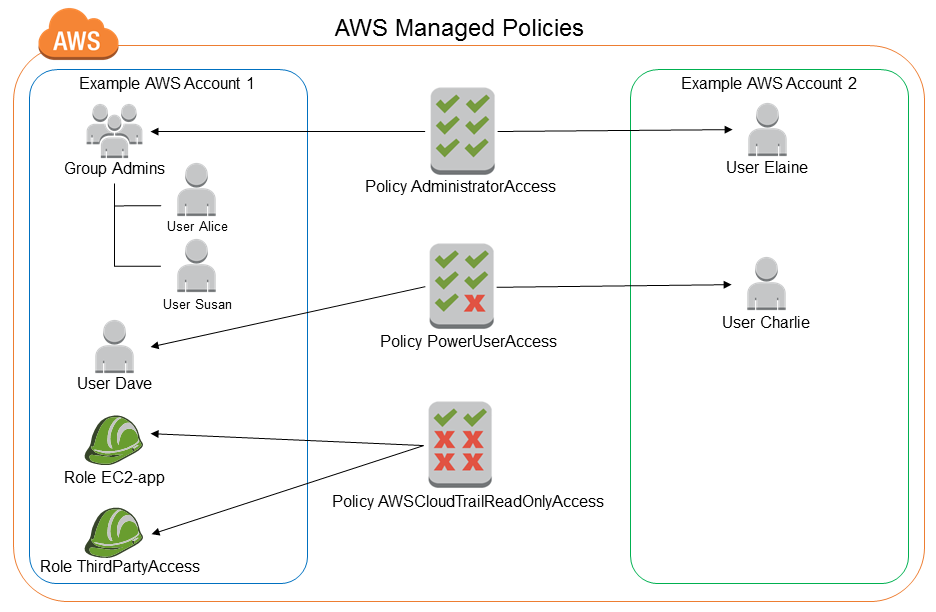
Route 53 integrates with AWS Identity and Access Management (IAM) so you can control who can manage hosted zones, records, health checks, and domain registration. :contentReference[oaicite:46]{index=46}
• Use IAM roles for automation and cross-account delegation.
• Secure your DNS plane, not just your application plane.
FAQ
Q: Should I enable multi-factor authentication (MFA) for IAM users managing DNS?
Yes — DNS is critical infrastructure, so best practice is to enforce MFA and follow least-privilege IAM policies for DNS management.
Q: Is there built-in logging for IAM operations on Route 53?
Yes — through AWS CloudTrail you can audit IAM operations invoked on Route 53 APIs, enabling governance and compliance.
21. Cost-Effective & Pay-As-You-Go Pricing
Route 53 follows a usage-based pricing model — you pay for hosted zones, number of DNS queries, health checks, traffic-policy records, domain registration etc. No large upfront fees. :contentReference[oaicite:48]{index=48}
• Implementation of health checks and advanced routing adds cost — monitor billed metrics.
• Leverage automation (IaC) and tagging for cost tracking.
FAQ
Q: Are queries to alias records free?
Queries to alias records pointing to certain AWS resources (e.g., CloudFront, ELB) may be charged differently—check AWS pricing details for your region.
Q: How can I optimize cost?
Use sensible TTLs, avoid unnecessary hosted zones, monitor query volumes, disable unused health checks, and aggregate domains if appropriate.
22. SLA & Reliability
Route 53 is backed by an SLA (Service Level Agreement) for availability and runs on a globally distributed, fault-tolerant infrastructure. :contentReference[oaicite:49]{index=49}
• The control plane and data plane are separated for increased resilience. :contentReference[oaicite:50]{index=50}
• High availability means DNS resolution remains consistent even under heavy load or partial cloud outages.
FAQ
Q: Does SLA cover DNS latency?
SLA typically covers availability (i.e., DNS queries answered), not strict latency guarantees. For latency-sensitive apps, design for global edge and routing policies.
Q: What happens during a regional AWS outage?
Since Route 53 uses a global network of name-servers, DNS resolution generally remains functional; however, if your endpoint resources are region-specific and unavailable, you must rely on failover or multi-region design to maintain service.
23. DNS Query Logging for Compliance
Beyond just query logging (section 19 above), you can leverage query logs in CloudWatch/S3 to support compliance, auditing, forensic investigations, and security monitoring. :contentReference[oaicite:51]{index=51}
• Cross-reference with firewall logs, VPC flow logs, WAF logs.
• Ensure data retention policies align with regulatory requirements.
FAQ
Q: Can query logs be forwarded to SIEM tools?
Yes — you can stream CloudWatch Logs or S3 outputs to your SIEM or analytics platform for in-depth processing.
Q: What is a practical retention rubric?
It depends on your compliance needs: 30 days for standard ops, 1-3 years for regulated industries; align with cost and storage strategy.
24. Cross-Region Redundancy
Route 53 automatically replicates DNS configurations across AWS’s global edge locations for redundancy and low latency. Combined with routing policies, you can build truly multi-region resilient DNS/failover architectures. :contentReference[oaicite:52]{index=52}
• Combine with multi-region endpoints and health checks for end-to-end resilience.
• Use traffic policies to tailor routing per region.
FAQ
Q: Does Route 53 replication happen automatically?
Yes — DNS zone data is globally available; you do not need to manually replicate. You just create records and they are distributed.
Q: Should I still deploy endpoints across regions?
Yes — DNS resilience alone is not enough if your application endpoint is single-region. Combine DNS globally with multi-region failover for full redundancy.
25. Hybrid Cloud DNS & Resolver Integration
Route 53 supports hybrid cloud DNS scenarios via the Route 53 Resolver, which integrates on-premises DNS systems with AWS VPCs using conditional forwarding, resolver endpoints, and hybrid zone resolution. :contentReference[oaicite:53]{index=53}
• Use Direct Connect/VPN plus Route 53 Resolver endpoints for hybrid link.
• Supports enterprise-grade hybrid DNS architectures.
FAQ
Q: Can I forward DNS queries from VPC to on-premises?
Yes — using resolver rules you can configure conditional forwarding from VPCs to on-premises DNS servers and vice versa. :contentReference[oaicite:54]{index=54}
Q: Do I need to run additional DNS servers on-premises when using Route 53 Resolver?
You may already have DNS servers on-premises; Route 53 Resolver endpoints simply allow integration and forwarding — you do not necessarily need new servers if your current setup supports it.
26. Automation with Infrastructure as Code
You can automate all Route 53 configuration (hosted zones, records, health checks, traffic policies) using IaC tools such as AWS CloudFormation, Terraform, AWS CLI, SDKs. This makes DNS configuration repeatable, auditable and scalable. :contentReference[oaicite:57]{index=57}
• Embedding into CI/CD pipelines ensures consistent DNS updates.
• Enables version control of DNS configs, rollback, and auditability.
FAQ
Q: Can I manage routing policies via code?
Yes — you can define traffic policy documents (JSON) and deploy via API/CLI, or Terraform providers for Route 53.
Q: What are best practices for IaC in DNS?
Keep DNS zone/record definitions in version control, tag resources, separate environments (dev/test/prod), enforce change tracking and review processes.
27. Security & Access Control
Security is critical for DNS — Route 53 integrates with AWS Shield, WAF, uses IAM controls, supports DNSSEC and private zones. Combined, this gives multi-layer protection. :contentReference[oaicite:58]{index=58}
• Enable DNSSEC for domains which support it.
• Use query logging + monitoring to detect malicious DNS activity.
• For DDoS protection, combine with AWS Shield and WAF where applicable.
FAQ
Q: Should DNS records be treat-as-sensitive assets?
Absolutely — DNS misconfigurations or hijacks can undermine your application availability and security. Treat DNS as critical part of your infrastructure.
Q: How do I monitor DNS changes?
Use CloudTrail for API tracking, use tag/change-history, and optionally alert on high-volume change sets or health-check failures.
28. Monitoring & Alerts
You can monitor health checks and routing via CloudWatch metrics, and send alerts via SNS (Simple Notification Service) when thresholds are crossed or health checks fail. :contentReference[oaicite:59]{index=59}
• Trigger alerts for failovers, latency increase, query spikes.
• Use dashboards and automated remediation via Lambda if required.
FAQ
Q: What CloudWatch metrics are available for Route 53?
Metrics include HealthCheckStatus, HealthCheckPercentageHealthyHostCount, DNSQueries, DNSQueriesByType, etc. (check AWS docs for complete list).
Q: Can I integrate with third-party monitoring tools?
Yes — you can export CloudWatch metrics/logs to external monitoring systems, or forward alerts via SNS/webhooks to external services.
29. Typical Implementation & Troubleshooting Scenarios
This section dives into common real-world implementation patterns and how to troubleshoot issues in Route 53 setups.
Scenario A: Domain Registration but DNS Not Resolving
Symptoms: Domain registered in Route 53 but browser says “server not found”.
• Ensure the hosted zone is public if the domain is internet-facing.
• Check TTL/caching delays.
• Use tools like
dig or nslookup to query the NS set and A record resolution.
# Example dig command
dig +trace example.com
Troubleshooting tips:
- Use
dig +traceto follow resolution path. - Check for stale NS delegation at registrar.
- Flush DNS cache locally or use public DNS resolver (8.8.8.8) for test.
Scenario B: Traffic Routing Not Working as Expected (Weighted/Latency/Geo)
Symptoms: Traffic still going to wrong region or endpoint.
• Validate health-check status – if health check is failing, traffic will not route to that endpoint.
• Check TTL – DNS caching by resolvers may cause older routes to persist.
• For latency routing: ensure endpoints are in multiple regions and latency difference is meaningful.
# Example AWS CLI to list record sets in a hosted zone
aws route53 list-resource-record-sets \
  --hosted-zone-id Z123456789ABCDEFG
Key PowerShell/CLI snippet:
# PowerShell AWS Tools example
Import-Module AWS.Tools.Route53
Get-R53ResourceRecordSet -HostedZoneId Z123456789ABCDEFG |
  Where-Object { $_.Type -eq 'A' }
Scenario C: Endpoint Healthy but DNS Still Not Switching After Failure
Symptoms: Primary endpoint fails; secondary is healthy; but DNS still returning primary.
• Check routing policy is failover and record values correspond to primary and secondary. :contentReference[oaicite:61]{index=61}
• Examine TTL – if long TTL, cached responses may delay failover.
• Check if alias vs non-alias record type used (alias may behave differently).
# Check health check status via CLI:
aws route53 get-health-check-status \
  --health-check-id abcd-1234-efgh
Scenario D: Private Hosted Zone Not Resolving from On-Premises
Symptoms: Private domain name resolves within VPC but not from on-premises network.
• Check resolver endpoint setup and proper forwarding rules from on-premises DNS to Route 53 Resolver.
• Verify network connectivity (VPC-to-on-premises, Direct Connect/VPN).
• Confirm security groups/NACLs allow DNS traffic (UDP/TCP port 53).
# Example: Create resolver rule
aws route53resolver create-resolver-rule \
  --creator-request-id "rule-onprem" \
  --name "OnPrem-to-Route53" \
  --rule-type FORWARD \
  --domain-name "corp.local." \
  --target-ips Ip=["10.0.0.5"] \
  --resolver-endpoint-id rslvr-abcd1234
Automated Troubleshooting Script (PowerShell) for DNS Query Logging Failures
# PowerShell script sample: enable query logging for a hosted zone
Import-Module AWS.Tools.Route53
$hostedZoneId = "Z123456789ABCDEFG"
$logGroupName = "/aws/route53/querylogs/" + $hostedZoneId

# Create CloudWatch Logs group
Import-Module AWS.Tools.CloudWatchLogs
New-CWLogGroup -LogGroupName $logGroupName

# Enable query logging
New-R53QueryLoggingConfig -HostedZoneId $hostedZoneId `
  -CloudWatchLogsLogGroupArn "arn:aws:logs:us-east-1:123456789012:log-group:$logGroupName"
Write-Output "Query logging enabled for hosted zone $hostedZoneId"
Key Takeaway
Automating query-logging setup helps ensure you capture DNS usage, detect anomalies and meet compliance needs.
30. Best Practices Summary
- Use least‐privilege IAM roles when managing DNS resources.
- Design routing policies appropriate for your application (don’t over-engineer for simple use-cases).
- Keep TTLs appropriately low when you expect changes/rollouts, higher when stable to reduce cost.
- Use health checks and failover routing for high availability.
- Enable query logging and monitor DNS traffic patterns for anomalies.
- Use IaC (CloudFormation/Terraform) to version control your DNS infrastructure.
- Test routing policies (e.g., latency, geolocation) to ensure they behave as expected.
- Document your DNS architecture, especially when combining public/private zones and hybrid setups.
31. Summary & Next Steps
In this deep dive we explored how Amazon Route 53 brings together domain registration, DNS routing and traffic management at scale. We discussed core features like latency-based, geolocation, weighted and failover routing, the use of hosted zones (public & private), advanced elements like query logging, DNSSEC, hybrid cloud integration, automation with IaC, and troubleshooting scenarios with PowerShell/CLI examples.
If you are managing a global application or want to ensure highly available DNS for your infrastructure, Route 53 is a powerful tool in your cloud architecture arsenal. For further advanced reading, visit CloudKnowledge.in and explore our related deep-dive posts on cloud networking, DNS security and multi-region deployments.
Implement best practices, test thoroughly, and integrate monitoring and automation to maintain resilient DNS operations.
© 2025 CloudKnowledge.in – This content is ready for WordPress with full HTML markup, styled in black & white, width set to 100%, and optimized for search (Microsoft Edge News, Google Discover, Bing).



Leave a Reply