


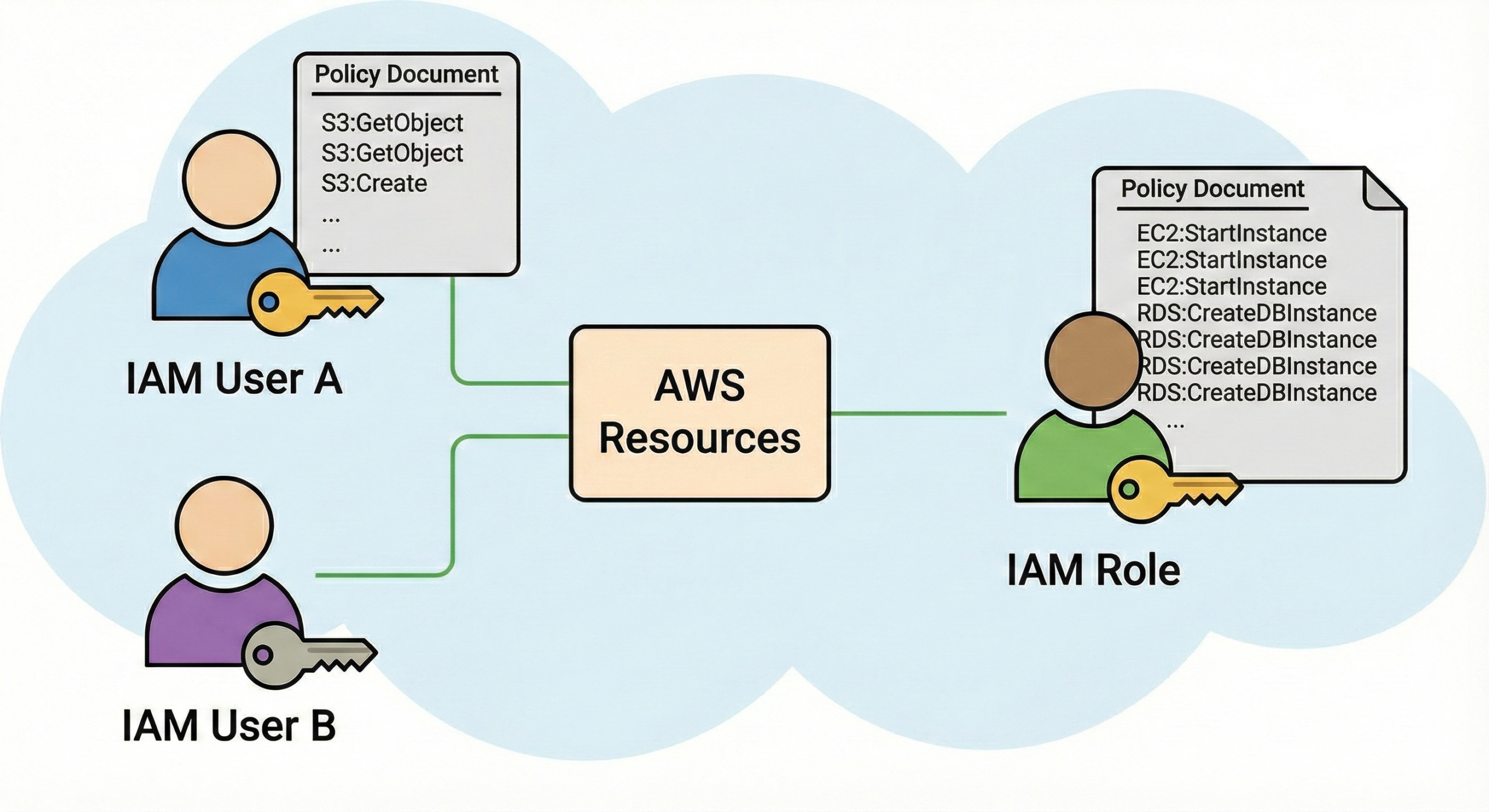
7 Proven AWS Security Best Practices: The Ultimate Guide to IAM, KMS, and WAF for Zero Trust Architecture
The migration to cloud infrastructure has fundamentally shifted the paradigm of cybersecurity. In the on-premises era, security was a moat; you built a perimeter firewall and trusted everything inside. In the cloud, that perimeter has dissolved. Cloud computing demands a Zero Trust approach where every request—whether from a junior developer or a microservice—is verified, authenticated, and encrypted.
This comprehensive guide serves as the definitive manual for mastering the three pillars of AWS Security Best Practices: Identity and Access Management (IAM), Key Management Service (KMS), and Web Application Firewall (WAF). By the end of this deep dive, you will have the knowledge to audit, architect, and secure your environment against sophisticated threats, leveraging the expertise found on cloudknowledge.in.
Table of Contents
- 1. The "Shared Responsibility" Model: A Technical Deep Dive
- 2. AWS IAM: Advanced Identity Governance
- 3. Hybrid Identity: Integrating Microsoft Entra ID (Azure AD) with AWS
- 4. AWS KMS: Cryptographic Depth and Key Management
- 5. AWS WAF: Layer 7 Defense Strategies
- 6. Monitoring & Auditing: CloudTrail and Config
- 7. The Ultimate Secure Architecture (Scenario)
- 8. Conclusion, FAQs & Master Checklist
1. The "Shared Responsibility" Model: A Technical Deep Dive
Before configuring a single service, one must understand the boundary lines. The AWS Shared Responsibility Model is not a suggestion; it is a contractual obligation. While AWS secures the "Cloud" (Compute, Storage, Database, Networking hardware), you are responsible for security "in" the Cloud.
The Spectrum of Responsibility
The level of responsibility shifts depending on the service model (IaaS vs. PaaS vs. SaaS).
| Service Type | Example | AWS Responsibility | Your Responsibility |
|---|---|---|---|
| Infrastructure (IaaS) | Amazon EC2 | Hardware, Virtualization Layer | OS Patching, Firewall (UFW/IPTables), IAM, Data Encryption |
| Managed Service (PaaS) | Amazon RDS | OS Patching, Database Software Install | Database User permissions, Network Access (Security Groups), Encryption |
| Abstracted (Serverless) | Amazon S3 / Lambda | Infrastructure, OS, Platform Scaling | Data classification, Encryption settings, IAM Policies |
Key Takeaway: Regardless of the service, Data Security and IAM are always your responsibility.
2. AWS IAM (Identity & Access Management): Advanced Identity Governance
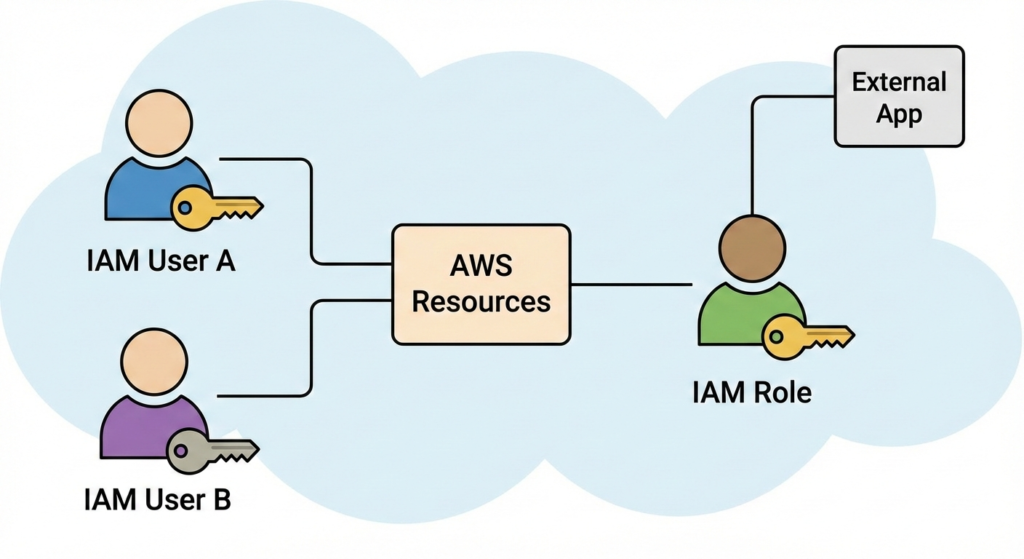
IAM is the cardiovascular system of your AWS environment. If it fails, the entire body shuts down. Beyond simple user creation, mastering AWS Security Best Practices requires understanding policy evaluation logic, conditions, and boundaries.
The JSON Policy Evaluation Logic
When a request is made, AWS evaluates policies in a specific order. Understanding this logic is crucial for troubleshooting "Access Denied" errors.
- Default Deny: Everything is denied by default.
- Explicit Deny: If any policy (SCP, Resource Policy, Identity Policy) says "Deny", the request is rejected immediately. Explicit Deny trumps everything.
- Explicit Allow: If there is no Deny, and at least one "Allow", the request is granted.
Advanced Condition Keys (The Power Move)
Don't just grant access; grant access conditionally. This is where you harden your security posture significantly.
Example: Enforcing MFA and Source Network
The following policy allows a user to terminate EC2 instances only if they are logged in with Multi-Factor Authentication (MFA) AND the request comes from your corporate VPN IP range.
{
    "Version": "2012-10-17",
    "Statement": [
        {
            "Sid": "TerminateInstanceSecurely",
            "Effect": "Allow",
            "Action": "ec2:TerminateInstances",
            "Resource": "*",
            "Condition": {
                "Bool": {
                    "aws:MultiFactorAuthPresent": "true"
                },
                "IpAddress": {
                    "aws:SourceIp": "203.0.113.0/24"
                }
            }
        }
    ]
}
PowerShell Script: Auditing Old Access Keys
Stale access keys are a massive liability. Use this PowerShell script to find keys older than 90 days. This is a critical auditing step for cloud security.
# PowerShell Script to Audit Aged AWS Access Keys
# Requires AWS Tools for PowerShell

$limitDate = (Get-Date).AddDays(-90)
$users = Get-IAMUser

foreach ($u in $users) {
    $keys = Get-IAMAccessKey -UserName $u.UserName
    foreach ($k in $keys) {
        if ($k.Status -eq "Active" -and $k.CreateDate -lt $limitDate) {
            Write-Host "CRITICAL: User $($u.UserName) has an active key created on $($k.CreateDate)" -ForegroundColor Red
        }
    }
}
Deep Dive: IAM Access Analyzer
IAM Access Analyzer uses automated reasoning (mathematical logic) to analyze resource-based policies. It answers the question: "Who outside my account can access my S3 buckets or KMS keys?" Enable this in the IAM console immediately to detect unintended public exposure.
3. Hybrid Identity: Integrating Microsoft Entra ID with AWS
For enterprise users leveraging Microsoft Entra ID (formerly Azure AD), creating separate IAM users in AWS is inefficient and insecure. The best practice is Identity Federation.
The Architecture of Federation
Instead of an IAM User with a password, you use an IAM Role that trusts Microsoft Entra ID.
- User logs into Microsoft Entra ID portal.
- Entra ID issues a SAML assertion (a token proving identity).
- User's browser passes this SAML token to the AWS Sign-In endpoint.
- AWS STS (Security Token Service) validates the token and exchanges it for temporary AWS credentials (an IAM Role).
Troubleshooting via Microsoft Graph API
If you are automating the provisioning of users in Entra ID who need AWS access, you might use the Microsoft Graph API to check group assignments.
# Microsoft Graph API Request to get members of the 'AWS-Admins' group
GET https://graph.microsoft.com/v1.0/groups/{group-id}/members

# Response highlights user eligibility for AWS Access
{
    "@odata.context": "https://graph.microsoft.com/v1.0/$metadata#directoryObjects",
    "value": [
        {
            "@odata.type": "#microsoft.graph.user",
            "id": "12345-abcde-67890",
            "displayName": "Cloud Admin",
            "userPrincipalName": "admin@cloudknowledge.in"
        }
    ]
}
Note: Ensure your Enterprise Application in Entra ID has the correct claims configured to map these users to AWS IAM Roles.
4. AWS KMS (Key Management Service): Cryptographic Depth
KMS is the backbone of data privacy. Understanding the distinction between Customer Managed Keys (CMKs) and AWS Managed keys is vital for compliance with GDPR, HIPAA, and PCI-DSS.
Key Policies: The Gatekeeper of the Vault
Unlike S3 or EC2, IAM policies alone are not enough to access a KMS key. A KMS key must have a Key Policy. If the Key Policy does not explicitly allow access, even an IAM user with `AdministratorAccess` cannot use the key.
The "Grants" Mechanism
Sometimes you don't want to edit a Key Policy for every temporary interaction. KMS Grants allow you to delegate a subset of permissions to an AWS principal (like an Auto Scaling group) dynamically.
Automatic Key Rotation vs. Manual Rotation
- Automatic (Symmetric Keys only): AWS generates new backing material every year. It keeps the old material to decrypt old data, but uses new material for new data. This is seamless.
- Manual: You create a new CMK, update your application aliases to point to the new ID, and eventually revoke the old one. This is required if you suspect a key compromise.
CLI Command: Re-Encrypting Data
If you need to rotate a key manually, you must re-encrypt your data. Here is how you do it via CLI for a local file (often used in cybersecurity forensics):
# 1. Decrypt with old key
aws kms decrypt --ciphertext-blob fileb://encrypted_data.bin \
    --output text --query Plaintext | base64 --decode > decrypted_data.txt

# 2. Encrypt with NEW key
aws kms encrypt --key-id alias/new-secure-key \
    --plaintext fileb://decrypted_data.txt \
    --output text --query CiphertextBlob | base64 --decode > new_encrypted_data.bin
5. AWS WAF (Web Application Firewall): Layer 7 Defense
Your WAF is your customized shield. It operates on Web ACLs (Access Control Lists) which contain Rules.
Anatomy of a WAF Rule
A rule consists of a Statement (what to look for) and an Action (Block, Allow, or Count).
1. Managed Rules (The Easy Win)
AWS provides the Amazon IP Reputation list. Enabling this blocks IP addresses known to be occupied by bots, spammers, and malware distributors. It is a "one-click" increase in security.
2. Custom Rules (The Precision Strike)
Suppose you notice an attacker targeting your specific login URL `/api/login` with SQL injection attempts. You can create a "Scope-down" rule.
Scenario: Geo-Blocking. If your business is only in India and the US, why accept traffic from elsewhere?
Configuration: Create a "GeoMatch" statement. If `Country_Code` is NOT `IN` or `US`, then `BLOCK`. This drastically reduces your attack surface.
WAF Logging with Kinesis
WAF provides near-real-time visibility, but you must enable logging. The logs are typically sent to Amazon Kinesis Data Firehose, which can then dump them into an S3 bucket or Splunk for analysis.
Key Points: WAF Strategy
- Deploy location matters: Attach WAF to CloudFront for global edge protection (closest to the attacker). Attach to ALB for regional protection.
- Use "Count" mode first: When deploying a new rule, set it to "Count" (monitor) mode to ensure you don't accidentally block legitimate users.
6. Monitoring & Auditing: CloudTrail and Config
You cannot secure what you cannot see. AWS Security Best Practices mandate rigorous logging.
CloudTrail: The Black Box Flight Recorder
CloudTrail records every API call made in your account. Whether it's a console login or a script creating a user, it's logged.
Critical Tip: Enable "Log File Validation". This creates a cryptographic hash of your log files. If a hacker tries to delete or modify a log file to cover their tracks, the validation check will fail.
AWS Config: The Compliance Officer
AWS Config records the state of your resources over time.
Example: "At 2:00 PM, Security Group A had port 80 open. At 2:05 PM, port 22 was added."
You can use Config Rules to auto-remediate issues. If a user creates an S3 bucket that allows public read access, AWS Config can trigger a Lambda function to immediately shut down that access.
7. The Ultimate Secure Architecture (Scenario)
Let's visualize a high-security banking application architecture hosted on cloudknowledge.in.
The Request Flow
- Edge Layer: The user resolves DNS via Route53. The request hits CloudFront (CDN).
- Perimeter Defense: AWS WAF attached to CloudFront scans the packet. It checks for XSS, SQLi, and ensures the IP is not on a blacklist.
- Transport Encryption: Traffic is encrypted via TLS 1.2+ using a certificate from AWS Certificate Manager (ACM).
- Compute Layer: The request passes to an Application Load Balancer (ALB), which forwards it to EC2 instances in a private subnet. The EC2 instances have no public IPs.
- Identity Check: The application code uses an IAM Role (not keys) to request data from the database.
- Data Retrieval: The application requests a record from DynamoDB. DynamoDB verifies the IAM policy.
- Decryption: DynamoDB calls KMS. KMS verifies the Role has `kms:Decrypt` permissions. It decrypts the data and returns it to the app.
8. Conclusion, FAQs & Master Checklist
Securing the cloud is not a destination; it is a journey of continuous improvement. By strictly adhering to the "Least Privilege" principle in IAM, enforcing "Envelope Encryption" with KMS, and actively filtering traffic with WAF, you build a defense-in-depth strategy that is resilient to modern cyber threats.
Frequently Asked Questions
Q: How much does AWS WAF cost?
A: WAF charges based on the number of Web ACLs, the number of rules per ACL, and the volume of web requests inspected. It is generally cost-effective compared to the downtime caused by a DDoS attack.
Q: Can KMS recover a deleted key?
A: When you schedule a key for deletion, there is a mandatory waiting period (7 to 30 days). During this time, you can cancel the deletion and recover the key. Once the waiting period expires, the key material is gone forever, and data encrypted with it is permanently lost.
Q: What is the difference between CloudTrail and CloudWatch?
A: CloudTrail logs "Who did what" (API activity). CloudWatch monitors "How is it performing" (CPU, Memory, Latency metrics) and stores logs.
The Master Security Checklist
- [ ] Root Account: MFA enabled, Access Keys deleted, hardware MFA device used.
- [ ] IAM: No users with `AdministratorAccess`. Use Roles for EC2/Lambda.
- [ ] KMS: CMKs used for production data; Rotation enabled; Key Policies audited.
- [ ] WAF: Rate-limiting rules enabled; Logging sent to S3/Kinesis.
- [ ] S3: "Block Public Access" enabled at the account level.
- [ ] Databases: RDS instances are in private subnets; Encryption enabled.
- [ ] Monitoring: CloudTrail enabled in all regions; GuardDuty enabled for threat detection.
For more tutorials on AWS Analytics, networking, and Microsoft technologies, visit our main portal.



Leave a Reply