
Subscribe
Linux

Unlocking the Power of Linux

Unlocking the Power of Linux

Introduction to Linux


Linux is a powerful, open-source operating system that forms the backbone of countless systems worldwide. Known for its reliability, security, and flexibility, Linux is used in everything from personal computers to high-performance servers and scientific research clusters. Itโ€™s based on Unix principles, which emphasize simplicity, modularity, and compatibility, making Linux a go-to choice for tech enthusiasts and professionals alike.

Bash and Basic GNU/Linux and Unix Concepts


One of the key elements of Linux is the command-line interface, or shell. Bash (Bourne Again SHell) is the most popular shell in Linux, known for its robust scripting capabilities and ease of use. The shell acts as an intermediary between the user and the system kernel, interpreting commands and executing tasks.

Key concepts include:

  • Kernel: The core component of Linux, responsible for managing hardware and system resources.

  • File System: A hierarchical structure where files and directories are organized.

  • Processes: Programs in execution, managed efficiently by the kernel.

Understanding these basics is crucial for navigating and leveraging the power of Linux.

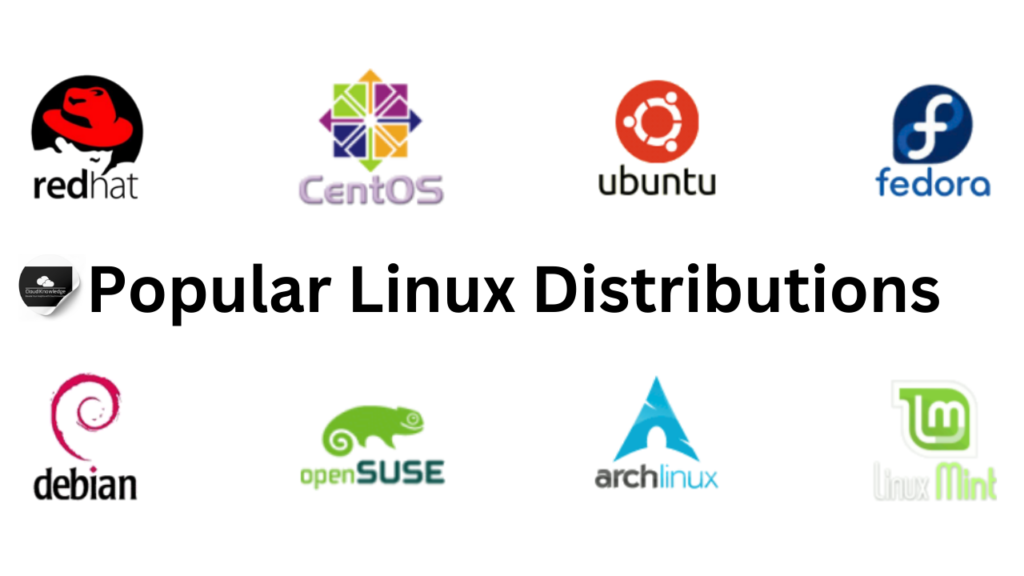
Popular Linux Distributions


Linux distributions (distros) cater to various user needs by bundling the Linux kernel with software packages. Here are some of the most popular ones:

  1. Red Hat Enterprise Linux (RHEL): A stable and secure enterprise-level distro widely used in business environments.

  2. CentOS: A free alternative to RHEL, ideal for servers and enterprise use.

  3. Fedora: Known for cutting-edge features and updates, often serving as a testbed for RHEL.

  4. Debian: Renowned for its stability and vast software repository.

  5. Ubuntu: A user-friendly distribution derived from Debian, popular for desktops and servers.

  6. SUSE Linux: Favored in enterprise environments, offering robust tools for system management.

  7. Linux Mint: A great choice for beginners, offering a clean, intuitive interface.


Popular Linux Distributions

Linux in Science

Linux has become a cornerstone of scientific research due to its flexibility and power. Reasons for its popularity include:

  • Unix Legacy: Compatibility with research-oriented Unix systems like Irix and SunOS.

  • Source Code Availability: Researchers can modify the Linux kernel to suit specific needs.

  • Community Support: A vibrant open-source community drives innovation.

  • Hardware Compatibility: Unix-style APIs make it easy for hardware vendors to provide support.

  • Comprehensive Tools: Linux offers a plethora of scientific tools, including compilers, libraries, and debuggers.

  • Performance and Portability: Optimized for high-performance computing, Linux runs efficiently on diverse architectures.

Kernel: The Heart of Linux

The kernel is the core of any Linux system. Itโ€™s responsible for:

  • Hardware Interaction: Acting as a bridge between software and hardware.

  • Resource Management: Allocating memory, CPU time, and I/O operations.

  • System Security: Isolating user processes and managing access controls.

The kernel operates in its own protected memory space, ensuring stability and security.

Your Shell


When you log into a Linux system, you enter the shell, an interface that interprets user commands. Bash, the most common shell, offers:

  • Command Execution: Direct interaction with the kernel.

  • Scripting: Automating tasks using shell scripts.

  • Customization: Configuring the environment with startup files like .bashrc.

Other popular shells include:

  • sh: The original Unix shell.

  • csh/tcsh: Based on the C programming language.

  • ksh: Korn shell, blending features of sh and csh.

  • zsh: An extended version of sh.

  • dash: A lightweight shell for scripting.

Linux Accounts


To access a Linux system, you need an account, consisting of:

  • Username and Password: Credentials for authentication.

  • UID and GID: Identifiers for user and group permissions.

  • Home Directory: Your personal workspace.

  • Default Shell: The command-line environment upon login.


Using SSH to Log In

SSH (Secure SHell) is the standard protocol for securely accessing remote Linux systems. Benefits of SSH include:

  • Encryption: Secures all transmitted data.

  • File Transfer: Enables secure file uploads and downloads via SCP.

  • Port Forwarding: Encrypts arbitrary network connections.

To log in:

  • MacOS: Use the Terminal app.

    ssh username@hostname
  • Windows: Use PuTTY to connect by entering username@hostname.

To log out, simply type: exit

Conclusion

Linux stands out for its versatility, stability, and community-driven innovation. Whether youโ€™re a beginner exploring Linux Mint or an enterprise deploying RHEL, this open-source powerhouse offers something for everyone. By understanding its fundamental concepts and leveraging its tools, you can unlock a world of possibilities in computing.

Architect's Toolkit Recommendation Verified Production Tools โ€ข AdSense Compliant

Recommended Hardware & Reference Architecture Literature

Tested tools and authoritative documentation to implement the architectures covered in this lab:

โ˜… 4.8 โ€ข HARDWARE SECURITY
YubiKey 5 NFC Security Key
FIDO2 / Passwordless Step-Up Auth
View on Amazon (โ‚น5,499) โ†—
โ˜… 4.9 โ€ข DISTRIBUTED SYSTEMS
Designing Data-Intensive Apps
By Martin Kleppmann (O'Reilly)
View on Amazon (โ‚น1,250) โ†—
Explore high-IOPS lab SSDs, cloud cert guides, and developer mice. Browse Full Architecture Toolkit โ†’
TAGS: #head in linux #john the ripper #kali linux #kali linux tools #learn linux #linux #linux command line #linux commands #linux for beginners #linux gaming #linux hacking #linux mint #linux news #linux operating system #linux terminal #linux terminal online #linux tips #linux tutorial #linux tutorial for beginners #linux vs windows #power of linux terminal with chatgpt #rolling linux #the linux experiment #the power of open source #use of linux useradd command
โ† Previous Lab

Kubernetes Monitoring Tools

Leave a Reply

Your email address will not be published. Required fields are marked *