

Serverless on AWS Lambda: Pay-Per-Execution, Automatic Scaling & Hands-On Troubleshooting
A practical, production-ready guide to serverless compute with AWS Lambda—covering pricing, scaling, event design, security, monitoring, and real-world debugging with AWS Tools for PowerShell and CLI.
'/>
<g fill='none' stroke='%230064a9' stroke-opacity='.45'>
<rect x='40' y='60' width='300' height='160' rx='16'/>
<rect x='500' y='60' width='300' height='160' rx='16'/>
<rect x='960' y='60' width='300' height='160' rx='16'/>
<rect x='960' y='260' width='300' height='140' rx='16'/>
</g>
<g font-family='Inter,Arial' font-size='22' fill='%23003f8c'>
<text x='60' y='110'>API Gateway</text>
<text x='520' y='110'>EventBridge / SQS</text>
<text x='980' y='110'>Lambda</text>
<text x='980' y='310'>DynamoDB / S3</text>
</g>
<g stroke='%230078d4' stroke-width='3' stroke-opacity='.9' fill='none'>
<path d='M340 140 C420 140 460 140 500 140' />
<path d='M800 140 C880 140 920 140 960 140' />
<path d='M1110 220 C1110 250 1110 260 1110 260' />
</g>
<g fill='%230078d4' opacity='.95'>
<circle cx='340' cy='140' r='5'/><circle cx='500' cy='140' r='5'/>
<circle cx='800' cy='140' r='5'/><circle cx='960' cy='140' r='5'/>
<circle cx='1110' cy='220' r='5'/><circle cx='1110' cy='260' r='5'/>
</g>
</svg>)
1) What Is Serverless Compute in AWS Lambda?
AWS Lambda is a fully managed serverless compute service that runs your code without you provisioning servers, maintaining operating systems, patching runtimes, configuring autoscaling groups, or capacity planning. You upload function code, define its runtime (Python, Node.js, Java, .NET, Go, Ruby, or a custom runtime), and Lambda executes it in response to events. The platform handles isolation, horizontal scaling, resilience across multiple Availability Zones, and integrates deeply with other AWS services. This makes it an ideal foundation for modern microservices, APIs, streaming pipelines, and automation tasks where throughput can vary dramatically.
2) Pay-Per-Execution Pricing: The Cost Model that Keeps You Honest
Lambda’s pricing aligns cost with value delivered. You pay for:
- Number of requests (invocations).
- Compute duration measured in milliseconds from invocation to return (or timeout).
- Memory configured (which also scales CPU and network bandwidth linearly).
This model rewards efficient code and right-sized memory selection. For spiky or unpredictable workloads, serverless compute typically reduces idle spend compared to always-on instances. Combine Lambda with S3 static hosting, DynamoDB on-demand tables, and CloudFront for a cost-smart, globally performant stack.
 vs Memory (MB)</text>
<text x='1200' y='260' fill='%23444c56' font-size='14'>Memory →</text>
<text x='16' y='150' fill='%23444c56' font-size='14' transform='rotate(-90 16,150)'>Time / Cost</text>
</svg>)
Blue (bright): runtime; Blue (dark): estimated cost (runtime × memory) — illustrative.
3) Automatic Scaling: From Zero to Thousands of Concurrencies
Lambda scales automatically in response to incoming events. For example, an API endpoint fronted by Amazon API Gateway can burst to thousands of parallel executions without any configuration. With streaming sources like Kinesis, concurrency is tied to shard count; with SQS, concurrency grows with queue depth. Understand the scaling behavior of each event source to pick the right controls: reserved concurrency to cap spending, provisioned concurrency to eliminate cold starts, and DLQs to retain failed events.
- Reserved Concurrency: Guarantees capacity and sets a hard cap to protect downstream systems.
- Provisioned Concurrency: Pre-warms execution environments to deliver consistent latency for critical flows.
- Concurrency Limits: Account-level soft limits can be raised; monitor throttle metrics in CloudWatch.
4) Event-Driven Architecture: 200+ Native and External Triggers
Lambda shines in event-driven architectures. Triggers include API Gateway, S3 events, DynamoDB Streams, CloudWatch Events/EventBridge, SQS, SNS, and Kinesis. External systems can push to EventBridge via partners or use webhooks that land at API Gateway.
5) Language & Runtime Support
Lambda supports Python, Node.js, Java, Go, .NET, Ruby, and Custom Runtimes. Use Lambda Extensions for side-car-like integrations (telemetry, secrets, config). Keep deployment packages slim via Lambda Layers and CI/CD baked with AWS SAM or the Serverless Framework.
6) Security & IAM Integration
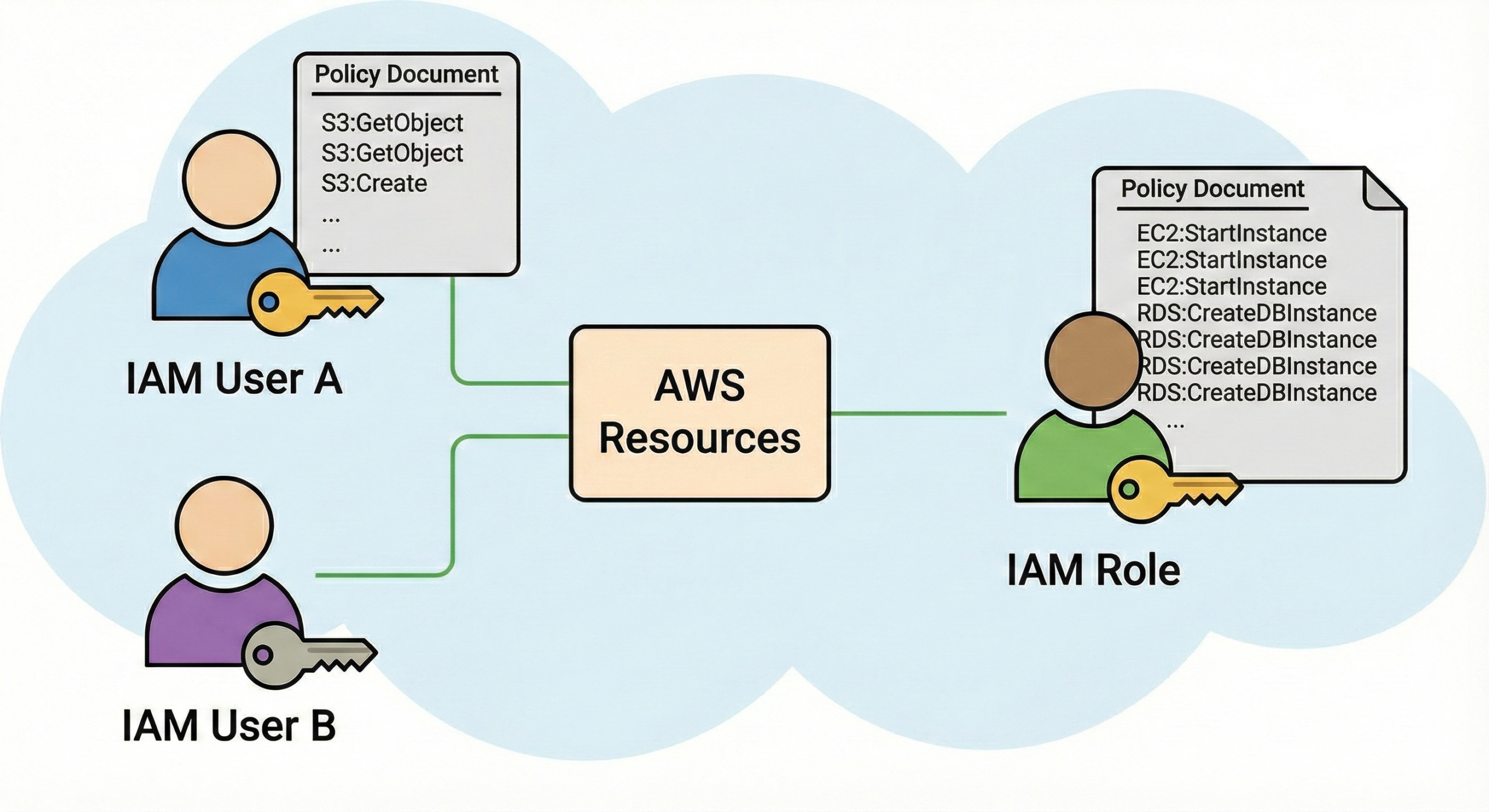
Every function runs with an execution role governed by AWS IAM. Apply least privilege: allow read/write only to the resources you truly need (e.g., a single S3 prefix, one DynamoDB table). For private resource access, attach the function to a VPC with subnets and security groups; use VPC endpoints for data egress to S3/DynamoDB without traversing the public internet. Rotate secrets with AWS Secrets Manager or SSM Parameter Store.
- Use resource-based policies to control cross-account invocation.
- Enable KMS for environment variable encryption.
- Adopt OWASP and Well-Architected best practices; integrate AWS WAF with API Gateway.
7) High Availability & Fault Tolerance
Lambda runs across multiple Availability Zones by default. Coupled with idempotent handlers, retries, and dead-letter queues (DLQ), you can withstand transient failures without losing events. For critical flows, use EventBridge with retry policies and DLQ, or SQS with a redrive policy to an error queue.
8) Monitoring, Logging & Tracing
Use CloudWatch Logs for function output and error stacks, CloudWatch Metrics for invocations, errors, throttles, and duration, and X-Ray for distributed tracing. Add structured JSON logs to enable CloudWatch Logs Insights queries (e.g., filter by correlation ID).
CloudWatch Logs Insights: helpful queries
-- Find errors with request IDs
fields @timestamp, @message, @requestId
| filter @message like /ERROR|Exception/
| sort @timestamp desc
| limit 50

-- Long tail latency (> 1s)
fields @timestamp, @duration, @requestId, @coldStart
| filter @duration > 1000
| stats count(), pct(@duration, 95), max(@duration) by bin(5m)

-- Cold starts by version/alias
fields @timestamp, @message, @coldStart, @memorySize
| filter @coldStart = true
| stats count() by @log, bin(15m)
Adjust log field names to your structured log schema.
9) Lambda Layers & Reusability
Package shared utilities—validators, clients, or ML models—into Layers. Refer to a layer by its ARN and version; update layers independently and pin versions to avoid surprises. Keep function packages lightweight to minimize cold start overhead.
10) Common Use Cases
- Real-time file processing from S3 (image/video thumbnails, metadata extraction).
- REST/GraphQL APIs with API Gateway + Lambda + DynamoDB.
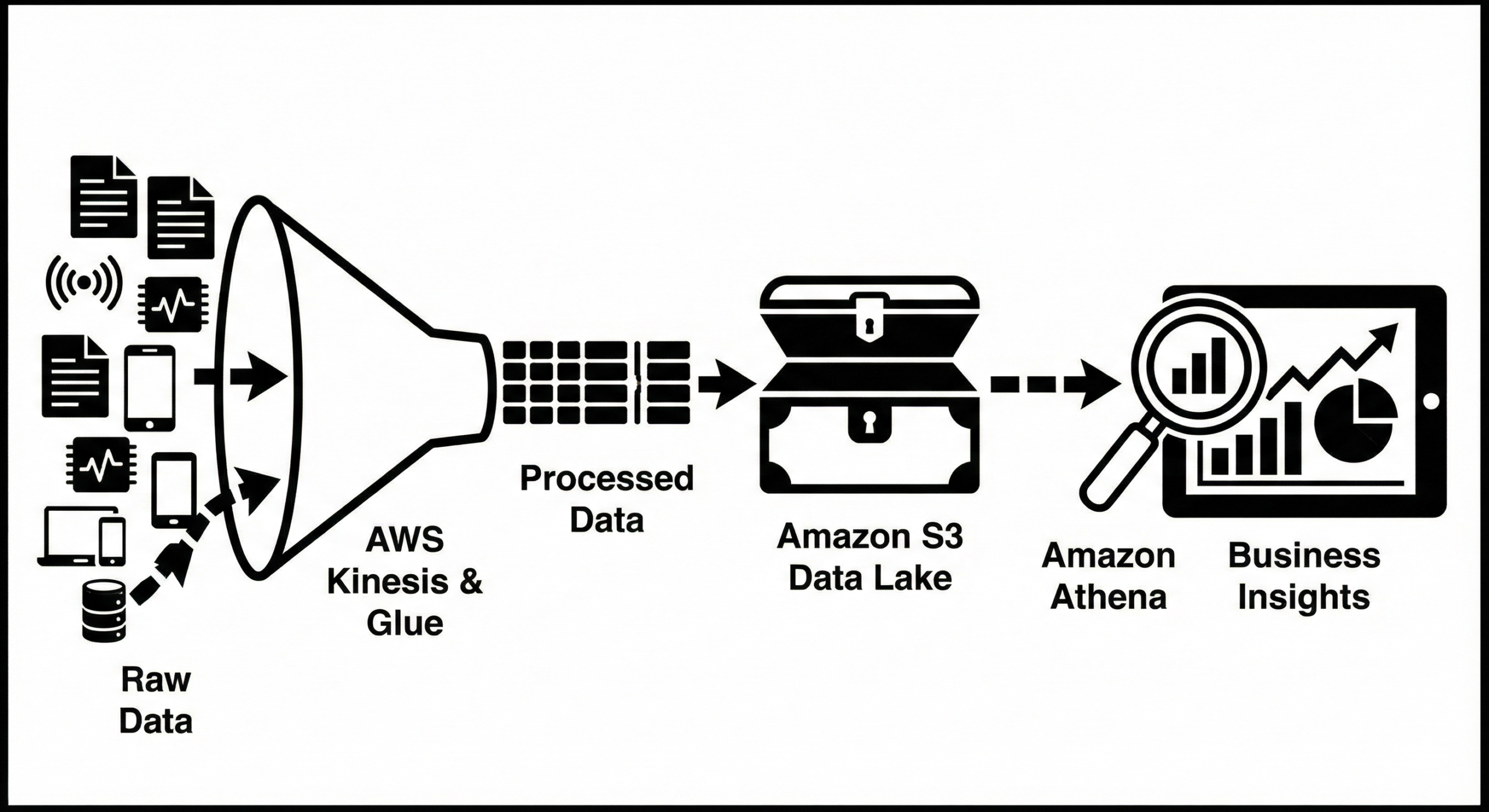
- ETL pipelines using Kinesis, DynamoDB Streams, and S3.
- Automation & scheduled tasks via EventBridge cron expressions.
- IoT data processing; chatbots and microservices; back-office workflows sitting behind queues.
11) DevOps & CI/CD Support
Choose from AWS SAM, CodePipeline + CodeDeploy, or the Serverless Framework. Keep environments versioned using function aliases (dev, staging, prod) and implement linear or canary traffic shifting. Gate deploys with automated tests and CloudFormation change sets. For multi-account setups, centralize artifacts in ECR (for container images) or S3, and deploy via StackSets.
12) Limitations & Considerations
- Cold starts can affect latency, especially for Java/.NET; mitigate with Provisioned Concurrency.
- Max execution time is 15 minutes; offload long tasks to Step Functions, Batch, or Fargate.
- Stateless by design—store state externally (DynamoDB, S3, ElastiCache).
- Package size limits apply; use Layers or images from ECR for larger dependencies.
- VPC networking adds init overhead; prefer VPC endpoints and minimal ENI churn.
13) Troubleshooting Playbook (Step-by-Step)
13.1 Permissions & IAM failures
Symptoms: AccessDeniedException, missing S3/DynamoDB access, or inability to publish to SNS.
# AWS Tools for PowerShell — inspect execution role policy
Get-IAMRole -RoleName MyLambdaExecRole | Select-Object RoleName, Arn

(Get-IAMRolePolicyList -RoleName MyLambdaExecRole).PolicyNames
(Get-IAMRolePolicy -RoleName MyLambdaExecRole -PolicyName 'inline-policy').PolicyDocument

# Attach AWS managed policy (example: read-only for S3, scope down later)
Register-IAMRolePolicy -RoleName MyLambdaExecRole -PolicyArn 'arn:aws:iam::aws:policy/AmazonS3ReadOnlyAccess'
13.2 Timeouts & long runtimes
Symptoms: frequent 29s/60s/120s timeouts, long downstream calls, cold-start spikes.
# PowerShell — adjust memory & timeout, then compare p95 duration
Update-LMFunctionConfiguration -FunctionName MyFunc -MemorySize 1024 -Timeout 30

# Pull duration metrics
Get-CWMetricStatistics -Namespace 'AWS/Lambda' -MetricName 'Duration' `
  -Dimensions @(@{Name='FunctionName';Value='MyFunc'}) `
  -StartTime (Get-Date).AddHours(-6) -EndTime (Get-Date) -Period 60 -Statistics Average,Maximum,Percentile95
13.3 Throttling & concurrency
Symptoms: HTTP 429 from API Gateway, SQS growing, Throttles metric increasing.
# View reserved concurrency & set limits
Get-LMFunction -FunctionName MyFunc | Select-Object FunctionName, Version

# Get current concurrency settings
Get-LMFunctionConcurrency -FunctionName MyFunc

# Reserve concurrency (cap or guarantee capacity)
Put-LMFunctionConcurrency -FunctionName MyFunc -ReservedConcurrentExecutions 200

# Provisioned concurrency for predictable latency (alias required)
Put-LMProvisionedConcurrencyConfig -FunctionName MyFunc -Qualifier 'prod' -ProvisionedConcurrentExecutions 50
13.4 SQS redrives & DLQ triage
# Inspect DLQ length
Get-SQSQueueAttributes -QueueUrl $dlq -AttributeName ApproximateNumberOfMessages

# Move a limited batch back to main queue for reprocessing
$messages = Receive-SQSMessage -QueueUrl $dlq -MaxNumberOfMessages 10
foreach($m in $messages.Messages){
  Send-SQSMessage -QueueUrl $main -MessageBody $m.Body
  Remove-SQSMessage -QueueUrl $dlq -ReceiptHandle $m.ReceiptHandle
}
13.5 Cold starts: detect & reduce
# Example: add a 'cold_start' flag in structured logs (Node.js pseudo)
# First invoke often shows cold_start=true; watch Insights p95
console.log(JSON.stringify({level:'info', cold_start: !!process.env.AWS_LAMBDA_INITIALIZATION_TYPE, t:Date.now()}))14) End-to-End Example: S3 → Lambda → DynamoDB
This pattern ingests a JSON document in S3, enriches it, and stores a record in DynamoDB. It demonstrates permissions, retries, and idempotency.
14.1 Minimal Lambda handler (Python)
import json, os, boto3, hashlib
ddb = boto3.resource('dynamodb').Table(os.environ['TABLE'])

def handler(event, context):
    # idempotency key from S3 object key
    for rec in event['Records']:
        s3 = rec['s3']; key = s3['object']['key']; bucket = s3['bucket']['name']
        s3cli = boto3.client('s3'); obj = s3cli.get_object(Bucket=bucket, Key=key)
        body = json.loads(obj['Body'].read())
        iid = hashlib.sha256(key.encode()).hexdigest()
        ddb.put_item(Item={'pk': iid, 's3key': key, 'payload': body}, ConditionExpression='attribute_not_exists(pk)')
    return {'ok': True}
14.2 IAM policy (scope-down)
{
  "Version":"2012-10-17",
  "Statement":[
    {"Effect":"Allow","Action":["s3:GetObject"],"Resource":"arn:aws:s3:::my-bucket/prefix/*"},
    {"Effect":"Allow","Action":["dynamodb:PutItem"],"Resource":"arn:aws:dynamodb:REGION:ACCTID:table/my-table"}
  ]
}
14.3 PowerShell: wire it up
# Package & deploy sample function (zip prebuilt for brevity)
Publish-LMFunction -FunctionName 's3-ddb-ingest' -Runtime 'python3.12' `
  -Role 'arn:aws:iam::123456789012:role/MyLambdaExecRole' `
  -Handler 'index.handler' -Code S3Bucket='artifacts-bkt',S3Key='s3-ddb.zip' `
  -Environment @{ Variables = @{ TABLE = 'my-table' } }

# S3 notification to invoke Lambda
$cfg = Get-S3BucketNotification -BucketName 'my-bucket'
$cfg.LambdaFunctionConfigurations += [Amazon.S3.Model.LambdaFunctionConfiguration]@{
  LambdaFunctionArn = (Get-LMFunction -FunctionName 's3-ddb-ingest').Configuration.FunctionArn
  Events = @('s3:ObjectCreated:*')
  Filter = [Amazon.S3.Model.NotificationConfigurationFilter]@{
    Key = [Amazon.S3.Model.S3KeyFilter]@{
      FilterRules = @([Amazon.S3.Model.S3KeyFilterRule]@{Name='prefix';Value='prefix/'})
    }
  }
}
Write-S3BucketNotification -BucketName 'my-bucket' -NotificationConfiguration $cfg
15) API Backends: Lambda + API Gateway (HTTP)
Expose RESTful endpoints with API Gateway. Use request validation, JWT authorizers (Cognito or custom), and stage variables. Prefer HTTP APIs for simpler, cheaper routing where possible; use REST APIs for advanced features like request/response mapping templates.
PowerShell: create an alias and shift traffic
# Publish a new version and shift 10% traffic to canary
Publish-LMVersion -FunctionName 'orders-api'
Publish-LMAlias -FunctionName 'orders-api' -Name 'prod' -FunctionVersion '$LATEST' -RoutingConfig @{ AdditionalVersionWeights = @{ '10' = 0.1 } }
16) Observability: From Logs to Traces
Emit correlation IDs from API boundary to all downstream calls. Serialize as JSON lines for fast queries. Sample at the edge to control cost.
// Node.js snippet with correlation IDs
exports.handler = async (event) => {
  const cid = event.headers?.['x-correlation-id'] || crypto.randomUUID();
  console.log(JSON.stringify({level:'info', cid, stage: 'start'}));
  // work...
  console.log(JSON.stringify({level:'info', cid, stage: 'done'}));
  return { statusCode: 200, body: JSON.stringify({ ok: true, cid })};
};
17) Cost Optimization Checklist
- Right-size memory; measure p95 duration; stop when total ms × MB cost inflects.
- Adopt Provisioned Concurrency only on latency-sensitive paths.
- Batch and compress when using S3/Kinesis/SQS; reduce per-event overhead.
- Use CloudWatch Logs Insights to find noisy errors early.
- Prefer HTTP APIs over REST APIs when advanced features aren’t needed.
18) Security Hardening Checklist
- Least-privilege IAM policies; avoid
*wildcards; use condition keys. - KMS for env var encryption; rotate secrets from Secrets Manager.
- Private access via VPC + endpoints; no public egress for internal traffic.
- Enable X-Ray; mask PII in logs; define data retention.
- Protect APIs with WAF and throttling.
19) PowerShell & CLI: Ready-to-Run Troubleshooting Toolkit
19.1 Pull the last failing requests with request IDs
# Requires: AWS Tools for PowerShell
$group = '/aws/lambda/orders-api'
$start = (Get-Date).AddHours(-2)
$end   = Get-Date
Get-CWLogEvents -LogGroupName $group -StartTime $start -EndTime $end |
  Where-Object { $_.Message -match 'ERROR|Exception' } |
  Select-Object -First 20 -Property Timestamp, Message
19.2 Filter by correlation ID
$cid = '1234-5678-...'
Get-CWLogEvents -LogGroupName $group -StartTime $start -EndTime $end |
  Where-Object { $_.Message -match $cid } |
  Select-Object Timestamp, Message
19.3 Spot throttles & take action
# Get throttle counts
Get-CWMetricStatistics -Namespace 'AWS/Lambda' -MetricName 'Throttles' `
  -Dimensions @(@{Name='FunctionName';Value='orders-api'}) `
  -StartTime (Get-Date).AddHours(-12) -EndTime (Get-Date) -Period 60 -Statistics Sum

# Temporarily raise reserved concurrency
Put-LMFunctionConcurrency -FunctionName 'orders-api' -ReservedConcurrentExecutions 400
19.4 Inspect IteratorAge for streaming sources
Get-CWMetricStatistics -Namespace 'AWS/Lambda' -MetricName 'IteratorAge' `
  -Dimensions @(@{Name='FunctionName';Value='stream-consumer'}) `
  -StartTime (Get-Date).AddHours(-6) -EndTime (Get-Date) -Period 60 -Statistics Maximum
19.5 Tail logs live (CLI)
aws logs tail /aws/lambda/orders-api --since 1h --follow19.6 Reprocess DLQ messages safely (CLI)
DLQ_URL=$(aws sqs get-queue-url --queue-name orders-dlq --query 'QueueUrl' --output text)
MAIN_URL=$(aws sqs get-queue-url --queue-name orders-queue --query 'QueueUrl' --output text)
aws sqs receive-message --queue-url "$DLQ_URL" --max-number-of-messages 10 --wait-time-seconds 2 --visibility-timeout 60 \
  --query 'Messages[].{Id:MessageId,Receipt:ReceiptHandle,Body:Body}' --output json > batch.json
for row in $(jq -c '.[]' batch.json); do
  BODY=$(echo $row | jq -r .Body)
  RECEIPT=$(echo $row | jq -r .Receipt)
  aws sqs send-message --queue-url "$MAIN_URL" --message-body "$BODY"
  aws sqs delete-message --queue-url "$DLQ_URL" --receipt-handle "$RECEIPT"
done
19.7 Quick latency smoke test for an HTTP API
$uri = 'https://api.example.com/orders'
1..10 | ForEach-Object {
  Measure-Command { Invoke-WebRequest -Uri $uri -Method Get | Out-Null } |
    Select-Object TotalMilliseconds
}
20) Architecture Patterns that Scale
20.1 Queue-backed workloads
Put SQS between producers and Lambda to smooth bursts, preserving order where needed with FIFO queues and message groups.
20.2 Stream processing
With Kinesis or DynamoDB Streams, function concurrency equals shard count; scale shards deliberately and monitor IteratorAge.
20.3 Fan-out & enrichment
Use EventBridge to route events to multiple targets (Lambda, Step Functions, SQS) with per-target retry/DLQ policies.
20.4 Idempotent APIs
Use idempotency keys on write endpoints; dedupe with DynamoDB conditional writes to avoid double-spends or duplicate records.
21) Performance Tuning: A Practical Loop
- Measure baseline (p50/p95 duration, error rate, cold start rate).
- Increase memory gradually; observe runtime curve.
- Trim dependencies; adopt Layers; enable HTTP keep-alive and connection reuse.
- Warm critical paths with Provisioned Concurrency; autoscale others on demand.
- Repeat after any dependency update or config change.
'>
<defs><marker id='arrow' viewBox='0 0 10 10' refX='6' refY='5' markerWidth='6' markerHeight='6' orient='auto-start-reverse'><path d='M 0 0 L 10 5 L 0 10 z' fill='%23003f8c'/></marker></defs>
<path d='M300 130 L 500 130'/><path d='M620 130 L 820 130'/><path d='M940 130 L 1140 130'/>
<path d='M1260 110 Q 1300 130 1260 150 Q 1240 160 1220 160 Q 1180 160 1160 150'/>
</g>
</svg>)
22) Frequently Asked Questions
How do I avoid cold starts?
Keep packages lean, reuse connections, pick faster runtimes, and apply Provisioned Concurrency on critical paths only.
Can I run Lambda inside a VPC?
Yes. Attach subnets & security groups; use VPC endpoints for S3/DynamoDB; expect a small init latency for ENI setup (improved with PC).
How do I control costs?
Favor event-driven designs, batch where safe, right-size memory, and monitor duration/requests in CloudWatch. Use reserved concurrency caps.
When not to use Lambda?
Long-running tasks beyond 15 minutes, heavy persistent connections, or workloads requiring large in-memory state—consider Fargate/ECS/EKS.
23) Copy-Paste Checklists
Production Readiness
- Least-privilege IAM; env vars encrypted with KMS.
- Structured JSON logging; X-Ray sampling set.
- Autoscaling & concurrency limits reviewed.
- DLQ/SQS redrive paths defined & documented.
- Alerts on Errors/Throttles/Duration p95.
Operations & SRE
- Runbooks for DLQ replay, canary rollback, and hot-fix deploys.
- Dashboards per service: API, SQS, Lambda, data stores.
- Game-days for failure injection and backpressure.
- Cost dashboard by environment & function.
24) Conclusion
AWS Lambda brings true serverless compute to your architecture: pay only for execution, scale without limits, and build resilient, event-driven systems with first-class observability. By combining the patterns and scripts above— from IAM scoping and VPC design to concurrency controls and log analytics—you can run production-grade services that are cost-efficient, secure, and delightful to operate.
</text>
</svg>)


Thank you for your sharing. I am worried that I lack creative ideas. It is your article that makes me full of hope. Thank you. But, I have a question, can you help me? https://accounts.binance.info/fr/register-person?ref=T7KCZASX
Your article helped me a lot, is there any more related content? Thanks!
Thank you for your sharing. I am worried that I lack creative ideas. It is your article that makes me full of hope. Thank you. But, I have a question, can you help me? https://accounts.binance.info/es-MX/register-person?ref=GJY4VW8W