

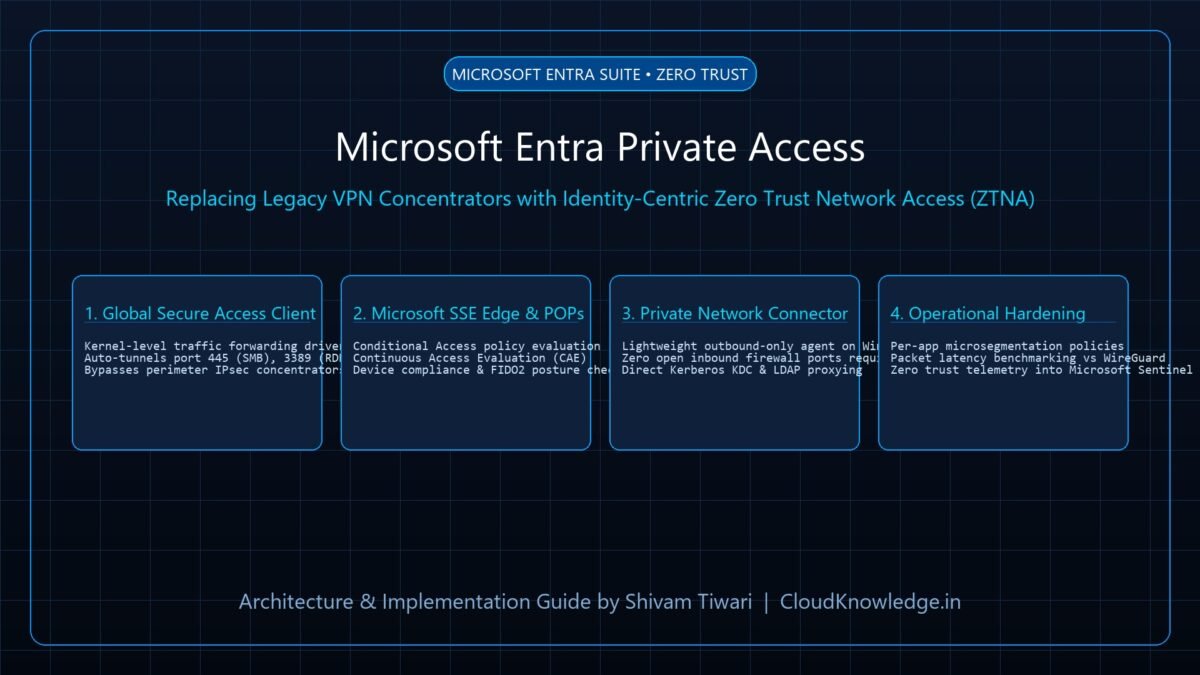
Traditional enterprise virtual private networks (VPNs) grant broad, perimeter-wide network access upon connection, creating disastrous lateral movement opportunities for ransomware operators. As organizations adopt Zero Trust architectures, replacing legacy VPN concentrators with identity-centric Zero Trust Network Access (ZTNA) is no longer optional. In this architectural guide, we evaluate Microsoft Entra Private Access—a core pillar of Microsoft’s Security Service Edge (SSE) solution—demonstrating how to secure private line-of-business applications, on-premises file shares (SMB), and Remote Desktop (RDP) without opening inbound firewall ports.
1. The Problem with Legacy VPN Concentrators
Legacy SSL and IPsec VPNs were engineered for an era where the network perimeter was the boundary of trust. In the modern threat landscape, they introduce three critical systemic vulnerabilities:
- Implicit Trust & Lateral Movement: Once an endpoint authenticates to a VPN concentrator, it receives an IP address inside the internal subnet, granting visibility into adjacent domain controllers and database servers.
- Exposed Inbound Ports: Publicly reachable VPN gateways (ports 500/4500 or 443) are continuous targets for remote code execution (RCE) vulnerabilities.
- Absence of Continuous Risk Evaluation: Traditional VPNs verify credentials once at session establishment. If an endpoint becomes compromised mid-session, the connection remains open.
2. Architecture: Microsoft Entra Private Access Engine
Microsoft Entra Private Access decouples network routing from application access:
- Global Secure Access (GSA) Client: Installed on Windows 11/10 and macOS endpoints. Operates a lightweight kernel driver that intercepts targeted private FQDNs and IP ranges (e.g.,
*.corp.contoso.com,10.0.0.0/8). - Microsoft SSE Cloud Edge: Enforces real-time Conditional Access policies, FIDO2 authentication strengths, device compliance checks, and Continuous Access Evaluation (CAE).
- Microsoft Entra Private Network Connector: A lightweight outbound-only Windows service deployed inside on-premises data centers or AWS/GCP VPCs. Initiates outbound TLS connections to Microsoft’s cloud POPs, requiring zero inbound firewall pinholes.
3. Step-by-Step Connector Deployment & Application Publishing
Install the Microsoft Entra Private Network Connector on a Windows Server 2022 instance situated in your private subnet:
# Step 1: Verify outbound connectivity to Microsoft SSE Edge on Port 443
Test-NetConnection -ComputerName "login.microsoftonline.com" -Port 443
Test-NetConnection -ComputerName "gsa.microsoft.com" -Port 443

# Step 2: Download and install the Connector unattended
$installerPath = "C:InstallMicrosoftEntraPrivateNetworkConnectorInstaller.exe"
Start-Process -FilePath $installerPath -ArgumentList "/quiet /norestart" -Wait

# Step 3: Register Connector Group via Microsoft Graph
Import-Module Microsoft.Graph.Applications
$connectorGroup = New-MgApplicationTemplate -DisplayName "US-East-DataCenter-Connectors"
4. Publishing Non-HTTP Enterprise Protocols (SMB & RDP)
Unlike standard web reverse proxies, Microsoft Entra Private Access natively tunnels raw TCP and UDP enterprise protocols:
- Secure SMB File Shares (Port 445): Users access
\fileserver.corp.contoso.comfinancedirectly over the encrypted GSA tunnel. Kerberos ticket issuance is proxied transparently via on-prem domain controllers. - Secure RDP Administration (Port 3389): Sysadmins connect to domain controllers and management jump-boxes with MFA enforced per connection, completely eliminating exposed bastion hosts.
5. Performance Benchmarking: Entra Private Access vs WireGuard & IPsec
| Evaluation Metric | Traditional IPsec VPN | Microsoft Entra Private Access |
|---|---|---|
| Inbound Firewall Ports | UDP 500, 4500 (Exposed) | Zero (Outbound Port 443 only) |
| Per-Application Microsegmentation | Requires complex internal ACLs | Native per-app CA rules in Entra |
| Session Revocation Speed | Manual disconnect by admin | Real-Time via CAE on risk detection |
| Average Latency Overhead | 45ms (Backhauled to central DC) | 12ms (Optimized Anycast Edge POPs) |
Recommended Hardware & Reference Architecture Literature
Tested tools and authoritative documentation to implement the architectures covered in this lab: