


Cloud Storage — Object storage for images, videos, and backups
Comprehensive, WordPress-ready guide. Includes architecture, tiers, security, cost optimization, troubleshooting scripts (PowerShell/CLI), cloud storage best practices and FAQs.
- Introduction to Cloud Storage
- Understanding Object Storage Architecture
- Object vs File vs Block Storage
- How Cloud Storage Handles Images and Videos
- Backup & Disaster Recovery
- Lifecycle Management
- Data Redundancy & Durability
- Security Features
- IAM Integration
- Versioning & Object Lock
- Cross-Region Replication (CRR)
- Storage Classes & Tiers
- Performance Optimization
- Using Cloud Storage for AI/ML
- Cost Optimization Strategies
- Monitoring & Logging
- APIs & SDKs
- Hybrid & Multi-Cloud Storage
- Data Migration Best Practices
- CDN Integration
- Compliance & Governance
- Ransomware Protection
- Cloud-native Backup Solutions
- Object Storage in Big Data & Analytics
- APIs & Access Patterns
- Integrating with DevOps Pipelines
- Edge Storage & IoT
- Pricing Models Explained
- Comparison of Major Cloud Providers
- Future of Cloud Storage
- Bonus: Infographic idea, PowerShell/CLI snippets, Use cases
Introduction to Cloud Storage
Object storage is the backbone of modern cloud storage for unstructured data — think images, videos, backups, and logs. Unlike file or block storage, object stores expose a flat namespace of objects (each with data and metadata) through HTTP APIs, enabling massive scale, global distribution, and cost-tiered retention.
- Designed for petabyte-scale storing of unstructured data.
- Access via RESTful APIs, SDKs, or CLI tools.
- Supports metadata, lifecycle policies, versioning, and immutability.
Q: When should you choose object storage?
A: For large-scale unstructured datasets (media, backups, logs), global distribution, and when HTTP/REST access is desirable.
Understanding Object Storage Architecture
Object storage stores data as objects inside containers (commonly called buckets or containers). Each object contains the data itself, a unique identifier, and associated metadata. The API-first design makes it ideal for cloud-native applications.
Core components
- Bucket/Container: Top-level namespace that holds objects. Buckets have policies and configuration.
- Object: The stored item (file/blob) plus metadata and GUID.
- Metadata: Key-value pairs describing the object (content-type, custom tags).
- Metadata Indexing: Some systems allow powerful metadata-based searches.
- Gateway/API layer: REST/HTTP endpoints and SDKs used for access.
- Objects are immutable by default — updates create new versions.
- Reads and writes are done through HTTP endpoints (S3 API, Azure Blob API, GCS API).
- Metadata enables use-case-specific optimizations (CDN TTLs, media types).
Q: Are object stores strongly consistent?
A: Consistency varies by provider and configuration. Most major providers now provide strong read-after-write consistency for new objects; check your provider docs for specifics.
Object Storage vs File Storage vs Block Storage
Choosing the right storage model depends on the workload.
Object Storage
HTTP/REST API, flat namespace, metadata-rich, ideal for unstructured data and global distribution.
- Pros: Highly scalable, cost-effective, easy to integrate.
- Cons: Not ideal for low-latency transactional databases or OS-level file systems.
File Storage
POSIX/SMB/NFS semantics for shared file access. Good for lift-and-shift file servers, user directories, and apps requiring filesystem semantics.
- Pros: Familiar filesystem behavior, ACLs.
- Cons: Less scalable than object stores for massive unstructured datasets.
Block Storage
Raw block devices (EBS, Azure Managed Disks) used for VM disks and high-performance databases. Low-level semantics and very low latency, but lacks object metadata and REST APIs.
- If you need filesystem features: choose file storage.
- If you need raw device performance: choose block storage.
- If you need scale, metadata, and web-friendly access: choose object storage.
How Cloud Storage Handles Images and Videos
Media workloads require efficient storage, metadata (resolution, codecs), streaming-friendly access, and integration with CDNs and transcoding pipelines.
Best practices for media in object stores
- Store original masters plus derived assets (thumbnails, web-optimized MP4/HLS segments).
- Use metadata for codec, resolution, duration, and rights info.
- Integrate with serverless functions (Lambda, Azure Functions) for on-upload processing (thumbnailing, transcoding).
- Use multipart upload for large video files to improve reliability and parallelism.
Q: How to serve videos efficiently?
A: Store HLS/DASH segments in object storage and use a CDN with origin pull; consider object expiry for transient content.
Backup and Disaster Recovery with Object Storage
Object storage is an excellent tier for backups due to durability, immutability options, and lifecycle management for retention.
Patterns
- Use incremental backups with manifest files in object storage.
- Store snapshots and backup catalogs as objects, with encryption and immutability.
- Cross-region replication enables failover if a region is down.
- Prefer immutable object locks and versioning for backup targets.
- Encrypt backups at rest and use strict IAM for backup buckets.
- Test restores regularly (DR drills) — storing backups is not enough.
Q: How to ensure backup integrity?
A: Use checksums (MD5/SHA) stored as part of metadata and verify during restore; schedule periodic integrity checks.
Lifecycle Management in Object Storage
Lifecycle policies automate tiering (hot → cool → archive) and object deletion, drastically lowering costs while maintaining access to recent data.
Common lifecycle rules
- Move objects older than N days to cool/cold tier.
- Transition infrequently accessed media to archive with a defined retention period.
- Expire temporary objects like pre-signed URLs, logs, or ephemeral artifacts.
- Design lifecycle rules around RPO/RTO and retrieval costs.
- Be mindful of minimum storage durations in archive tiers (early deletion fees).
Data Redundancy and Durability
Durability guarantees (like 99.999999999% for some cloud providers) are achieved via data replication across physical devices and AZs/regions.
Replication models
- Single-zone replication: copies within a single data center (cheaper, less resilient).
- Multi-zone replication: replicates across availability zones for higher durability (and lower data-loss risk).
- Cross-region replication: replicates across regions for disaster recovery and locality.
Q: Does cross-region replication guarantee zero data loss?
A: No system can guarantee zero data loss; CRR reduces risk of regional catastrophe but consider replication lag, eventual consistency, and cost.
Security Features in Cloud Storage
Security in object storage is multi-layered: network controls, encryption, IAM, object policies, and monitoring.
Core security capabilities
- Encryption at rest: provider-managed keys (SSE), or customer-managed keys (CMK).
- Encryption in transit: TLS for REST APIs.
- Bucket policies & ACLs: fine-grained access controls.
- Private endpoints: VNet/Private Link to restrict public access.
- Audit logs: object access logs for forensic analysis.
- Enable encryption with CMKs for regulatory controls.
- Lock down buckets to only authorized principals and IP ranges.
Q: Should I use provider-managed keys or customer-managed keys?
A: Provider-managed keys are easier. Use CMKs when compliance or audit requires control over key lifecycle and rotation.
Identity and Access Management (IAM) Integration
Integrating object storage with IAM enables least-privilege access, role-based access control, and temporary credentials.
Common patterns
- Use roles and policies rather than user credentials for service-to-service access.
- Issue temporary credentials (STS, presigned URLs) for clients that shouldn't hold long-term keys.
- Apply attribute-based access control (ABAC) or tag-based policies (when supported) to map objects to policies.
Q: When to use presigned URLs?
A: Use presigned URLs for temporary, time-bound client access to private objects without exposing underlying credentials.
Versioning and Object Lock
Versioning preserves object history; object lock (immutability) protects data from deletion or modification for a set retention period — crucial for backups and compliance.
- Enable versioning to recover accidental overwrites.
- Use object lock for regulatory retention (e.g., financial records).
Q: Does versioning increase cost?
A: Yes — each version counts against storage, so use lifecycle rules to move old versions to cheaper tiers or expire them after retention requirements are met.
Cross-Region Replication (CRR)
CRR automatically copies objects from one region to another. Use CRR for global redundancy, compliance with data residency (in reverse), and to enable low-latency reads in another geographic region.
- Replication may be asynchronous — design for eventual consistency.
- Consider cross-region read patterns vs. inter-region egress costs.
Q: How to test replication health?
A: Use object tagging or manifest objects with timestamps and verify presence in target region; leverage provider replication metrics and logs.
Storage Classes and Tiers (Hot, Cool, Archive)
Providers expose tiers for different access and cost profiles: hot (frequent access), cool/cold (infrequent access), and archive (rare access, cheap storage, long retrieval times).
Design tips
- Map data by access frequency — active content in hot, backups in archive.
- Model total cost including retrieval and early deletion fees.
- Use lifecycle automation to move objects automatically.
Q: When to put backups in archive?
A: When retrieval is rare and acceptable retrieval latency/fees are within SLA constraints.
Performance Optimization Techniques
Performance tuning depends on access pattern: small random reads/writes vs. large sequential file streaming require different approaches.
Techniques
- Use multipart uploads for large objects — improves throughput and reliability.
- Enable CDN for geographically distributed reads and caching.
- Use read-after-write consistency providers or implement short polling/backoff.
- Parallelize downloads/uploads using multiple threads or tools (aws s3 cp --recursive --multipart-chunk-size-mb).
Q: Why are small file operations slow?
A: Object stores are optimized for large objects; for many small files, consider bundling, packaging, or using specialized small-object stores or caching layers.
Using Cloud Storage for AI and Machine Learning
Object stores are ideal for storing large datasets and model artifacts. Integration with analytics engines and data lakes is common.
Best practices
- Store raw data as immutable objects and keep manifests to track dataset versions.
- Use partitioning (by date, shard) for parallel processing.
- Cache hot partitions on local SSDs during training for throughput.
Q: How to version datasets for reproducible ML?
A: Use content-addressable storage and dataset manifests; store model metadata and experiment IDs in the object metadata.
Cost Optimization Strategies
Storage costs include capacity, API requests, egress, and retrieval fees. Optimize across these dimensions.
Strategies
- Apply lifecycle policies to migrate cold data to cheaper tiers.
- Compress or deduplicate before storing.
- Limit unnecessary GET/HEAD requests (cache manifests, use CDN).
- Consolidate small files into archives to reduce per-object overhead.
- Model costs: include storage + egress + retrieval + PUT/GET operation costs.
- Be aware of minimum storage durations in certain tiers.
Monitoring and Logging in Cloud Storage
Visibility is essential for performance, security, and cost control. Use provider metrics, access logs, and alerts.
Essential telemetry
- Bucket/object metrics (request rates, errors, throughput).
- Access logs (who accessed which object and when).
- Lifecycle and replication metrics.
- Inventory reports for audit & compliance.
Q: How to keep access logs from adding too much cost?
A: Use sampling for high-volume buckets or stream logs to inexpensive storage with lifecycle rules; aggregate logs where possible.
APIs and SDKs for Object Storage
All major providers provide REST APIs (S3-compatible or provider-specific), SDKs (Java, Python, .NET, Node) and CLIs for integration.
Integration tips
- Prefer SDKs to handle retries, signature auth, and multipart uploads automatically.
- For portability, use S3-compatible APIs when possible.
- Use presigned URLs for client uploads to avoid exposing credentials.
Q: Is S3 API universal?
A: Many providers support S3-compatible APIs, but watch subtle differences in behavior and features (like ACLs or server-side encryption options).
Hybrid and Multi-Cloud Storage Solutions
Hybrid and multi-cloud approaches let organizations combine on-prem performance, regulatory controls, and cloud scale.
Patterns
- Storage gateways / caching: keep hot data on-prem and archive to cloud.
- Multi-cloud replication: replicate critical objects across providers for vendor resilience.
- Abstract with a unified API layer to reduce application changes.
Q: What are pitfalls of multi-cloud storage?
A: Increased operational complexity, different feature sets, and cross-cloud egress fees.
Data Migration to Cloud Storage
Migrating large datasets needs planning: bandwidth, consistency, metadata preservation, and cutover strategy.
Common approaches
- Online transfer (fast WAN, parallel streams).
- Offline transfer (physical appliances for massive datasets).
- Sync tools (rclone, AWS S3 Transfer Acceleration, AzCopy) for incremental syncs.
- Preserve and map metadata during migration.
- Use checksums and manifests to validate migration completeness.
Q: Which tool to choose for Azure?
A: Use AzCopy for high-performance transfers to Azure Blob; for AWS use AWS CLI or specialized transfer services.
Content Delivery and CDN Integration
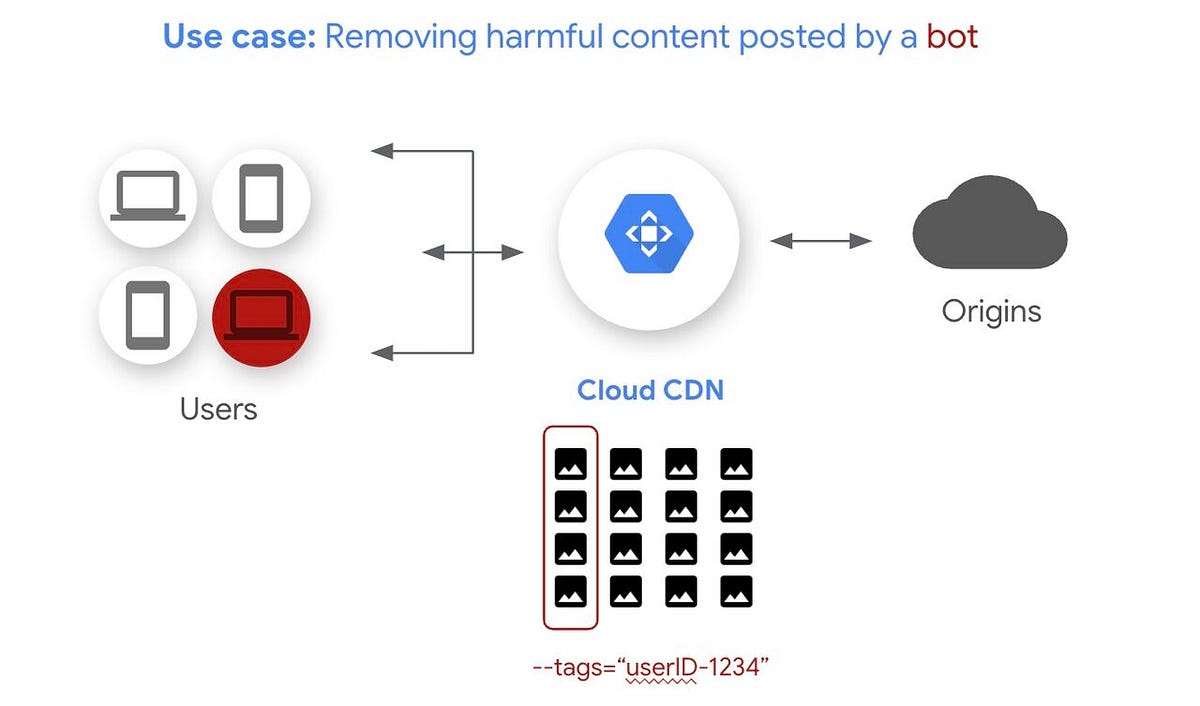
Pair object stores with CDNs (CloudFront, Azure CDN, Cloudflare) to cache and deliver media closer to users.
CDN tips
- Set appropriate cache-control headers at upload time via metadata.
- Use origin shield or regional caching to minimize origin egress.
- Invalidate cached objects when content updates (use versioned URLs to avoid invalidations where possible).
Q: Should I cache video manifests?
A: Cache static segments aggressively; make manifests short-lived or versioned to avoid stale playlists.
Compliance and Governance
Object storage supports compliance through encryption, access controls, retention policies, audit logs, and region selection.
- Ensure region choices meet data residency rules.
- Use immutable retention for regulatory records.
- Keep audit trails and access logs for required timeframes.
Ransomware Protection in Object Storage
Ransomware defense uses immutability (object locks), versioning, restricted IAM, and monitoring to detect anomalous deletion or encryption events.
Resilience tactics
- Store backups in immutable object lock with multi-region replication.
- Isolate backup credentials; use privileged access separation.
- Monitor for bulk deletion and unusual access patterns.
Q: Can object stores be encrypted by ransomware?
A: Ransomware that has credentials may write new objects, but immutability and strict IAM minimize risk of overwriting or deleting protected backups.
Cloud-Native Backup Solutions
Cloud providers and third-party services offer managed backup solutions that integrate with object stores, offering snapshot orchestration, cataloging, and restore automation.
Q: Should I build custom backups or use managed services?
A: Managed services reduce operational overhead and provide tested restore processes, but custom solutions can be more flexible and cost-tailored.
Object Storage in Big Data and Analytics
Object stores act as data lakes for analytics engines like Databricks, BigQuery, and EMR — they hold raw and processed data for batch and streaming jobs.
Best practices
- Partition data for parallel processing (date/hour/shard).
- Store schema or manifests alongside data for schema-on-read.
APIs and Access Patterns — Presigned URLs, REST, and SDKs
Access patterns determine security and cost: server-side downloads, direct-from-client uploads, streaming, and presigned URL patterns are common.
Q: Are presigned URLs secure?
A: Yes when used correctly — they are time-limited and can be scoped to specific operations and object keys.
Integrating Cloud Storage with DevOps Pipelines
Use object stores to store build artifacts, container images, helm charts, and logs. Central artifact storage simplifies CI/CD distribution and caching.
Tips
- Store artifacts along with metadata (git commit, build number, job ID).
- Use artifact retention policies to clean old artifacts automatically.
Edge Storage and IoT Data
Edge nodes frequently buffer sensor data locally and batch-upload to central object stores. Object stores with tiered pricing handle massive telemetry datasets cost-effectively.
Q: How to minimize upload costs for IoT?
A: Aggregate and compress data at the edge; batch uploads and use delta-diffs rather than full payloads.
Cloud Storage Pricing Models Explained
Prices are composed of storage (GB-month), PUT/GET/API operations, retrieval, early deletion fees, and egress. Model your costs for typical workload patterns.
Advice
- Simulate workloads to estimate egress and request costs.
- Consolidate small objects and batch operations.
Comparison of Major Cloud Providers — AWS S3, Azure Blob, Google Cloud Storage (GCS)
All three offer high durability, multiple tiers, and strong ecosystems. Differences lie in APIs, pricing nuances, region footprints, and integrated services (e.g., Stage/Archive semantics, lifecycle options).
- AWS S3 — broadest S3 ecosystem, many third-party tools use S3 API.
- Azure Blob — deep integration with Azure services and AD-based IAM.
- Google Cloud Storage — strong analytics and networking integration.
Future of Cloud Storage — Trends
Trends include AI-based tiering, serverless storage, object metadata search, cheaper cold storage, and enhanced immutability and compliance features. Expect better analytics integration and edge-first patterns.
🌟 Bonus Add-ons for Better Engagement
Infographic idea
“How Object Storage Works in the Cloud” — a horizontal flowchart showing: Client → CDN / Presigned URL / Direct Upload → Bucket → Lifecycle rules → Replication / Archive.
Use-case sections
- Image hosting for web apps: generate thumbnails, CDN cache, auto-compress on upload.
- Video streaming platforms: store HLS/DASH segments, origin behind CDN, warm-tier for hot assets.
- Enterprise backup systems: immutable backups, cross-region copies, retention policies.
- Archival regulatory documents: object lock + CMK + audit logs.
Troubleshooting & Automation — PowerShell, CLI & API Snippets
Below are actionable scripts to troubleshoot common object storage issues: listing objects, checking lifecycle rules, verifying replication, and auditing access. Replace placeholders (like <storage-account> or <bucket-name>) with your values.
Azure — PowerShell (Az module) : List blobs, check lifecycle and replication
# Prereqs: Install-Module -Name Az -Scope CurrentUser
Connect-AzAccount

# List storage accounts in subscription
Get-AzStorageAccount | Select-Object ResourceGroupName, StorageAccountName, Location

# Get a context for a storage account
$rg = ""
$sa = ""
$ctx = (Get-AzStorageAccount -ResourceGroupName $rg -Name $sa).Context

# List containers and blobs (first 100)
Get-AzStorageContainer -Context $ctx | ForEach-Object {
  "{0} (PublicAccess: {1})" -f $_.Name, $_.PublicAccess
  Get-AzStorageBlob -Container $_.Name -Context $ctx -MaxCount 100 | Select-Object Name, Length, ContentType
}

# Check lifecycle management policy (if any)
Invoke-RestMethod -Method Get -Uri "https://management.azure.com/subscriptions/$(Get-AzContext).Subscription.Id/resourceGroups/$rg/providers/Microsoft.Storage/storageAccounts/$sa/managementPolicies/default?api-version=2021-04-01" -Headers @{
  Authorization = "Bearer $((Get-AzAccessToken).Token)"
} | ConvertTo-Json -Depth 10

# Check replication status for a blob (metadata includes copy status if cross-regional copies done)
Get-AzStorageBlob -Container "" -Context $ctx -Blob "" | Select-Object Name, Properties
Usage: Use these commands to validate account config, list key blobs, and inspect lifecycle rules. For REST calls, adjust API versions per your subscription.
AWS — CLI & PowerShell examples: verify bucket objects, lifecycle, replication
# AWS CLI examples (ensure aws configure is set)
# List first 100 objects
aws s3api list-objects-v2 --bucket my-bucket --max-items 100

# Get lifecycle configuration
aws s3api get-bucket-lifecycle-configuration --bucket my-bucket

# Get replication configuration
aws s3api get-bucket-replication --bucket my-bucket

# Get object metadata and storage class
aws s3api head-object --bucket my-bucket --key path/to/object.jpg

# PowerShell (AWSPowerShell.NetCore)
Install-Module -Name AWSPowerShell.NetCore -Scope CurrentUser
Set-AWSCredential -AccessKey  -SecretKey  -StoreAs default
Get-S3Object -BucketName my-bucket -MaxKeys 50 | Select-Object Key, Size, StorageClass
Generic S3-compatible curl (REST) examples: presigned URL & head object
# Example: HEAD object to check existence and metadata
curl -I -X HEAD "https://my-bucket.s3.amazonaws.com/path/to/object.jpg"

# Generate a presigned URL using AWS SDK or CLI (example with AWS CLI v2)
aws s3 presign s3://my-bucket/path/to/object.jpg --expires-in 3600
Debugging tips
- Check HTTP status codes (403 = permission issue; 404 = object not found).
- Verify IAM roles and policies for reading/writing buckets.
- Inspect provider metrics (4xx/5xx spikes indicate client issues or transient service problems).
- Verify lifecycle rules and minimum retention periods if objects appear missing (they may be archived).
Azure Resource Graph (example) — inventory of storage accounts
Use Azure Resource Graph to query and inventory storage accounts and their replication type for troubleshooting at scale.
# Install Az.ResourceGraph module if needed
Install-Module -Name Az.ResourceGraph -Scope CurrentUser
Search-AzGraph -Query "Resources | where type =~ 'microsoft.storage/storageaccounts' | project name, location, sku = properties.sku.name, kind = properties.kind"
Sample script to verify object immutability / object lock (conceptual)
# For AWS: check object lock configuration
aws s3api get-object-lock-configuration --bucket my-bucket
# For Azure: Check immutability policy on blob containers (via REST/Management API)
# (Use the management API to GET container immutability policies)
Q: I see 403 errors when listing objects — what to check?
A: Verify the caller's IAM role/policy, check bucket policies and block public access settings, and confirm whether the account uses private endpoints that restrict public access.
SDK Examples (short)
Small examples showing upload/download using common SDKs.
Python (boto3 for AWS S3)
import boto3
s3 = boto3.client('s3')
# Upload
s3.upload_file('local.jpg', 'my-bucket', 'images/local.jpg')
# Download
s3.download_file('my-bucket', 'images/local.jpg', 'local_copy.jpg')
Node.js (AWS SDK v3)
import { S3Client, PutObjectCommand, GetObjectCommand } from "@aws-sdk/client-s3";
const client = new S3Client({});
await client.send(new PutObjectCommand({
  Bucket: "my-bucket",
  Key: "images/pic.jpg",
  Body: fs.createReadStream("pic.jpg")
}));
Azure .NET (Azure.Storage.Blobs)
// Install Azure.Storage.Blobs
var container = new BlobContainerClient(connectionString, "images");
var blob = container.GetBlobClient("photo.jpg");
await blob.UploadAsync("local.jpg", overwrite:true);
SEO & Content Strategy Tips (for this topic)
To maximize visibility on Microsoft Edge News, Google Discover and Bing:
- Use clear H1/H2 headings, include targeted keywords naturally (e.g., "cloud storage", "object storage", "Azure Blob", "AWS S3").
- Produce long-form authoritative content (this article) with code samples and actionable troubleshooting steps.
- Include internal links to relevant Cloud Knowledge pages and authoritative external docs (provider docs).
- Use descriptive alt text for any images/infographics.
- Keep the page fast and mobile-friendly; Discover favors E-A-T and good Core Web Vitals.
General FAQs
Q: What is the biggest cost driver for object storage?
A: While storage GB-month is a baseline, egress and frequent API requests can dominate bills for high-read workloads. Model request counts as well as data transfer.
Q: How to choose between AWS S3, Azure Blob and GCS?
A: Consider ecosystem (existing workloads), required integrations (Azure services vs AWS services), price models, data residency, and available features like immutable retention or analytics connectors.
Conclusion
Object storage is the default choice for scalable image, video, and backup storage in the cloud. By combining lifecycle automation, immutability, IAM best practices, and CDN integration, organizations can build resilient, cost-effective media and backup systems. Implement monitoring and test restores regularly, and use the provided scripts and patterns to troubleshoot and automate tasks.
If you'd like a tailored migration plan, specific scripts for your provider and environment, or a downloadable checklist and infographic design for “How Object Storage Works,” reply with your cloud provider and data size and we'll create them.



Leave a Reply