


Microsoft Entra ID Masterclass: The Complete 2026 Security & Governance Guide
Microsoft Entra ID (formerly known as Azure Active Directory) is the cornerstone of modern cybersecurity. In a world where the corporate network perimeter has dissolved, identity has become the new firewall. Whether you are an IT administrator, a security architect, or a developer, mastering Identity and Access Management is the single most impactful skill you can possess in 2026.
This is not just a basic overview. This is a definitive pillar page designed to take you from foundational concepts to advanced automation using PowerShell and the Microsoft Graph API. We will cover real-world scenarios, troubleshooting steps, and the critical architectural decisions you need to make today.
- 1. The Evolution: From AD to Entra ID
- 2. Core Architecture: Tenants & Objects
- 3. Authentication: Going Passwordless
- 4. Conditional Access: The Zero Trust Engine
- 5. Hybrid Identity & Synchronization
- 6. Identity Governance & PIM
- 7. Application Management & SSO
- 8. Automation: PowerShell & Graph API
- 9. Monitoring & Security Operations
- 10. Licensing Guide (2026 Edition)
- Frequently Asked Questions (FAQs)
1. The Evolution: From Active Directory to Microsoft Entra ID
To understand the future, we must understand the past. For decades, Active Directory Domain Services (AD DS) was the gold standard. It lived on a server in your closet or datacenter. It spoke Kerberos and LDAP. It trusted everything inside the network cable and nothing outside.
Then came the cloud.
Microsoft Entra ID was born to solve a different set of problems. It is a flat, multi-tenant, geo-distributed directory that speaks modern web protocols like REST, OIDC, OAuth 2.0, and SAML.
Key Differences at a Glance
| Feature | Active Directory (On-Prem) | Microsoft Entra ID (Cloud) |
|---|---|---|
| Structure | Hierarchical (OU, Forests, Trees) | Flat Structure (No OUs) |
| Protocol | Kerberos, NTLM, LDAP | HTTP/HTTPS, SAML, WS-Fed, OIDC |
| Device Mgmt | Group Policy Objects (GPO) | Intune (MDM/MAM) |
| Trust | Assumed trust inside network | Zero Trust (Verify Explicitly) |
2. Core Architecture: Tenants, Subscriptions, and Objects
Understanding the hierarchy is crucial for proper governance.
The Tenant
A Tenant is a dedicated instance of Microsoft Entra ID that your organization receives when it signs up for a Microsoft cloud service like Azure or Microsoft 365. It represents a single organization.
Users vs. Service Principals
- Users: Human identities (Employees, Guests).
- Service Principals: The digital identity for an application. When code needs to access data, it shouldn't use a human password; it should use a Service Principal (or Managed Identity).
- Managed Identities: A special type of Service Principal that is automatically managed by Azure. Always use these when possible to avoid handling credentials.
Key Points: Architecture
- There is a strict separation between the Identity Plane (Entra ID) and the Resource Plane (Azure Subscriptions).
- A Tenant can have many Subscriptions associated with it, but a Subscription trusts only one Tenant.
3. Authentication: The Push for Passwordless
Passwords are the weakest link in cybersecurity. In 2026, the industry standard is Phishing-Resistant MFA. Microsoft Entra ID supports several advanced authentication methods.
Authentication Methods
- Windows Hello for Business: Replaces passwords with strong two-factor authentication on devices. This ties a biometric or PIN to a certificate or key pair on the device TPM.
- FIDO2 Security Keys: Hardware keys (like YubiKey) that provide the highest level of security. Impossible to phishing via fake login pages.
- Microsoft Authenticator (Number Matching): To prevent "MFA Fatigue" (where attackers spam your phone hoping you hit Approve), Entra ID now enforces number matching. You must type the number shown on the screen into your phone.
Why SMS MFA is Deprecated
SMS is vulnerable to SIM Swapping and interception. While better than nothing, it should be the last resort. Microsoft strongly encourages moving users to the Authenticator App or Hardware Keys.
4. Conditional Access: The Zero Trust Engine
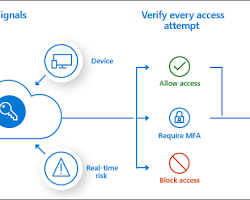
If Entra ID is the heart of your environment, Conditional Access is the brain. It moves access decisions away from static "Yes/No" rules to dynamic "If/Then" logic.
The logic follows this pattern:
Signals + Decisions = Enforcement
Top 5 Essential Conditional Access Policies
- Admins: Require MFA for all roles (Global Admin, Security Admin, etc.) always.
- Users: Require MFA when "Risk Level" is Medium or High.
- Legacy Auth: Block all legacy protocols (POP, IMAP, SMTP) as they do not support MFA.
- Intune: Require device to be marked as "Compliant" to access High-Value Apps (Salesforce, HR Data).
- Locations: Block access from countries you never do business with (Geo-blocking).
Alt Text: Diagram showing how Conditional Access processes User, Device, Location, and App Risk signals.
5. Hybrid Identity & Synchronization
For most enterprises, the journey to the cloud is a hybrid one. You likely have decades of investment in on-premises Active Directory.
Entra Connect Sync vs. Cloud Sync
- Entra Connect Sync: The robust, heavy-duty server application. Supports complex filtering, device writeback, and hybrid join.
- Cloud Sync: The modern, lightweight agent. Configured primarily in the cloud portal. Easier to deploy but historically had fewer features (though the gap is closing in 2026).
Password Hash Sync (PHS)
We strongly recommend Password Hash Sync over Pass-through Authentication (PTA) or ADFS. PHS synchronizes a hash of the password hash to Entra ID. This ensures users can authenticate even if the on-prem link goes down, and it enables the "Leaked Credential Detection" feature.
6. Identity Governance & Privileged Identity Management (PIM)
Governance is about the lifecycle of identity. Who has access? Do they still need it? Identity Governance answers these questions.
Privileged Identity Management (PIM)
Standing access is a security vulnerability. PIM introduces the concept of Just-In-Time (JIT) access.
- Eligible Role: The user is "allowed" to be an admin, but has standard permissions by default.
- Active Role: To do admin work, the user must "activate" the role. They perform MFA, provide a justification, and get the rights for 1-8 hours.
Access Reviews
Set up automated campaigns where managers or group owners must review the members of their groups. If a manager denies access (or doesn't respond), the user is automatically removed. This prevents "access creep."
7. Application Management & SSO
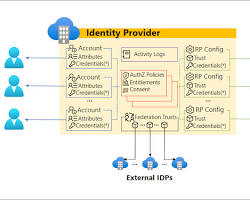
Microsoft Entra ID is an Identity Provider (IdP). You can integrate almost any application with it.
The App Gallery vs. Custom Apps
- Enterprise Applications: Pre-integrated apps in the gallery (ServiceNow, Dropbox, Adobe) make SSO setup easy (often just a few clicks).
- App Registrations: For your in-house developed apps. You register them to use Microsoft authentication libraries (MSAL) to handle login.
Troubleshooting SSO Errors
If a user gets a "AADSTS50011: The reply URL specified in the request does not match" error, it usually means the Redirect URI configured in the App Registration does not perfectly match what the application is sending. Check for trailing slashes!
8. Automation: PowerShell & Graph API
Real power comes from automation. Microsoft is deprecating the older `AzureAD` and `MSOnline` PowerShell modules. In 2026, you must use the Microsoft Graph PowerShell SDK.
Script 1: Bulk Create Users from CSV
# Connect to Microsoft Graph
Connect-MgGraph -Scopes "User.ReadWrite.All"

# Import CSV (Headers: DisplayName, UserPrincipalName, Password)
$Users = Import-Csv "C:\Temp\NewUsers.csv"

foreach ($User in $Users) {
    $PasswordProfile = @{
        Password = $User.Password
        ForceChangePasswordNextSignIn = $true
    }

    $UserParams = @{
        DisplayName = $User.DisplayName
        UserPrincipalName = $User.UserPrincipalName
        MailNickname = $User.UserPrincipalName.Split("@")[0]
        AccountEnabled = $true
        PasswordProfile = $PasswordProfile
    }

    New-MgUser -BodyParameter $UserParams
    Write-Host "Created user: $($User.UserPrincipalName)" -ForegroundColor Green
}
Script 2: Audit PIM Activations
This script helps security teams see who activated admin roles recently.
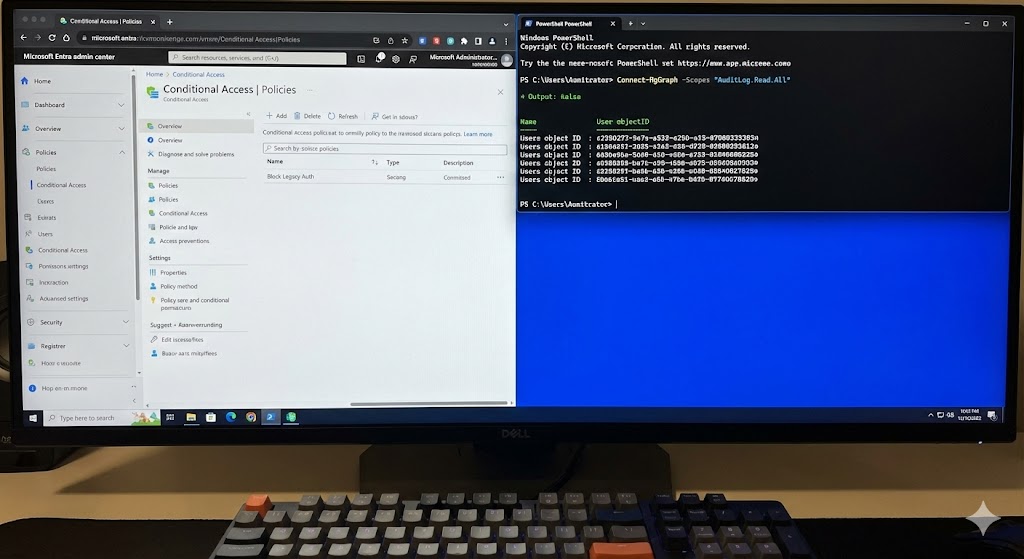
Connect-MgGraph -Scopes "AuditLog.Read.All"

$StartDate = (Get-Date).AddDays(-7).ToString("yyyy-MM-dd")

# Filter for PIM Activation events
$PIMLogs = Get-MgAuditLogDirectoryAudit -Filter "category eq 'PimActivation' and activityDateTime ge $StartDate"

$PIMLogs | Select-Object ActivityDateTime, InitiatedBy, ActivityDisplayName, ResultReason | Format-Table
9. Monitoring & Security Operations
You cannot secure what you cannot see. Entra ID generates massive amounts of log data.
- Sign-in Logs: Who logged in, from where, and was it successful?
- Audit Logs: What changes were made to the directory (e.g., User created, Group modified)?
- Provisioning Logs: Status of users syncing to SaaS apps.
Integration with Microsoft Sentinel
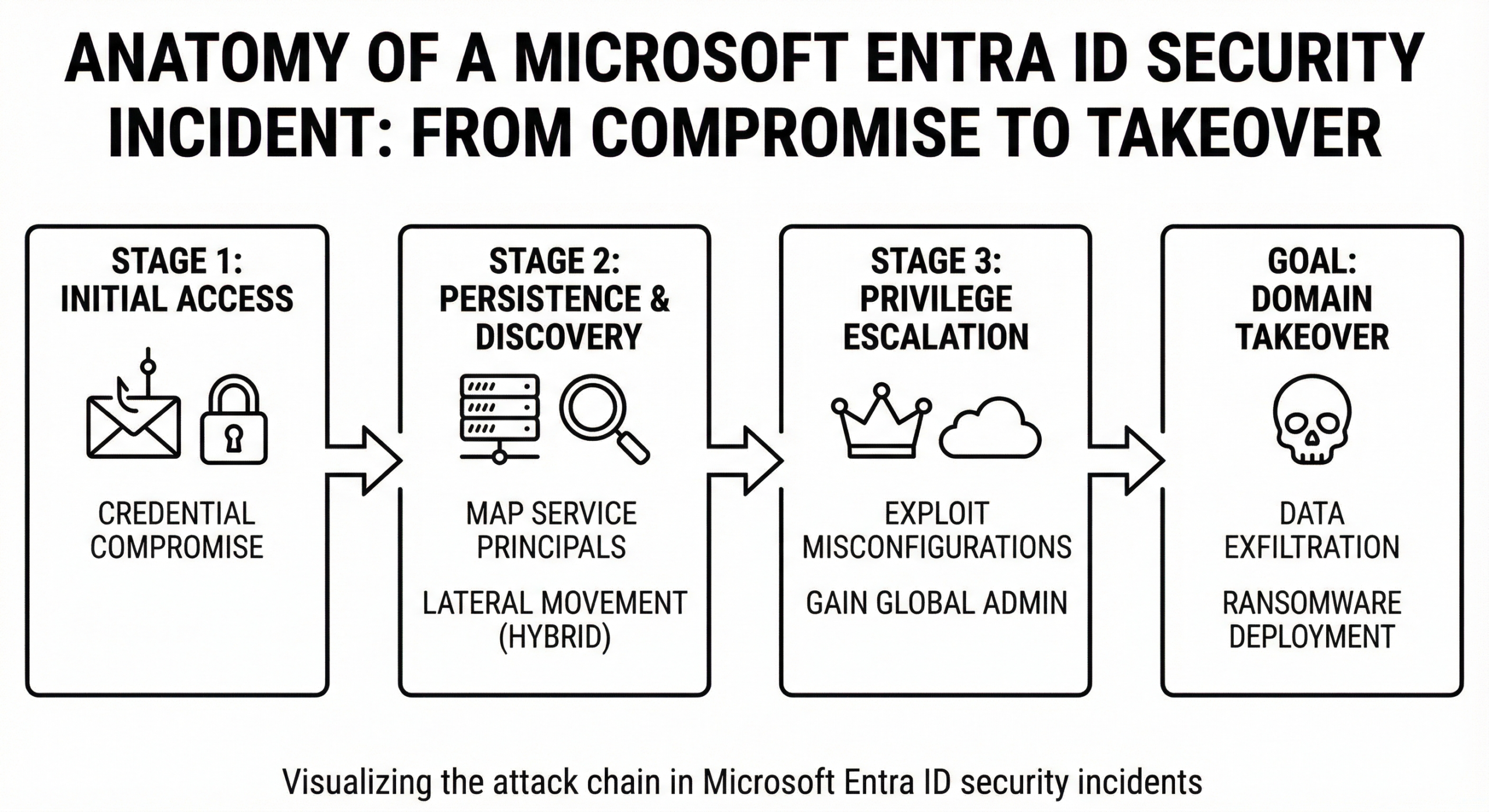
For enterprise security, stream your Entra ID logs to Microsoft Sentinel (SIEM). This allows you to correlate identity alerts with firewall logs and endpoint logs for a full attack visualization.
10. Licensing Guide (2026 Edition)
Microsoft licensing can be complex. Here is the simplified breakdown for Entra ID.
- Entra ID Free: Included with Azure/O365. Basic SSO (10 apps limit removed in newer updates), User mgmt. No Conditional Access.
- Entra ID P1: The standard for security. Includes Conditional Access, MFA, Cloud App Discovery, and Hybrid Identity features.
- Entra ID P2: The advanced tier. Adds Identity Protection (Risk-based policies), PIM, and Entitlement Management.
- Entra Governance: An add-on introduced recently for advanced lifecycle workflows and certification campaigns.
Frequently Asked Questions (FAQs)
A: The name "Azure Active Directory" was officially renamed to Microsoft Entra ID. The technology is the same, but the branding has changed to reflect the "Entra" product family.
A: Create 2 cloud-only accounts (e.g., breakglass1@domain.com). Exclude them from ALL Conditional Access policies. Store their long, complex passwords in a physical safe. Monitor their usage heavily via alerts.
A: The PRT is a key artifact in modern auth. It is issued to joined devices and allows Single Sign-On across apps without prompting the user for credentials constantly. Protecting the PRT is crucial.
A: Yes! Microsoft provides an extension for Linux that allows you to SSH into VMs using your Entra ID credentials and enforce MFA.
Final Thoughts for Your Blog Strategy
When publishing this content to CloudKnowledge.in, remember to interlink your existing articles on "Azure Security" and "PowerShell Basics." This Pillar Page will serve as the central hub for your SEO strategy.




hello world
hello world
hello world